
DRO is available for RAW, JPEGs and video.
For every shutter press, the camera studies the scene and creates a combined image that is flatter – trying to raise the shadows and preserve the highlights.
You will find Auto HDR in Menu A > 5 > DRO/Auto HDR > D-Range Optimizer. You have the following choices:
- Auto: Camera determines the changes automatically
- Lv1 to Lv5: You can choose the strength or magnitude of flatness, where 5 is strongest and 1 is weakest.
The test
Here’s a scene with DRO off (click to enlarge):
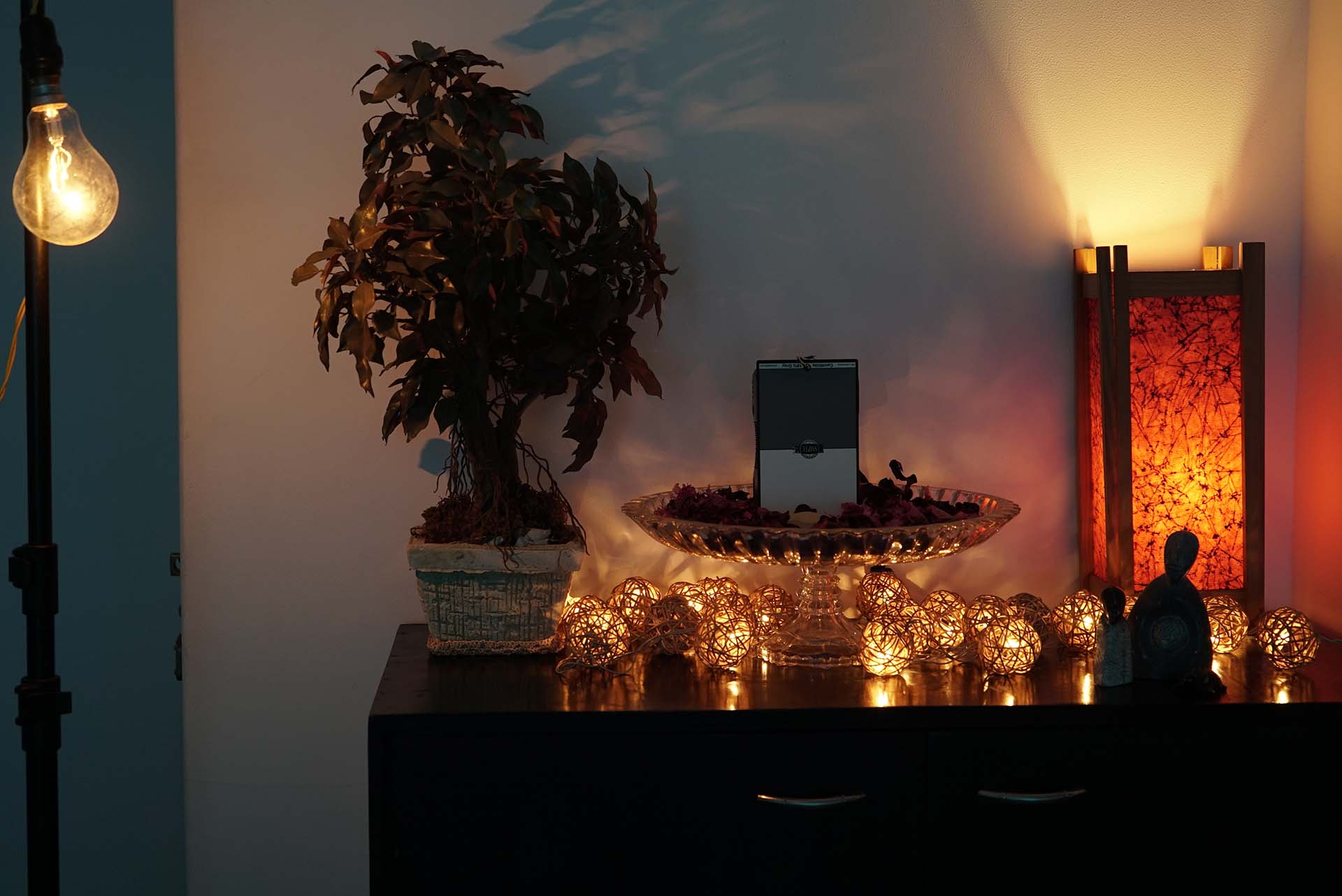
ISO 800, 1/25th shutter, f/4.5 at 51mm on a 28-70mm f/3.5-5.6mm lens. Neutral picture profile. X.Fine JPEG quality.
Now here are four results (each row) for Auto HDR at Auto, Lv1, Lv2 and Lv5 (click to enlarge):
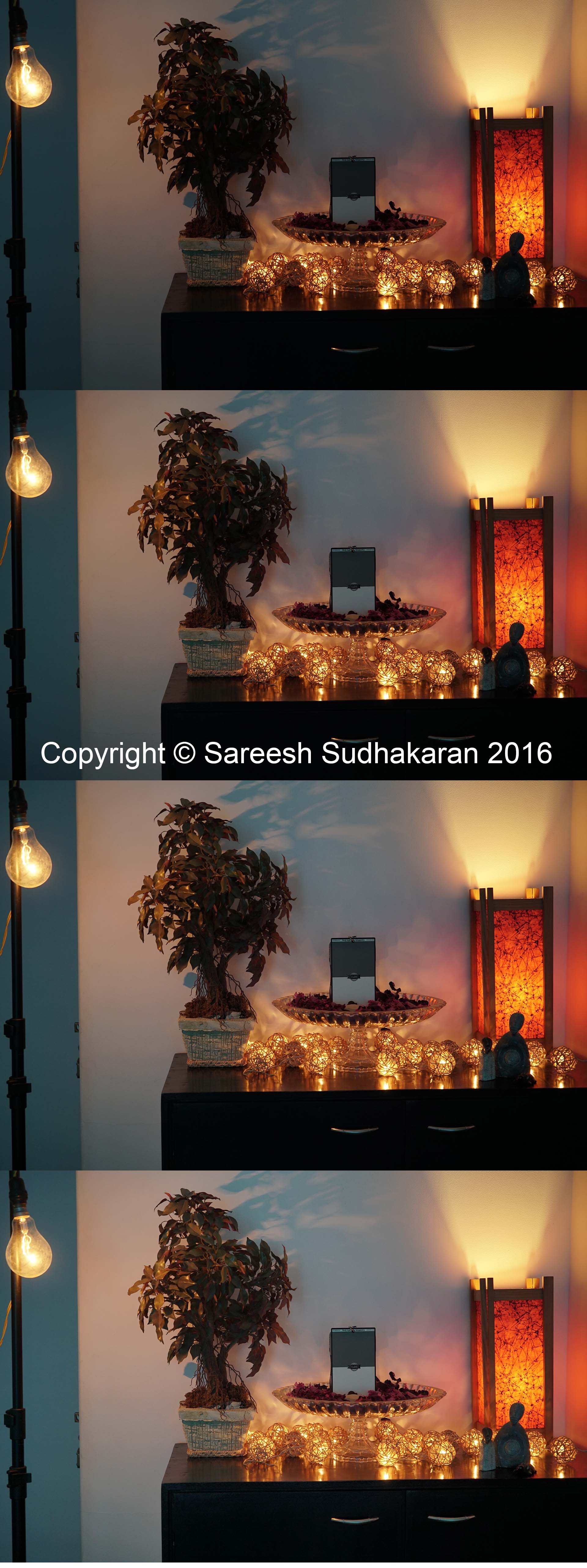
The effect of DRO is to slightly raise the shadows and bright down the highlights. But it can’t recover clipped information.
Takeaway
For stills, DRO can produce a flatter image, but it will not increase the dynamic range of the camera. You can process a RAW still and get similar results and probably even better results. DRO is only for those shooting JPEGs who don’t have the time to process later, and somehow find the images acceptable.
For video shooters, DRO doesn’t work with picture profiles.
Lastly, you can’t control noise with DRO, so if you’re using it, don’t go overboard with Lv5, as you can see in the above test. I’d restrict myself to Lv3 at best.
DRO doesn’t work in tandem with the following:
- Panorama
- Multi frame NR
- Picture effects and picture profiles
