
The Red V-Raptor S35 is bound to be a hugely popular camera.
I am sure you are aware that you will need to attach accessories to it so that it can be used professionally.
Unfortunately, there are few accessories included in the base camera package. You could opt for a production pack, but if you want to know about 6 accessories you must have for the V-Raptor S35, read on.
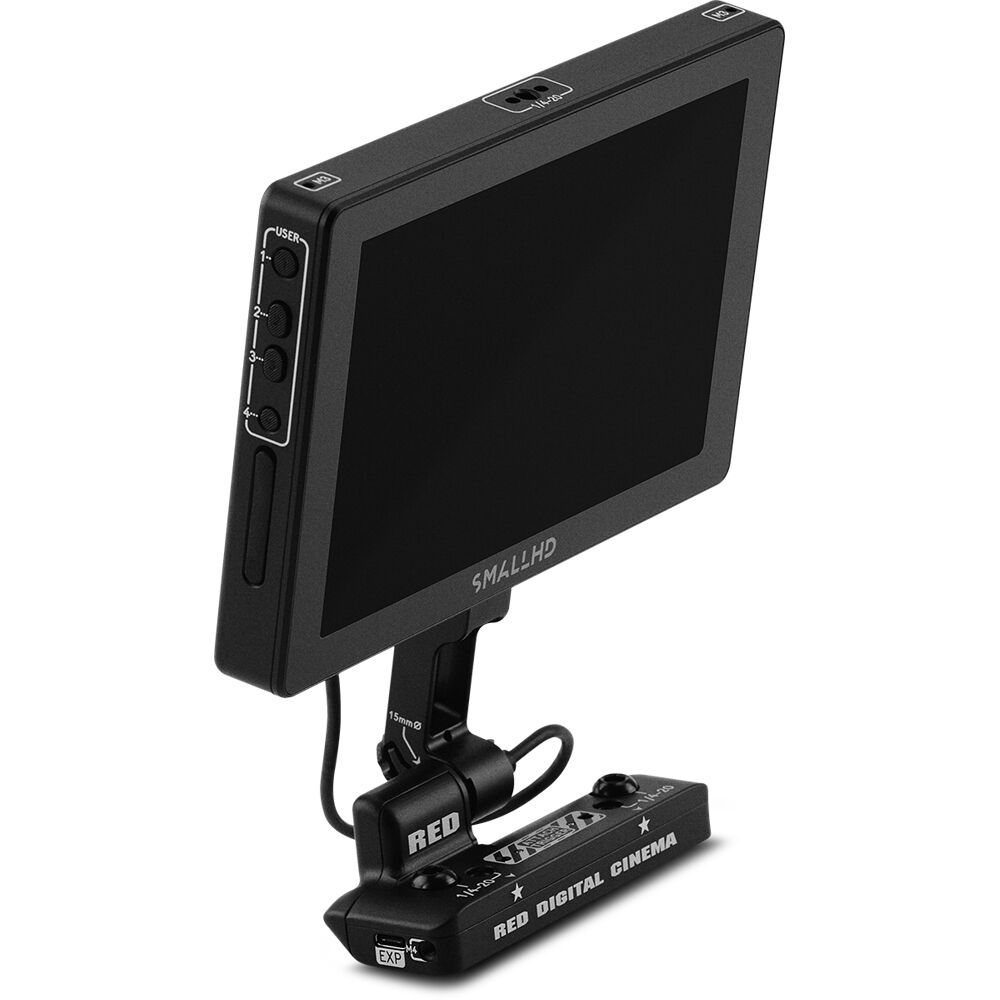
1. External Monitor
The DSMC3 RED TOUCH 7.0 is the perfect solution, though not everyone will be happy with the price.
SmallHD also has monitors with which you can control the camera. They’re the SmallHD Cine 7 RED RCP2 and the SmallHD Indie 7. As it’s roughly the same price as the official one from Red, I would stick to the Red Touch.
If you need a cheaper option and can let go of camera control, pick the the SmallHD Indie 7 You can mount it on one of the 1/4″ mounting holes in the camera.
If you need to record externally, I recommend an Atomos Ninja V+. It will allow you to record 4K via 12G-SDI in DNxHR, something not available in the Red V-Raptor 8K S35.
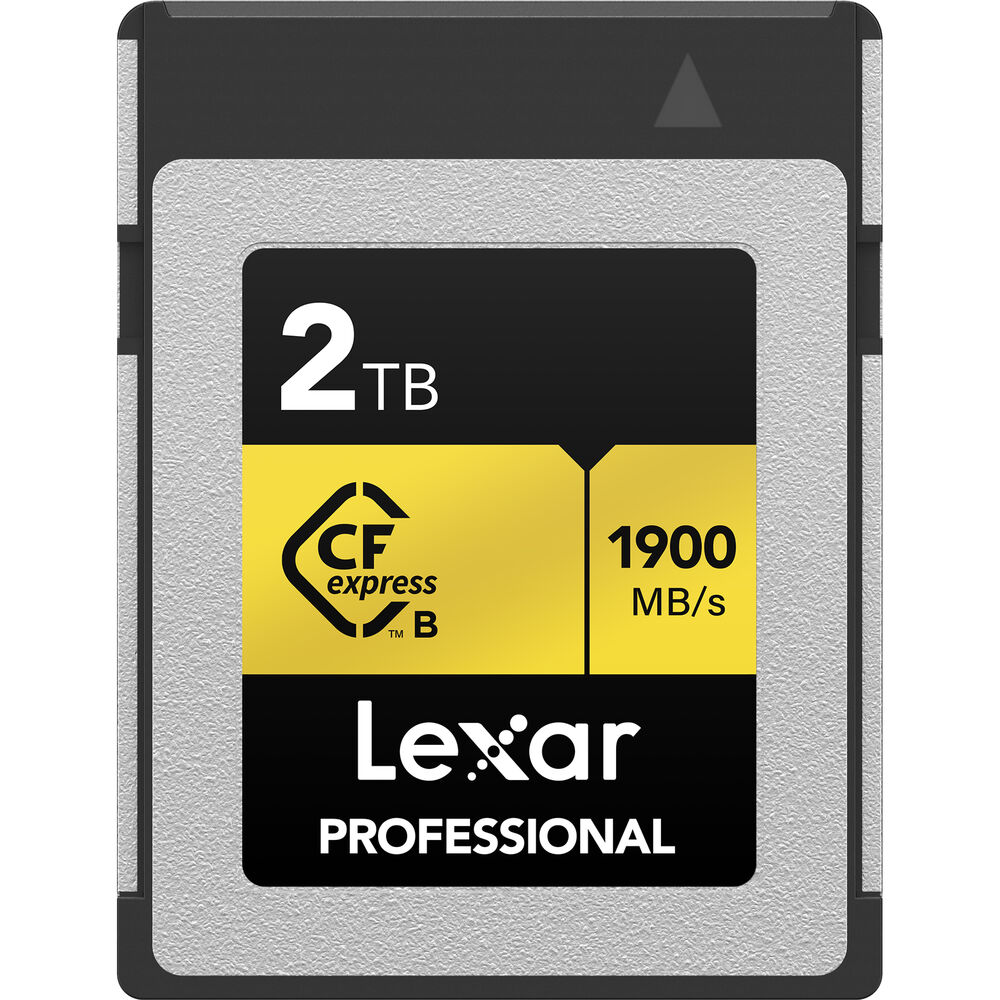
2. Lexar CFexpress Type B Cards
Red provides rebranded Angelbird cards.
A good option that I would recommend is the Lexar 2TB Professional CFexpress Type B Card GOLD Series, which comes for around $200 less than the Red card.
You’ll also need the a CFexpress Card reader. I recommend the Lexar Professional CFexpress Type B USB 3.2 Gen 2×2 reader.
CFexpress Type B cards are getting cheaper, and Red is allowing users to use any card in the market as long as they hit sustained 800 MB/s write (assuming you’ll be recording at the highest data rates).
For an updated list of compatible cards, click here.
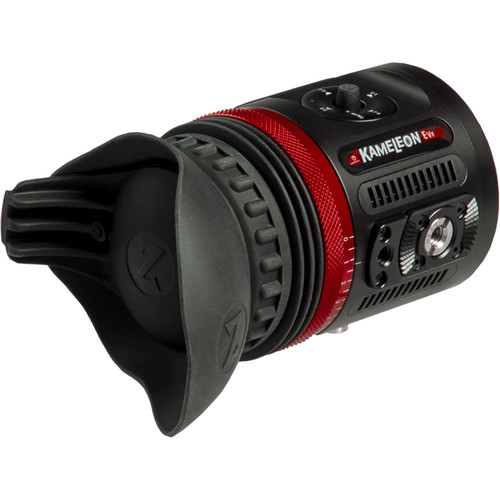
3. Zacuto Kameleon EVF Pro
The Zacuto Kameleon Pro EVF Pro (B&H, Amazon) can be a solid addition to your kit if you want a viewfinder with your V-Raptor.
An EVF becomes very important if you decide to set up a shoulder rig, or would like to operate the camera cinema-style.
The Kameleon Pro is slightly expensive, but is light, has both HDMI and SDI ports, and has all the features you could possibly need. The only downside, if you want to call it that, is you need external power via the LEMO connector. Unfortunately, this is true of most EVFs. It isn’t a deal breaker, though.
If it is, you always have the option of the Zacuto Gratical HD Micro OLED EVF, which is heavier and larger.
The Zacuto Kameleon Pro EVF Pro (B&H, Amazon) supports up to DCI 4K input via HDMI and up to 1080p60 via SDI.
It also features 3D LUT support, joystick control, anti-fog technology, frame guides and four user-assignable buttons.

4. 3-Pin XLR Female to 5-Pin LEMO Audio
Red has its own DSMC3 Red 5-Pin to Dual XLR Adapter and that should be good enough if you want to record audio via XLR inputs.
The less expensive Remote Audio Two 3-Pin XLR Female to 5-Pin LEMO Audio Input Cable will also do the job.

5. Top Handle
Red has come out with its own top handle. You can also purchase an extension.
My recommendation, though, is the Tilta Top Handle for RED V-RAPTOR S35. It has a four-point contact with the camera and comes in much cheaper, even with the extension.

6. AC Adapter
Red has come out with the DSMC AC Power Adaptor Pack which provides power through DC-IN power port for the V-RAPTOR camera systems.
This might come in very handy for indoors as you can shoot without worrying about the battery draining.
I hope you found my list of accessories for the Red V-Raptor S35 useful. If you know of any others please let me know in the comments below.
