

Low budget filmmakers have never been so spoilt for choice as they are today. However, that comes with a catch: too many options.
Which camera system should you put your hard earned money down on?
In this article, we compare the following cameras purely on their technical specifications:
- Canon C50 (Amazon, B&H)
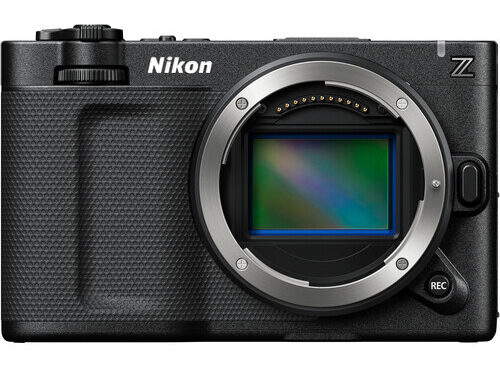
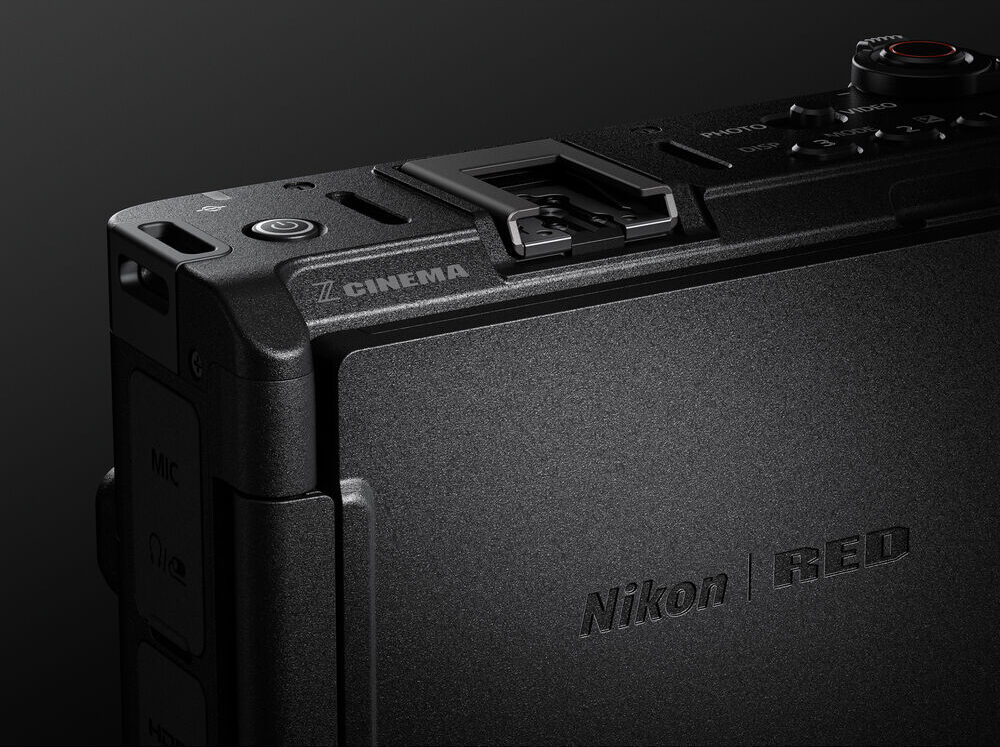
- Nikon ZR (Amazon, B&H),
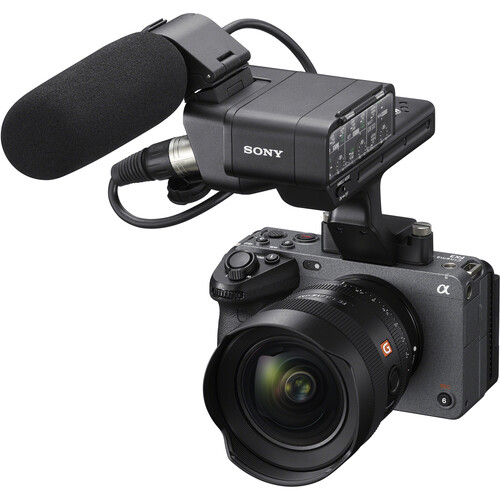
- Sony FX3A (Amazon, B&H),
- Red Komodo (B&H), and
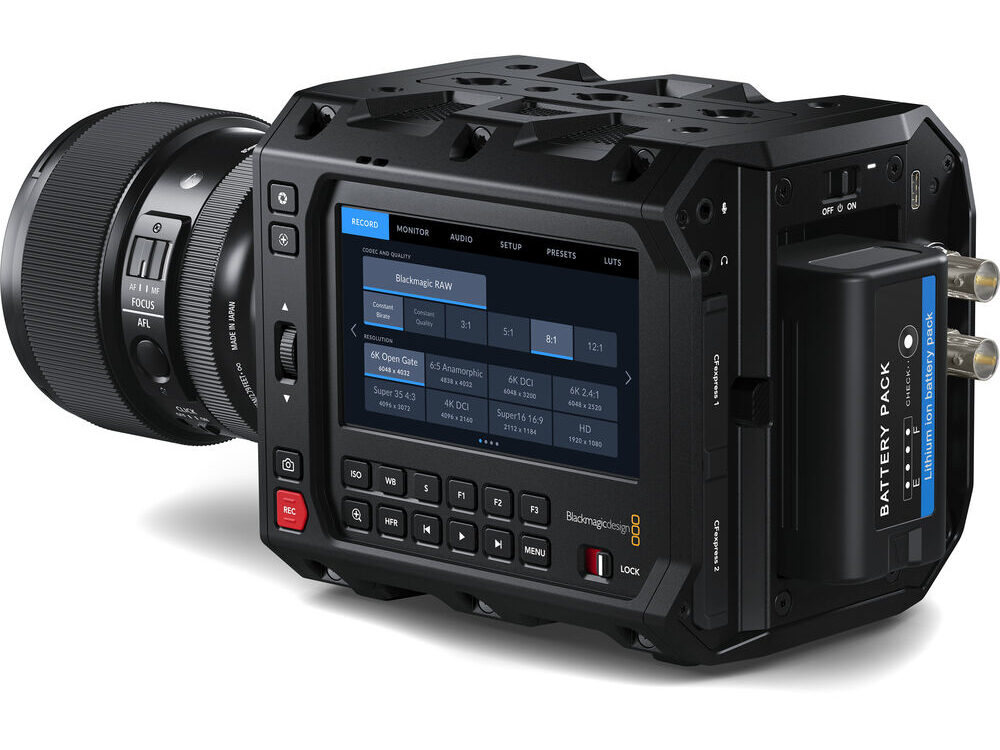
- Blackmagic Design PYXIS 6K (Amazon, B&H)
All five cameras are good enough “on paper” for cinematic short or feature films on a low budget. Though, you’d be surprised by what you can learn by putting aside subjective criteria like image quality or color science – temporarily, at least!
The goal is to find the camera that is the best investment for you. And since this is a fun comparison, there will only be one winner!
Let’s get to it.

Comparison of sensors and lens mounts
Four cameras have full frame sensors with a size close enough to 36mm x 24mm that doesn’t matter practically. The Komodo is the only one with a Super 35 sensor.
Here are their sensitivity ratings:
| Camera | Video ISO Range | Native ISO |
| FX3A | 80-102,400 | 800, 12800 |
| PYXIS 6K | 100-25,600 | 400, 3200 |
| C50 | 80-51,200 | 800, 6400 |
| ZR | 100-64,000 | 800, 6400 |
| Komodo | 250–12,800 | 800 |
The FX3A is still probably the best bang for your buck in low light situations. However, practically speaking, if you’re making a movie and can stay between ISO 400 and ISO 1600, any of these cameras should be good enough.
E.g., in my review of the Red Komodo I’ve shot in low light situations and at night and the camera was perfectly adequate.
I tend to prefer the native ISO because it gives you cleaner images overall, and the most dynamic range. The dual (or second native ISO) is never as good as the first, and without further testing it’s hard to know how usable it is.
Here’s what you get with lens mounts:
| Camera | Lens Mounts |
| FX3A | Sony E |
| PYXIS 6K | Leica L, Canon EF, Arri PL |
| C50 | Canon RF |
| ZR | Nikon Z |
| Komodo | Canon RF |
Obviously the PYXIS 6K (Amazon, B&H) has the best options, but you’ll be purchasing the mounts separately. That’s better than getting an adapter.
Comparison of resolution, dynamic range and frame rates
Here’s how the cameras compare in terms of absolute resolution:
| Camera | Best Possible Resolution | Max FPS^ | Max FPS^ in 4K |
| FX3A | 3840 x 2160 (4264 x 2408 externally) | 120 fps | 120 fps |
| PYXIS 6K | 6048 x 4032 | 36 fps | 60 fps |
| C50 | 6960 x 4640 | 60 fps | 120 fps |
| ZR | 6048 x 3402 | 60 fps | 120 fps |
| Komodo | 6144 x 3240 | 40 fps* | 60 fps |
*The Red Komodo can film 50 fps at 6K 2.4:1.
The Sony FX3A (Amazon, B&H) can only shoot up to 4K UHD, whereas the others go further.
The PYXIS 6K and the Komodo is disappointing in this comparison, and the winner has to be the Canon C50, which gives the highest frame rates at a greater resolution, in Open Gate.
One of the advantages of Open Gate with the Canon C50 is you can film it horizontally even if you need to make vertical videos. Assuming you’re filming in 9:16, the resolution cropped will be 2611 x 4640.
Which is better: Higher resolution or higher fps?
For the low budget filmmaker, a higher fps will help you get more shots. Lots of films demand slow motion. In scenes where you need to move the camera around quickly, having the option eliminates ugly jitter-artifacts caused by the rolling shutters on these inexpensive cameras.
A higher resolution gives you two advantages – a zoom crop if you needed to, and a better resolved downsampling when delivering in 4K. However, handling these files and grading them are much more expensive and time-consuming.
If you have to pick – pick higher fps every time. In today’s bleak market, nobody’s asking for 8K content.
Here are the official dynamic range numbers:
| Camera | Dynamic Range | Sensor Size |
| FX3A | 15+ stops | Full frame |
| PYXIS 6K | 13 stops | Full frame |
| C50 | 15+ stops | Full frame |
| ZR | 15+ stops | Full frame |
| Komodo | 16 stops | Super 35 |
Cameras have pretty much leveled up on dynamic range, except for the PYXIS 6K. The Komodo definitely is amazing in its dynamic range, and I expect it to do better than the ZR or C50 by a tiny margin.
However, going by the low light performance, the additional DR is mostly cancelled out.
To be honest, I would pick any of these cameras for image quality. They’re all good enough for a theatrical DCP and get the job done. They might not pass Netflix specs but that’s a joke. If your film is good and does well in festivals it has a good chance of being picked up no matter what it was shot on.
Your low budget production will be the limitation here – no camera can hide poor lighting, cheap sets or locations, whatever. The days when mirrorless cameras were not good enough are over.
What you could base your decision on is the color science and skin tones. My order of preference (and I’ve shot with all brands over many years):
- Canon and Nikon (a tie)
- Blackmagic Design and Komodo (a close second)
- Sony (a distant third)
This is me. You do you.
Codecs and external RAW recording
The codec options are all over the place:
| Camera | Internal RAW | Internal Codecs | External RAW Recording |
| FX3A | No | XAVC S-I, XAVC HS | HDMI Type A – 16-bit Prores RAW |
| PYXIS 6K | 12-bit BRAW | Prores HQ | 12G-SDI – BRAW |
| C50 | 12-bit Cinema RAW Light | XF-AVC, XF-AVC S, XF-HEVC S | HDMI Type A – n/a |
| ZR | 12-bit Redcode RAW, Nikon N-RAW, Prores RAW HQ | Prores 422 HQ, H.265, H.264 | HDMI Type D – n/a |
| Komodo | 12-bit Redcode RAW | ProRes 422 HQ, ProRes 422 | 12G-SDI – None |
You need an external recorder for recording any RAW via HDMI. But I’ll be honest. I wouldn’t do it that way. That RAW is nothing like the real RAW you get when recording internally.
For the FX3A, RAW isn’t truly 16-bit, and neither is the sensor. It is the clear loser here.
The clear winner in terms of codecs is the Nikon ZR, though practically speaking they’re all equally good enough for cinema work. Sadly though, it’s got a micro-HDMI output, though it’s not unworkable.

Focus and exposure aids, and ergonomics
A cinema camera needs the right exposure aids. The little things make all the difference:
| Camera | Exposure |
| FX3A | Zebras, Histogram, Meter |
| PYXIS 6K | False Color, Zebras |
| C50 | Waveform, False Color, Zebras, Histogram, Meter |
| ZR | Waveform, Zebras, Histogram, Meter |
| Komodo | Traffic Lights, False Color, Zebras, Histogram |
The Sony FX3A falls behind the others here. The Nikon ZR definitely needed false color, so I see it as a big miss on Nikon’s part.
As far as size and weight are concerned:
| Camera | Ergonomics | Nits | Weight |
| FX3A | Swivel monitor, tally lights, mounting points | n/a | 640g |
| PYXIS 6K | Tilt and swivel LCD monitor, mounting points | 1,500 | 1500g |
| C50 | Tilt and swivel LCD monitor, tally lights | n/a | 670g |
| ZR | Tilt and swivel LCD monitor | 1,000 | 540g |
| Komodo | Fixed LCD on top | n/a | 950g |
None of the cameras have viewfinders. I guess all the market research points to filmmakers not needing it. A good viewfinder is as expensive as your camera, so it’s a shame we don’t have a clear winner here.
You get an XLR module, tally lights and mounting points extra with the FX3A and C50. The mounting points are not always in a place that you’ll find useful.
All the cameras have fans, except the ZR. However, it is prone to overheating. The maximum record time possible is 125 minutes – which is perfectly all right for filmmaking.
Weather sealing is not guaranteed on any of the cameras. I don’t expect these cameras to be pushovers, and this is par for the course for this budget range.
The only camera I would doubt in a downpour is the Blackmagic. It’s also too big in this lineup.

ND Filters
None of these cameras have built-in ND Filters, which is a shame.
Audio Features
| Camera | Audio | Best Audio Bit Depth |
| FX3A | 2 x XLR/TRS 1 x 3.5mm jack | 24-bit |
| PYXIS 6K | 2 x mini XLR 1 x 3.5mm jack | 24-bit |
| C50 | 2 x XLR/TRS 1 x 3.5mm jack | 24-bit |
| ZR | 1 x 3.5mm jack | 32-bit float, 24-bit |
| Komodo | 1 x 3.5mm jack | 24-bit |
The Sony FX3A (Amazon, B&H) and Canon C50 (Amazon, B&H) comes with an XLR grip which can be attached to the top of the camera and be used as a top handle.
With the PYXIS 6K (Amazon, B&H) you will have to get mini XLR to XLR adapters.
You get 32-bit float with Nikon ZR (Amazon, B&H), but it’s still only one 3.5mm jack, hardly professional. Great for vloggers, not so useful for cinema use.

Image Stabilization
The PYXIS 6K and Komodo does not have IBIS, the others do.
Nikon claims that the ZR (Amazon, B&H) has 7.5 stops of stabilization whereas Sony claims that the FX3 has 5.5 stops of IBIS. Canon hasn’t published the number for the C50.
All companies use their own standards of testing IBIS so you cannot be absolutely sure unless you test it out for yourself. In practice, I would be surprised if any of the others was inadequate when paired with the right lenses.
The Sony FX3A also has gyro information, but to stabilize the footage you will have to use the Sony Catalyst software.
Timecode
The Blackmagic PYXIS 6K has Tri-Sync/Black Burst and Timecode. In their own words:
Simply plug in an external timecode generator to the BNC timecode input and the camera will automatically detect timecode and lock the internal generator. Now each camera can start and stop recording and all the shots from all cameras will have the same matched timecode.
Highly accurate timecode clock. Less than 1 frame drift every 8 hours.
Blackmagic Design
My thoughts? Even though this feature is useful, you do need to purchase a timecode generator and follow that workflow.
The others don’t have built-in timecode features. If you’re recording audio separately, as you should, the best option is to number and label the files accurately so syncing is easier later.

Batteries and media cards
Here’s a look at the media:
| Camera | Slot 1 | Slot 2 | Other |
| FX3A | CFexpress Type A or UHS-II SD card | CFexpress Type A or UHS-II SD card | None |
| PYXIS 6K | CFexpress Type B | CFexpress Type B | USB-C 3.1 Gen 1 |
| C50 | CFexpress Type B | UHS-II SD card | None |
| ZR | CFexpress Type B | Micro SD (UHS-I) | None |
| Komodo | CFast 2.0 | None | None |
You can get the job done with any of these cameras, but in a head to head comparison the FX3 and PYXIS 6K wins for its dual, dual card feature. The Komodo suffers with an older generation card system, and I don’t know what Nikon was thinking with the Micro SD slot.
What about batteries?
We don’t have enough information about the C50 and ZR, but I’m going to give this one to the Komodo, because it has hot-swappable dual batteries.
Which is cheaper to own?
Let’s just add up the costs:
| Camera | Komodo | PYXIS 6K | C50 | FX3A | ZR |
| Camera body | $2,995 | $2,495^ | $3,899 | $4,098 | $2,197 |
| XLR adapter | $399* | $0 | $0** | $0** | $399* |
| Total | $3,394 | $2,495 | $3,899 | $4,098 | $2,596 |
**Included
^For the L-mount system
The NIkon ZR is cheap, but very close to the PYXIS 6K, too, in price.
So, what do you really get?

Let’s see who wins in what:
| Feature | Winner |
| Resolution | Canon C50 |
| 4K 120fps | Sony FX3A, Canon C50, Nikon ZR |
| DR and Color | Red Komodo |
| RAW and Codecs | Tie, except FX3A |
| Internal ND filters | None |
| Low Light Performance | Sony FX3A |
| Exposure Aids | Canon C50, Red Komodo |
| Media | Sony FX3A, PYXIS 6K |
| Lenses | Tie |
| Ergonomics | Tie |
| IBIS | Nikon ZR, Sony FX3A |
| Ports and Monitoring | PYXIS 6K |
| Audio | Tie |
| Autofocus and Manual Focus | Canon C50, Nikon ZR, Sony FX3A |
| Battery life | Red Komodo |
| Rolling Shutter | n/a |
Before we take our final decision, we’ll let the cameras tell us what they offer that the other doesn’t:
| Camera | USP | Major Cons |
| FX3A | IBIS, low light, world-class AF, dual card slots | Overheating in 120p? Only 4K UHD internally, Price is too high, No RAW internally |
| PYXIS 6K | 6K RAW, Prores, XLR and SDI, bright monitor, dual card slots, USB-C recording, Ttimecode, Price | Poor battery life, No IBIS, No continuous AF, low frame rates, dynamic range |
| C50 | 7K, world-class AF, Open Gate | Price, no IBIS |
| ZR | 6K RAW, Prores, IBIS, world-class AF, Codecs, Price, monitor brightness | Micro HDMI slot, Micro SD slot, Battery Life |
| Komodo | 6K RAW, swappable batteries | Super 35 sensor, fixed LCD, low light ability, lower frame rates, CFast cards |
My Verdict
The FX3A has been a winner on this website for a couple of years now. But all that has changed. To me, quite clearly, it comes down to either the Canon C50 or Nikon ZR.
The ZR is over a thousand dollars cheaper – and it has IBIS.
I would be crazy if I don’t recommend the Nikon ZR for the cash-starved filmmaker. Unless the footage is terrible, or the camera has major issues, the Nikon ZR is the new champion.
What do you think?

C50 has no internal raw? It’s mentioned in the table.
Sorry, updated. Thanks for letting me know.
YM Cinema does an interesting comp on readout speeds among the FX3, FX2, C50, and Zr.
FX3 is still the champ but the Zr comes in hot on its heels.
https://ymcinema.com/2025/09/11/nikon-zr-canon-c50-sony-fx3-fx2-readout-speed/
Thanks for sharing!
I called the ZR before I even read any of the article. LOL! My only things against it is Micro HDMI, mounting points (or lack thereof), and memory card being with the battery so no hotswapping. Other than that… its the new FX3 just one stop less capable of low light. But if you can’t get down with ISO 64,000 then you got bigger problems than the camera.
Absolutely! The price itself is about 2012-like – filmmakers can’t complain.
For about five or six years, Nikon was often seen as the overlooked or less favorite choice when it came to filmmaking. While Nikon has always been excellent for photography, their video cameras had some problems, especially with autofocus, and many people didn’t really consider them for video work. But since the release of models like the Z9, Z8, and Z6II and newer ones, Nikon has improved a lot in video quality and reputation. With their recent purchase of RED production equipment, it’s clear they’re continuing to develop and innovate, and there’s still more to come. As someone who loves photography, I still have a special connection to Nikon and its beautiful skin tones in photos. And now, I’m really excited to see what features and surprises the new ZR will bring.
I know for a fact Nikon is serious about its cinema game. Looking forward to what’s coming next!
Hi dear S.S.; you mention that “The Red Komodo can film 50 fps at 6K 2.4:1.”, but you omit to add that the PYXIS can offer 60fps @ 6K 1:2.40 as well, plus the fact that it communicates (as many other BM-models do), with the camera-gyro option in Davinci, a real important condition IMHO.
Thank you for clarifying!