

What is a film production monitor?
A film production monitor is a display to look at, observe, or analyze what you’re filming.
We’re specifically talking about a display that is separate from the camera. This means the built-in LCD or viewfinder of a mirrorless or cinema camera doesn’t count.
A built-in monitor is still a monitor, though. It will allow you to look at, observe and analyze your shots. It’s just not a film production monitor.
This guide will help you choose an external film or video production monitor.
Let’s begin!
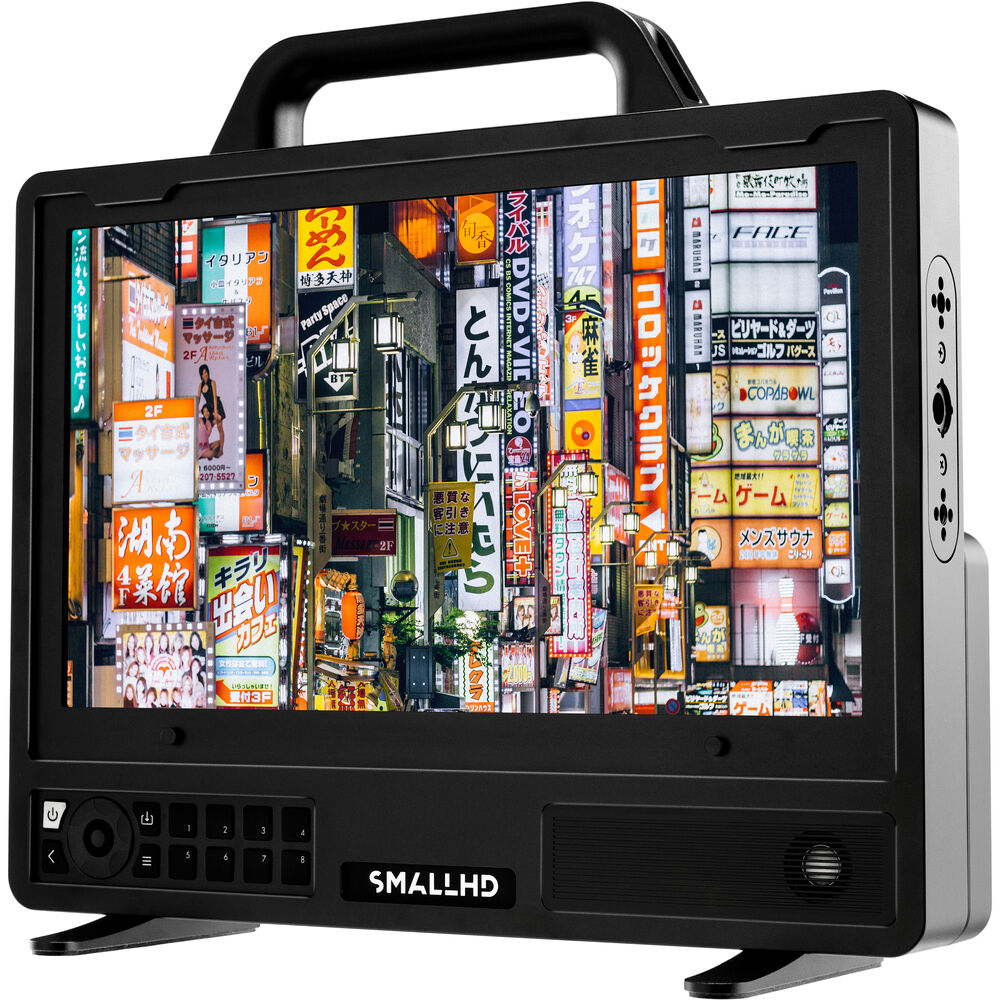

The different types of production monitors
Production monitors come in different sizes (just live TVs) and features, depending on what you need them for.
Here are the most common:
- On-camera production monitor
- Video Village production monitor
- Focus Pulling production monitor
- Client monitor
An on-camera monitor is usually smaller, either 5″ or 7″ diagonally, and is designed to fit on the camera, gimbal, Steadicam or Jib.
A focus pulling monitor usually sits on a stand away from the camera, and is typically sized 7″ or higher. Nowadays the focus pulling monitor receives a video feed wirelessly, with the least delay possible.
A “Video Village” production monitor can be standalone or as part of a group of production monitors. These monitors are usually 17″ or higher, typically 24″. They are larger because the shots are studied and analyzed critically by various departments.
The most common departments are:
- Cinematographer
- Director
- Digital Image Technician (D.I.T.)
- Client
However, it is not etched in stone. Some film directors like to carry a 7″ monitor close to the camera and actors.
A client monitor can be anything really, and is not part of the film process. It’s more for commercials. Clients can hang around the video village, or be given iPads with wireless video streaming to it. The delay in the video feed isn’t that important in this case.
What are you monitoring anyway?
Monitoring can mean three things:
- Monitoring for aesthetics. To judge aesthetics, one looks at the colors, continuity, framing and the performance of the actors.
- Monitoring for image quality.
- Monitoring for image conformity.
Monitoring for image quality is a technical inspection of the image as filmed and displayed. Here’s what a cinematographer, D.I.T and focus puller would look for:
- Motion artifacts
- Image artifacts like pattern noise, banding, ghosting, flare, etc.
- Distortions in the frame
- Focus
- Skin tones
- Safe areas, frame borders, etc.
- Noise and Grain
Monitoring for image conformity is a bit more technical, and is to ensure the image meets pre-decided specifications.
Here are some important things to look for:
- Video levels, HDR
- Highlight and shadow clipping
- Color gamut
- Color balance and skin tone balance
- Noise in different channels
- Exposure
Monitoring for image conformity is different from monitoring for image quality because, in the latter, you are looking at the image to analyze it.
With image conformity, though, you’ll also be using additional tools like:
- The waveform
- Vectorscope
- False Color
- Channel Noise
- Color Space and Gamut
- Highlight and Shadow Clipping Information
- LUT (Look-up Table) On and Off
- Zebras
- RGB Parade
- Histogram
This information is critical to keeping the video within the boundaries of the agreed-upon standard for delivery.
If you see an amazing image on the monitor, but it falls outside the required specification, your film will fail QC (Quality Control) at a TV, cinema or OTT platform.
It is the technical correctness of a monitor that will allow you to enjoy the aesthetics.
If you’re not sure about the accuracy of a monitor, you’ll always be nervous about the images. A bad monitor can make something look worse or better than it really is, and you don’t want to wait until post production to find out.
Simply put, you need to trust your monitor 100%.
As a rule of thumb, follow this:
A good production monitor should be capable of 100% accuracy in terms of visual imagery, color, and technical standards.
Do you even need a production monitor?
Here’s what I know from personal experience: The eyes don’t lie.
When in doubt, always rely on your eyes.
Don’t agree? Ask any DP who has shot on film prior to the digital revolution:
- How did they judge exposure?
- How come they were so certain about colors?
- How did they realize their vision on celluloid?
- Why is it that with all this technology on set many DPs still can’t make great images consistently?
If you know your camera, lighting and lens inside out, you don’t need a monitor. I find its presence more therapeutic than essential. And that’s for the people on set that have a weaker constitution.
Seeing an image in its final form on a monitor is a relief to those who can’t envision it in their head. It’s also a safety net so people less informed can rest assured they hired the right person!
On the flip side, if you walk in midway into a film shoot, or rent gear that you don’t have experience with, or are using a camera for the first time, etc., a good video production monitor is essential.
On my film I had one production monitor, for my focus puller. I was the cinematographer, and all I used was my eyes. Even when I film on an Arri Alexa all I ever use is the viewfinder.
Only you can know. If you need it you need it.

Understanding video signals and standards
Typically, a camera provides a signal, usually uncompressed, via different ports.
The three most common family of standards that you’ll find on many cameras are:
- SDI – (3G-SDI, 6G-SDI, 12G-SDI and higher)
- HDMI – (1.4, 2.0 and higher)
- Component Y’CbCr (Digital) – this is not used for professional video anymore.
The standards are precisely defined. So, it’s supposed to make things easy, right?
Wrong.
Even within the standards, you might have different versions. With HDMI, there’s the problem of differently shaped connectors.
To know more about SDI and its standards, please read this article:
The one thing you have to understand is that a 10-bit 4:2:2 from camera A might not be the same as 10-bit 4:2:2 from camera B. Uncompressed doesn’t always mean best quality.
Should you get a production monitor with SDI, HDMI or both?
Ideally, get both. That’s the best option.
A lot of monitors now give you the option of SDI and HDMI. If you’re forced to pick, pick for the camera you are using now.
SDI vs HDMI
The SDI standard uses a BNC connector. This connector screws and locks on to the port.
This ensures there are no unwanted disruptions. SDI is also designed for long cable runs, like about 100 meters (328 feet), or higher.
HDMI can only go up to 30 meters (about 100 feet) without an extender. With a good extender, it can equal SDI. But imagine how many HDMI connections does that make? The more the HDMI connectors, the greater the chances of one being dislodged.
HDMI is a consumer standard, great for when things don’t move around, like a TV in your living room. But that’s not what a video production monitor is about, is it?
Still, you might be able to secure the HDMI cable to your monitor and camera, and you can make it work if that’s all you have. For my film, Gin Ke Dus, we filmed for 30 days with a Canon EOS R5 and it was connected to an Atomos Shogun via HDMI for focus pulling.
However, as a rule of thumb:
Choose SDI over HDMI whenever possible. It is designed for rough professional use.
What is the right production monitor size?
What is the ideal size of a production monitor? 5″, 7″, 9″, 15″, 24″, or more?
If you’re on a low budget, you might not be able to afford more than one production monitor. This makes the decision all the more critical.
Here are general guidelines for the minimum size required:
| Situation | Distance | 4K | 1080p |
|---|---|---|---|
| Single operator on-camera | Less than 1.5 feet | 7″* | 5″ |
| Focus Puller | Less than 2 feet | 19″ | 7″ |
| Video Village | 2-4 feet | 32″ | 24″ |
| Dailies | 6-10 feet | 105″+ | 55″+ |
| Color Grading or DIT | 2-4 feet | 32″ | 24″ |
The monitor sizes mentioned are the smallest size you need. Any smaller and you mostly won’t see the resolution difference due to various factors (eyesight, age, exterior conditions, display characteristics, etc.)
Notes:
- The bigger the monitor, the further away you have to go. If you want to monitor 4K, but the monitor is too small or too far away, there’s no point.
- When more than one person is viewing a monitor, they won’t always be at the same distance from it.
- The tendency of most individuals is to always approach the monitor to be as close as possible, like moths.
- Dailies take into account that multiple people might watch at the same time in a home theater-like environment. You don’t need to strictly follow rules here, because you can enjoy your film regardless.
Read this article for more information about your eyes and viewing distances:
What controls do you need on a film production monitor?
Here are the basic controls you must have:
- Brightness
- Contrast
- Gamma (2.4, 2.2 or other)
- Internal Calibration (Hardware and software)
- Color Space and Gamut choices (Rec. 709, Rec. 2020, DCI-P3, HDR)
- Built-in and user-generated LUTs
One of the most popular mistakes people make is assuming two cameras with Rec. 709 will display the same color. That’s not always true.
If you have two monitors on set showing the same video signal from a single camera, they must show the exact same image and colors.
You don’t want to start doubting yourself!
Do you need video monitors with dials or a touchscreen?
I prefer buttons and dials.
The importance of ergonomics of controls (dials, buttons, etc.) cannot be overstated. You don’t want to be running around looking for the remote or thumbing through infinite layers of menus to find something.
If it’s important, it must be a knob or button right where it’ll take less than two seconds to change.
Also, in different weather a touchscreen will be grossly inadequate. Extreme cold with gloves on? No touchscreen. Humid, sweaty, environment? No touchscreen.
You get the idea.
OLED or LCD?
My rule of thumb:
Get a monitor that matches the final display it will be viewed on.
If your audience is going to watch on LCD monitors, or on cinema DCI P3, don’t judge on OLED. The same applies for color grading as well. Trust me, you’ll only end up disappointed.
Get OLED if you really need the extra dynamic range, or if you’re shooting and delivering HDR. To know more about High Dynamic Range (HDR), watch this:
What exposure tools do I need?
There is no place on set for a technically inaccurate or inadequate production monitor.
Technical accuracy is directly dependent on the monitor’s ability to analyze the incoming video signal. This analysis must then be presented to you in a form you can understand quickly.
You make a change in camera, study the impact on a monitor and then take action if necessary.
Here are the important exposure tools in order of importance:
- Waveform – Displays voltage over time, and the ‘shape’ of the signal – commonly used to study luminance.
- Vectorscope – Displays the relationship between two separate signals in X-Y form – commonly used to study chrominance.
- False color – Displays IRE values in bands of colors.
- Zebras – A zebra stripe pattern is seen over areas that are overexposed beyond an established threshold. This threshold can be selected by the user in some cases.
- Histogram – A graph showing the distribution of discrete data (for digital systems) over a defined range – commonly used to study luminance of each channel (RGB) separately, or the overall luminance of the signal.
- Noise – Some monitors show you the noise levels on individual channels. The blue channel noise feed is popular, though you should check for noise in all channels.
Here’s more detail:
The key difference between these technical methods and the controls one finds to manipulate the aesthetic image (brightness, contrast, etc) is that these don’t allow for manipulation. They show the signal as is, or at least are supposed to.
Having a professional production monitor with accurate scopes is like having a truth serum.
If you know what you’re doing, it will tell you how ‘good’ your signal really is. If you don’t know what you’re doing, it doesn’t matter what it says!
What focus tools should a video monitor have?
You need Focus Peaking. The edges of an object in focus take on a specific color (professional monitors will allow you to choose between colors).
A good monitor will also have 1:1 zoom in so you can study an image at 100%. If you are already at your native resolution, then a 200% zoom is quite handy sometimes.
Monitor Calibration
Calibration is the process of testing your monitor against reliable standards and tweaking what needs to be tweaked to meet those standards. A monitor to test a monitor!
The calibration system had better be reliable, or you’d want another tool to monitor them.
You could calibrate in two ways – software or hardware. Software is for consumers, and should never be used by a film professional. What you need is hardware calibration.
For proper hardware calibration, you need four things:
- A monitor that allows it (not as simple as you think)
- A probe (the hardware, the thing that monitors the monitor)
- Software (the thing that makes sense of it all, and controls the probe and monitor)
- A computer for the software to run
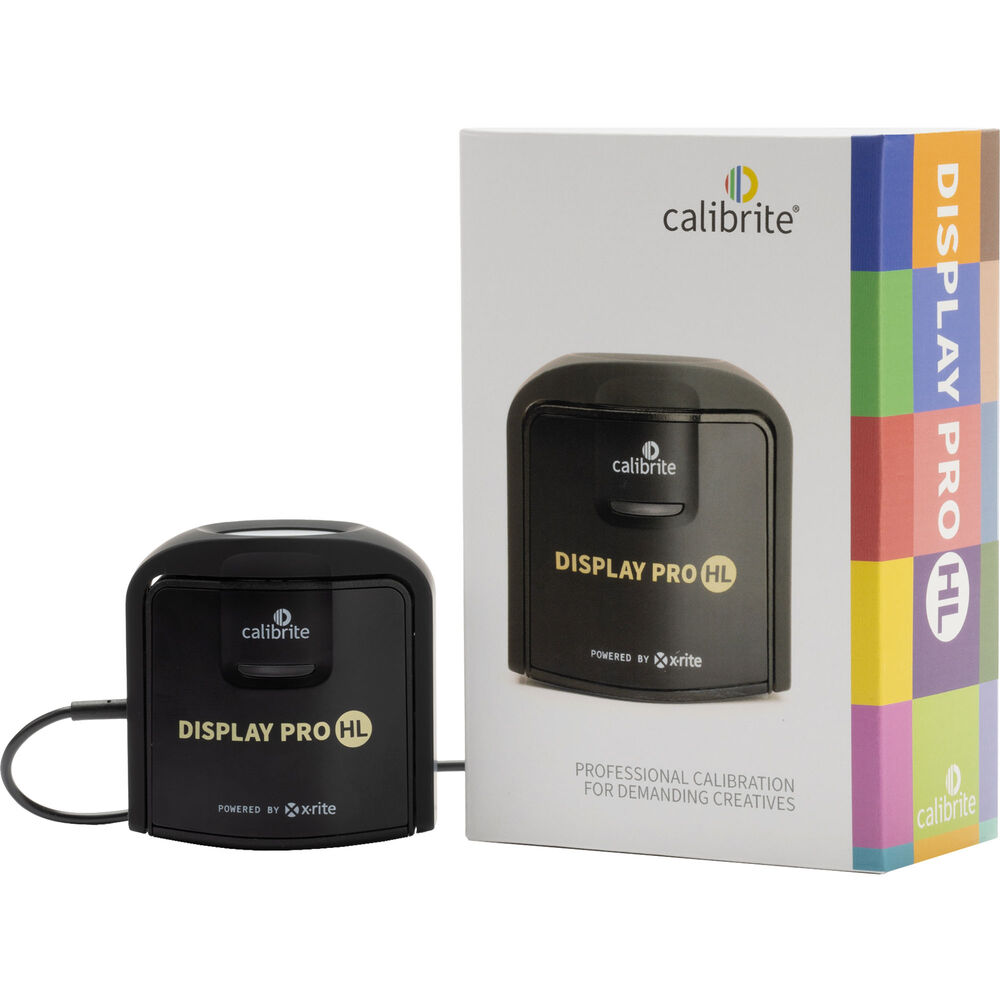
The most reliable probe and calibration system that won’t break the bank is the Calibrate Display Pro (formerly X-Rite) (Amazon, B&H).
It’s fairly easy to use. You place the probe on the screen, run the software and calibrate to a known standard (Rec. 709, DCI-P3, Rec. 2020). If your production monitor is capable of receiving changes to settings, it will do so.
However, remember, not all monitors allow hardware calibration.
What to look for in production monitors
I realize a lot of what we’ve covered so far is complicated stuff. Color management is complicated, even for the professionals.
Most of those who look to buy a production monitor don’t want the hassle of learning color science. Here’s a list of things you should look for when buying one:
- Resolution – It must be able to take the native resolution and aspect ratio of the signal, even if it doesn’t display it in the same resolution. E.g., if the camera outputs 4K, the monitor must be able to convert 4K to 1080p, if that’s what you’re viewing in.
- Decent Battery life and maybe different power options. It would be great to power the monitor from the camera body itself, or at least via D-Tap.
- Refresh rate should be 120 Hz if possible, or at least 60 Hz. What’s the point of studying 60 fps footage on a monitor that shows only 30 fps? Cheaper monitors don’t display filmic motion correctly.
- It should have frame guides and lines, if possible custom ones. The standard frame guides are 4:3, 2.39:1, 2:1, 1.66:1, 16:9 and 1.85:1.
- AC power and DC power port.
- Visible in sunlight, with a minimum luminance of 1,000 nits (cd/m2). Even if you don’t need HDR, the additional brightness is useful for daylight exteriors.
- Support for the main color spaces: Rec. 709, DCI-P3 and Rec. 2020.
- Support for the HDR modes you want, like Dolby Vision, HDR10, HLG, etc.
- Support for various camera log modes.
- Ability to load custom LUTs, or at least have standard in-built profiles.
- Viewing angle should be as close to 180o as possible without color distortions.
- Color depth – 10 bits if possible, but there’s nothing wrong with 8-bits only for viewing purposes.
- Precision – 10-bit processing minimum.
- Audio levels for all channels supported by the standard.
- Audio playback if possible.
- Have mounting points for easy rigging to a camera. If you’re using the monitor on a gimbal or Steadicam, you might want to also have a cage for it to protect it from shocks.
- Upgradeable firmware to extend the longevity of the monitor.
- Convert the video signal from one format to another.
- Optional: Record the video to SSD or other media cards. This is useful as a proxy or backup recording system.
And most importantly:
The monitor must be better than your camera LCD. Tons of filmmakers buy cheap LCD monitors that are worse than their camera displays.
Not all monitors will have all of the features listed above. If you want everything, expect to pay more.
This is the bare minimum you should aim for:
- Accurate technical scopes or false color.
- Ball-park images that don’t look too bad.
- Display should stay consistent over time.
- Great brightness and battery life.
- Service and support.
Monitor shortcomings are never marketed. If you get the opportunity, rent and test a monitor before you buy.
Don’t worry, I won’t leave you high and dry without a few suggestions based on my personal experience.
Recommended Brands
As far as production monitor brands are concerned, I only like three:
- SmallHD
- Flanders Scientific (FSI)
- Sony
These are the only three brands that check most boxes for a reliable, rugged and serviceable production monitor that will last you years.
I own an FSI DM240, and I rent the other two when I need them. If I could drop one, I’d drop Sony. Why it’s on this rarefied list is because of ubiquity, service and support. FSI can’t touch Sony in that department. I can’t even calibrate my FSI anymore because they have abandoned India as a market.
I have a preference for SmallHD and FSI because they go way beyond what standard monitors provide in terms of functionality, features and tools. A few important distinctions:
- Adjustable false color
- Adjustable frame markers and support for non-standard anamorphics
- Multiple color spaces and gamuts
- Tough and durable
- Lots of extra bells and whistles
Recommended Monitors
All of these monitors come with both HDMI and SDI ports:
- 5″ – SmallHD CINE 5 (Amazon, B&H)
- 7″ – SmallHD ULTRA 7 (Amazon, B&H)
- 10″ – TVLogic F-10A (B&H) – This is a special case.
- 13″ – SmallHD CINE 13 (Amazon, B&H)
- 17″ – Flanders Scientific DM160 (B&H)
- 21″ – Flanders Scientific DM211 (B&H)
- 24″ – Flanders Scientific DM231 (B&H)
- 32″ – Flanders Scientific XMP310 (B&H)
- 55″ – Flanders Scientific XMP550 (B&H)
- 65″ – Flanders Scientific XMP650 (B&H)
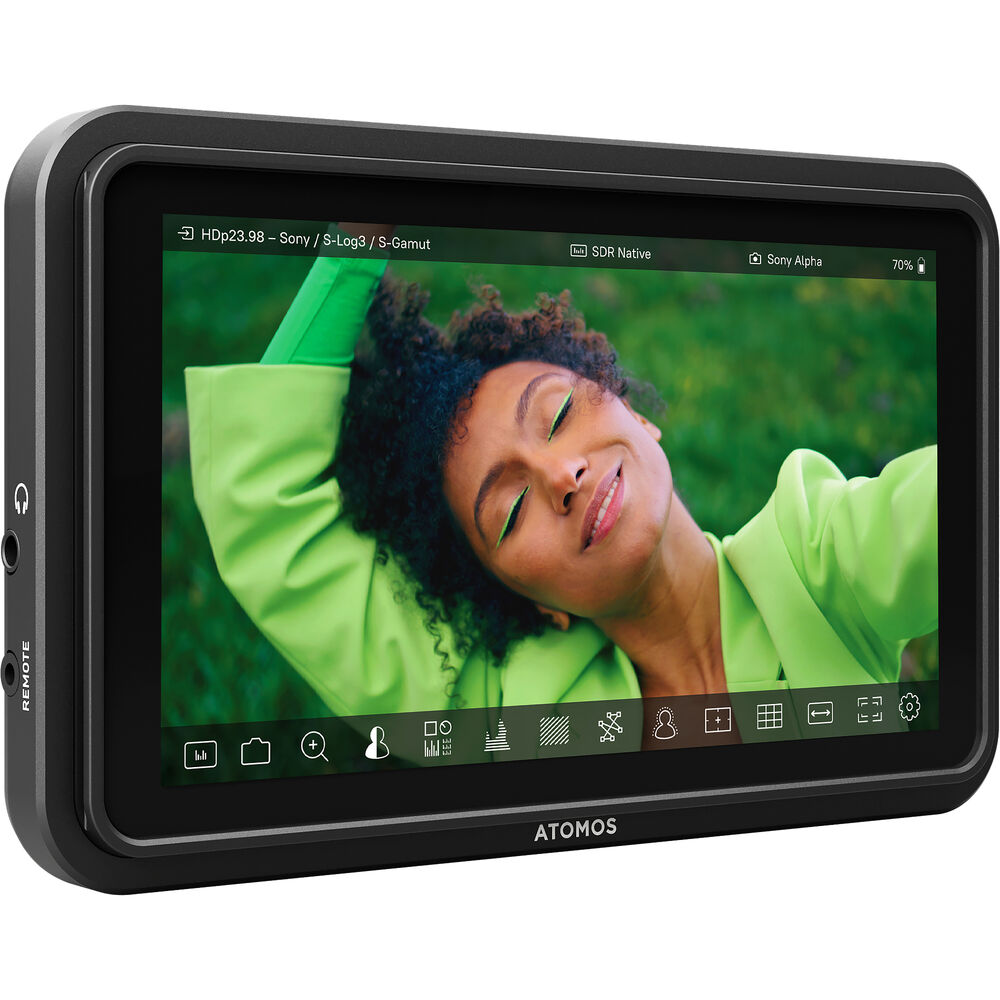
If you’re looking for a cheap 5″ monitor with HDMI, then check out the 5″ Atomos Shinobi II (Amazon, B&H).
Atomos has two advantages – it’s cheaper, and, some of their models can record video as well. However, build quality and exposure tools fall way behind the other two.
Accessories
There are a few important accessories you need to go with your production monitor.
The most important are cables. Make sure you use the right cables. E.g., if you want 4K 60p, you need HDMI 2.0 cables. Older 1.4 cables will not work.
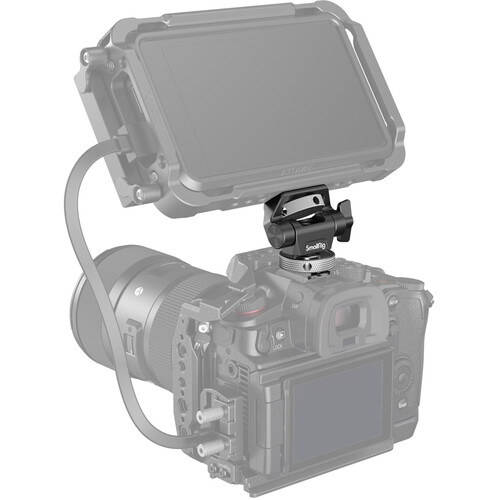
Next, you need a monitor mount. SmallRig makes popular mounts (Amazon, B&H) that work great with most cameras.
Larger monitors need VESA to light stand adapters.
You might also want screen protectors and cases as well. I also recommend a black cloth for those really troublesome days. At least no one will see your tears of joy on achieving the perfect shot!
That’s about it. We’ve covered a lot of ground about what makes a good film production monitor and what to look for.
I hope you found this useful.
