
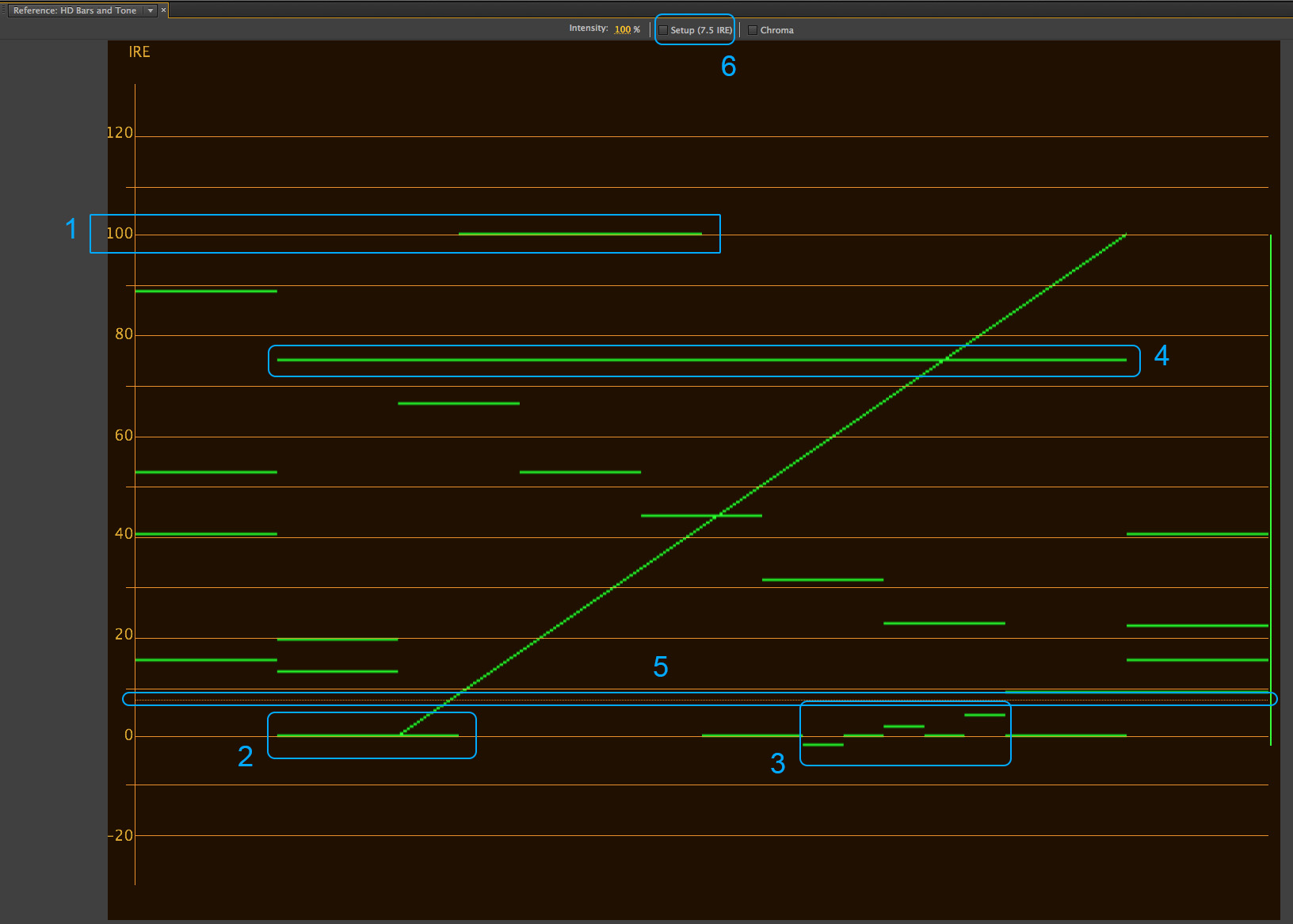
When it comes to creating stunning visuals in cinema, understanding exposure and staying consistent with it is key.
One of the most valuable tools for mastering exposure is the IRE scale. If you’ve ever struggled with underexposed shadows, blown-out highlights, or inconsistent exposure, mastering IRE values can take you to another level.
Let’s break it down in simple terms.

What Are IRE Values?
IRE stands for Institute of Radio Engineers. It’s a unit of measurement for video signal levels.
A speedometer is a good analogy to understand IRE levels. Just as the speedometer shows how fast you’re going, IRE values show how bright or dark parts of your image are.
Once you know what 60mph feels like, you know how it will feel like any day of the week, on any track or road. The same way, if you know how the sensor in your camera reacts to 60 IRE (say), it’ll always behave the same. no matter what or when you’re filming.
Sadly though, on an IRE scale, 0 is not always pure black, and 100 is not always pure white. And 50 is typically not middle grey.
However, there will be a smallest value corresponding to pure black, a highest value corresponding to pure white, and a value somewhere in between corresponding to middle grey.
It’s a moving target for each camera and color profile. You test each camera to find the values you’re looking for, and then you’re set. In all the camera guides I’ve made, I show you the IRE values I’ve tested and how to use them. This is how I’ve always exposed cameras!
Bottom line, IRE values are the closest you can get to the Zone system for exposure in cinematography.
Where does IRE come from?
It’s good to understand where IRE began and why it is still used today.
A composite video signal is measured in IRE – which used to be a percentage of the total voltage. This is how it looked like (if you have the courage to look, that is):

Some notes:
- There is no true black or true white in video. That’s why the words Reference black and Reference white are used. One way to think about it is: a certain black might not look the same on a CRT TV, LCD TV, OLED TV or an iPhone.
- There is also a sync pulse of 40 IRE that is sneaked in below 0.
- Therefore, the total IRE of a composite signal is 140 IRE, and the total voltage is about 1 V.
- There’s some space above reference white, about 10 IRE.
Signals are measured in percentages compared to 140 IRE. Since the total voltage is 1V, the actual image is contained within approximately 0.7 V or 700mV (milli Volts).
PAL, NTSC and SECAM were all transferred this way.
- For PAL, black is at 0 IRE and white is at 100 IRE.
- For NTSC, black is at 7.25 IRE (US), and 0 IRE (Japan); and white is at 100 IRE.
Why is this important? IRE is like quality control, and it is one of those properties that directly measure the strength of a signal. Low IRE values could mean the signal isn’t strong enough, or it doesn’t contain enough information.
How HDTV changed everything
Digital information doesn’t have to be encoded with voltages, but the video signal still needs to run electrically. This is called the Video Payload.
The HDTV payload specifies a peak-to-peak voltage of 800 mV. You have to remember HDTV is the bridge between the old voltage era and the modern digital era.
For HD-SDI 4:2:2 Y’CbCr:
- Y has a maximum of 700mV (encoded from 0 to 700) for luma, while
- Cb and Cr each have 700 mV (encoded from -350mV to +350mV), for chroma
For HD-SDI 4:4:4 RGB, all three channels have 700 mV each, and are encoded from 0mV to 700mV, similar to Y’.
This is what allowed HDTV to be broadcast on the old PAL/NTSC systems. You couldn’t change everything overnight because people won’t change their TVs overnight.
The color space adopted for HDTV was Rec. 709, and it kept things pretty close to PAL and NTSC, with a lot of confusion, too!
The thing with voltages is, it is defined by the physical limits of the system and technology. With digital IRE values though, there are no limits. You can write -2,450 IRE or +2 million IRE if you want – just as you can write billions on your bank check even if you can’t cash it!
IRE levels in Rec. 709, which is also relevant for 4K video today
Let’s not get into the details, because they are not useful anymore.
All we have to know is for Rec. 709, the color space for HDTV and UHD, the IRE values are simplified to:
- 0 IRE: Pure black. This is the reference for no signal or complete darkness.
- 100 IRE: Pure white. This is the maximum brightness level allowed before clipping occurs.
- Special case only. 7.5 IRE (Black Level): In NTSC broadcast systems (analog video), the black level starts at 7.5 IRE instead of 0, but this is specific to older setups and doesn’t apply to modern digital workflows.
Even though Rec. 2020 was supposed to replace Rec. 709 for UHD TV and 4K Cinema, it hasn’t so far. To know why, read this:
But wait. I said at the beginning 0 needn’t be black and 100 needn’t be white. Which is it?
I’ll get to that, but let’s look at cinema levels, too.
How does DCI-P3 and DCI define IRE levels?
DCI (Digital Cinema Initiatives) specifications for cinema do not define exposure in terms of IRE levels directly.
The color space you typically grade in for DCI is DCI P3 (but you can pick other color spaces, too).
DCI-P3 supports a greater range of colors than Rec. 709 but doesn’t inherently specify IRE levels. However, within DCI workflows:
- Black Level: Equivalent to 0 IRE (true black with no signal).
- White Point: Equivalent to 100 IRE (maximum brightness is about 100 nits).
- Middle Gray: Usually calibrated at 48 nits on a cinema projector, though not really relevant because you won’t be using DCI P3 to expose your film.
There’s also HDR!
I don’t want to get into HDR in detail here, though if you want a quick primer watch this video:
Since there are three HDR standards currently, here’s how IRE values are distributed:
| Format | Black (0 IRE) | White (100 IRE) | Middle Gray |
|---|---|---|---|
| HDR10 | 0 nits | 1,000 nits, up to 10,000 nits | 100 nits |
| Dolby Vision | 0 nits | Dynamically adjusted up to 10,000 nits | 100 nits |
| HLG | 0 nits | 1,000 nits, Varies depending on the display | Varies based on display |
When you’re exposing a shot on set, you’re typically filming in one of these three formats:
- Rec. 709
- A log format with a Log_to_709 LUT applied
- An HDR format
HDR is a special case restricted for television. For cinema, log has the highest dynamic range possible already, and this is what you’d pick for best results.
How log changes IRE values
Here’s a table showing the IRE values for some log profiles. These values represent the approximate exposure points for each log curve.
| Log Profile | Black Level (0%) | Middle Gray (18%) | Reference White (90%) |
|---|---|---|---|
| Arri Log C3 | ~8 | 38 | 90 |
| Sony S-Log3 | ~7.3 | 41 | 61 |
| Canon Log 3 | ~7.5 | 34 | 78 |
| Red Log3G10 | ~9 | 39 | 85 |
The last clipping IRE value available in Rec. 709 is IRE 109. 0 to 100 is black to white, and anything above 100 to 109 is “super whites”. However, different cameras treat this range differently.
Even when you film in RAW, you have to respect the boundaries set by the log standard you’re encoding in. It can be changed later, but you still need to expose with some baseline. Over this log, you’ll be applying a Log to 709 LUT to monitor on set.
Important: On some displays and cameras, you can pick whether you’re seeing the IRE levels of the log encoding or the LUT encoding.
Be careful which one you’re studying. Learn one and stick to that. Don’t mix them up!
Using Waveform Monitors to read IRE Levels
To measure IRE values, you’ll need a waveform monitor.
This tool visually represents the brightness of your image across the frame, mapping out which areas are dark, bright, or somewhere in between.
Here’s how to use a waveform monitor:
General IRE Values for Rec. 709
Different elements in your shot will require different IRE levels. Here’s a quick guide for Rec. 709 (feel free to completely ignore this!):
- Skin tones: Typically fall between 45 and 70 IRE, depending on the subject’s skin tone and lighting style.
- Highlights: Should stay below 100 IRE to avoid clipping and losing detail.
- Shadows: Generally above 10–20 IRE to prevent excessive noise or crushed blacks.
Keep in mind that these ranges can vary depending on your creative vision, the type of scene, and the camera you’re using.
How to Learn to Use IRE Levels
Understanding IRE values can help solve some of the most common exposure problems in cinema production:
- If the waveform spikes at 100 IRE, lower your aperture, ISO, or light intensity to bring the highlights back into range.
- If the waveform drops below 10 IRE, add light to the darker areas or increase your camera’s ISO, but be cautious of introducing noise.
- If skin tones are too dark or bright, adjust your lighting or exposure settings until they fall into the appropriate IRE range.
Use these tips to get better:
- Different cameras handle exposure and dynamic range differently. Test your camera to determine how it performs across the IRE scale.
- Properly exposed footage gives you more flexibility for color grading and other adjustments.
- Practice with a waveform monitor. The more you use it, the faster you’ll get at interpreting and adjusting your IRE levels on set. I’ve been using waveform monitors for over twenty years now. It and the false color tool are all cinematographers need for exposure on a film set.
Whatever you’re shooting, understanding and using IRE values can make all the difference in the final look of your film.
I hope you found this article useful!

Your voltages are wrong.
If we’re talking about analog NTSC, blanking (0 IRE) is at 0 volts. The sync tips (-40 IRE) are at
-.286 volts. Peak white (100 IRE) is at +.714 volts.
Combining the amplitudes, .286 V + .714 V = 1 volt peak to peak (sync tips to peak white).
0.285 V corresponds to 40 IRE, “reference at blanking”
0.339 V corresponds to the absolute value at 7.5 IRE, the “pedestal” or NTSC analog definiton of “black level” in the active picture. It is “0” IRE in PAL and all other digital image transmission.
You suggest that 0 volts is black in the text but in the diagram 0.339 volts is reference black. Also you call something ‘reference blank’ at 0.285V. These two things confuse me. Can you explain please?