
Audio is critical to any film and video production. This article highlights five low-budget digital audio recorders that are feature-packed.
What is an audio field recorder?
An audio field recorder is a portable device used to capture high-quality sound on location, offering professional features like XLR inputs, multiple tracks, and precise control over recording levels. It could be rigged alongside the camera, or be operated separately in the hands of a production sound mixer.
Why Not Just Use Your Camera’s Mic? Most cameras have poor preamps, limited control, and lower audio quality. A dedicated field recorder gives you professional-grade sound, which is crucial for making your film look and feel legit.
Remember: on poor quality headphones you might not notice the difference, but when your film has to be mixed to be heard in a theater, you need good, clean audio.
In filmmaking, audio recorders are used to record:
- Dialogues (typically with boom mics or lavaliers)
- Ambient/environmental sound (like city noise, birds, wind, etc.) – more specialist mics can be used for this
- Foley or sound effects – this is rare, as foley is typically recorded in studios with different setups. However, if it’s something rare and expensive to produce, it’ll be a lot cheaper to record it on location while you can.
- Backup audio during shoots.
What makes a feature-packed audio filed recorder?
Today you get great low budget audio field recorders with all the features you need:
- XLR inputs for connecting professional mics, at least two channels
- Phantom power
- High-quality preamps to boost the signal without noise
- Timecode support if possible
- Durable build for use in real-world filming conditions
- 32-bit float recording – this ensures your recorders don’t clip. The lower the budget of your production, the more important this is!
Keeping this in mind, here’s my list of five great audio field recorders for film and video:

1 Tascam FR-AV2
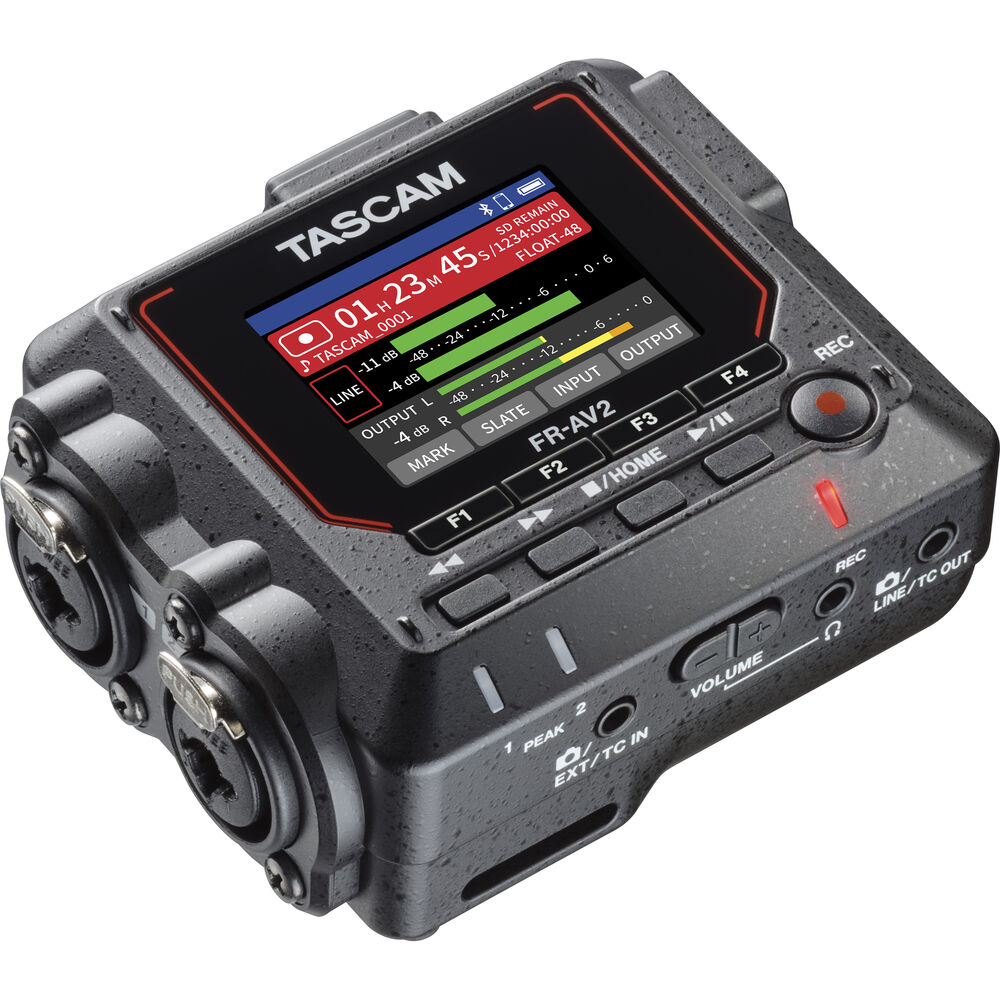
The Tascam FR-AV2 (Amazon, B&H) is a compact 2-channel field recorder with the following key features:
- 32-bit float recording.
- Supports sample rates up to 192 kHz. Preamps with an Equivalent Input Noise (EIN) of -127 dBu.
- Two XLR+TRS combo jacks so you can use two types of connectors. With phantom power.
- 3.5mm stereo headphone jack.
- Offers timecode generation, jam-sync function, and synchronization capabilities via 3.5mm or wirelessly with the optional AK-BT2 Bluetooth adapter. It also supports Jam-Sync for any external timecode devices.
- 2-inch color LCD display
- Can function as a USB-C audio interface for Mac, Windows, and iOS devices, supporting 32-bit float audio.
- Operates on three AA batteries, USB bus power, or an optional AC adapter, with battery life up to 10 hours depending on settings.
- Records to SDXC cards up to 512 GB.
- Recorded data is automatically saved every 20 seconds.
- Onboard low-cut filter, compressor, limiter, and noise gate.
This recorder is also really small, at 3.9 x 3.1 x 1.6 inches and weighs about 200g or so. For the price, I don’t think you can go wrong with the Tascam FR-AV2 (Amazon, B&H).
2 Zoom F3
Zoom has been around for years and fights neck and neck with Tascam in the low-budget space.
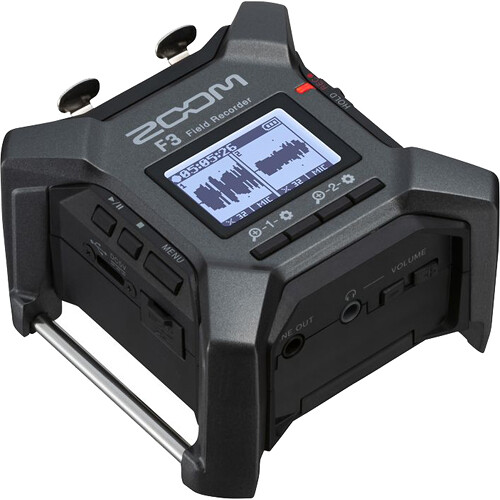
The Zoom F3 (Amazon, B&H) is also a compact 2-channel field recorder. Its key features include:
- 32-bit float recording.
- Maximum sample rate of 192 kHz.
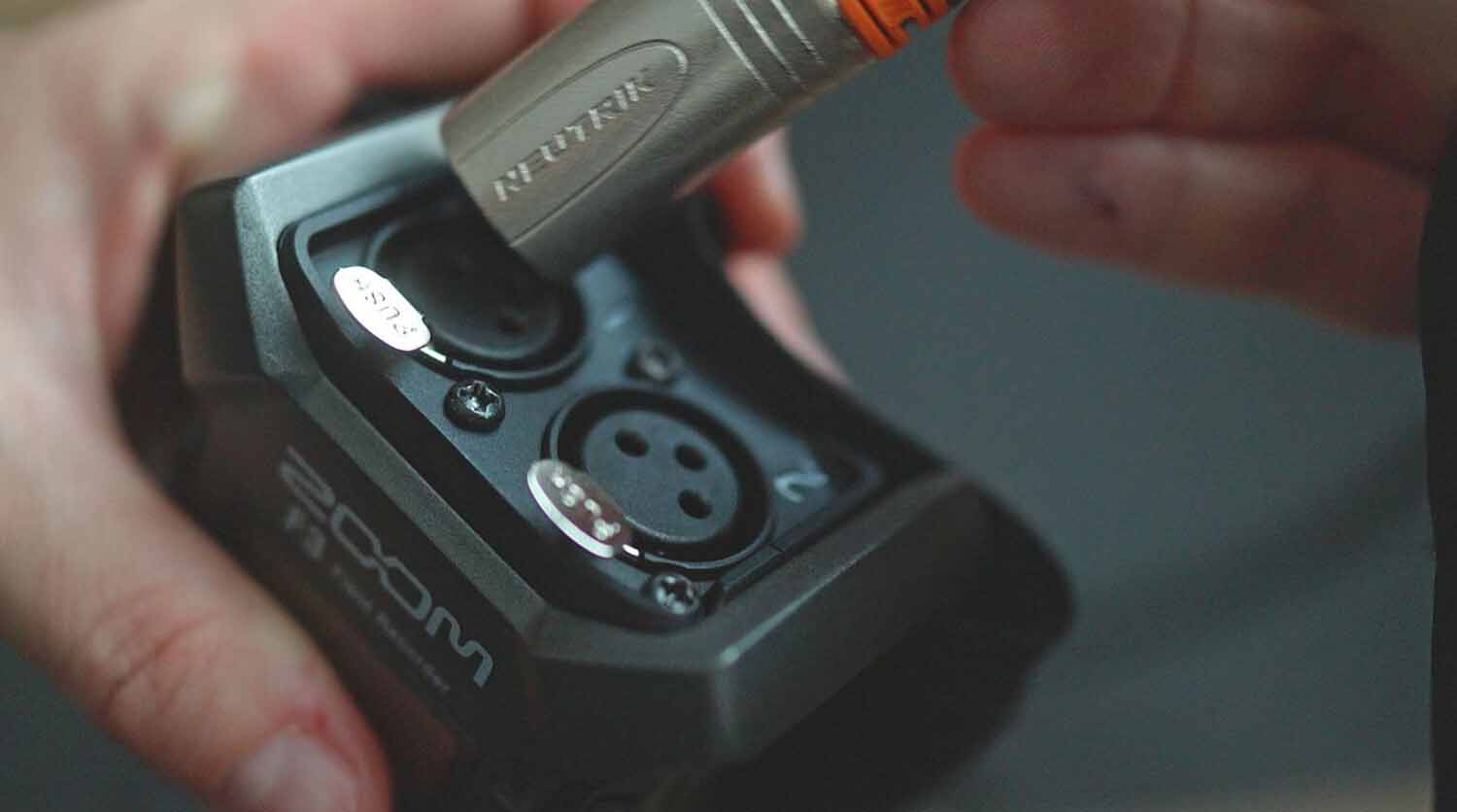
- Dual XLR inputs with a locking mechanism, with switchable 24V or 48V phantom power. No TRS inputs.
- Equivalent Input Noise (EIN) of -127 dBu.
- Records to microSDXC, with up to 1 TB of support.
- Operates on two AA batteries for up to 8 hours, or can be powered via USB-C connection to external power sources.
- Functions as a USB-C audio interface.
- Offers high-precision timecode synchronization with video, enhancing workflow efficiency in film and video production.
- Compatible with the Zoom BTA-1 Bluetooth adapter (sold separately) for remote control via the F3 Control app on iOS and Android devices.
- Equipped with a real-time LCD waveform display, allowing users to monitor input signals visually for accurate recording.
- No built-in signal-processing effects.
The Zoom F3 (Amazon, B&H) is also compact at 3 x 1.9 x 3 inches and weighs about 242 grams with batteries.
I prefer the Tascam because it has TRS inputs that can come handy, and it also has built-in effects, though that’s not critical for film use.

3 Sound Devices MixPre-3 II
The Sound Devices MixPre-3 II is a lot more expensive than the first two options, but the build-quality and the quality of the preamps onboard are on another level.
- 32-bit float recording.
- Supports sample rates up to 192 kHz.
- 3-channels over 3 XLR inputs, each with an ultra-low-noise Kashmir preamps with 48V phantom power support. Equivalent Input Noise (EIN) is -128 dBu (A-Weighted).
- Internal Timecode Generator: Includes a built-in timecode generator accurate to better than 0.2 ppm, facilitating synchronization with video recordings. Timecode over 3.5mm and HDMI.
- Built-in bluetooth for Timecode.
- Capable of recording up to five tracks simultaneously (three inputs plus a stereo mix).
- Functions as a 5-in, 2-out USB audio interface up to 32-bit float.
- Provides an auto-copy feature for backing up recordings directly to USB drives, for added redundancy.
- Up to 10 seconds of pre-roll at 48 kHz.
- Trigger record via HDMI.
- Operates on 4x AA batteries, 2x L Series batteries, USB and external power adapter.
- Low cut, high pass, delay, polarity invert, and panning effects.
The MixPre-3 II is bigger at 5.7 x 1.4 x 4.3 inches and heavier at about 500 grams. But it has three channels.
If you’re serious about your audio, and need the recorder to provide redundancies, a build-quality that will last an entire shoot and great preamps, the price of the Sound Devices MixPre-3 II is worth it.
4 Zoom F6
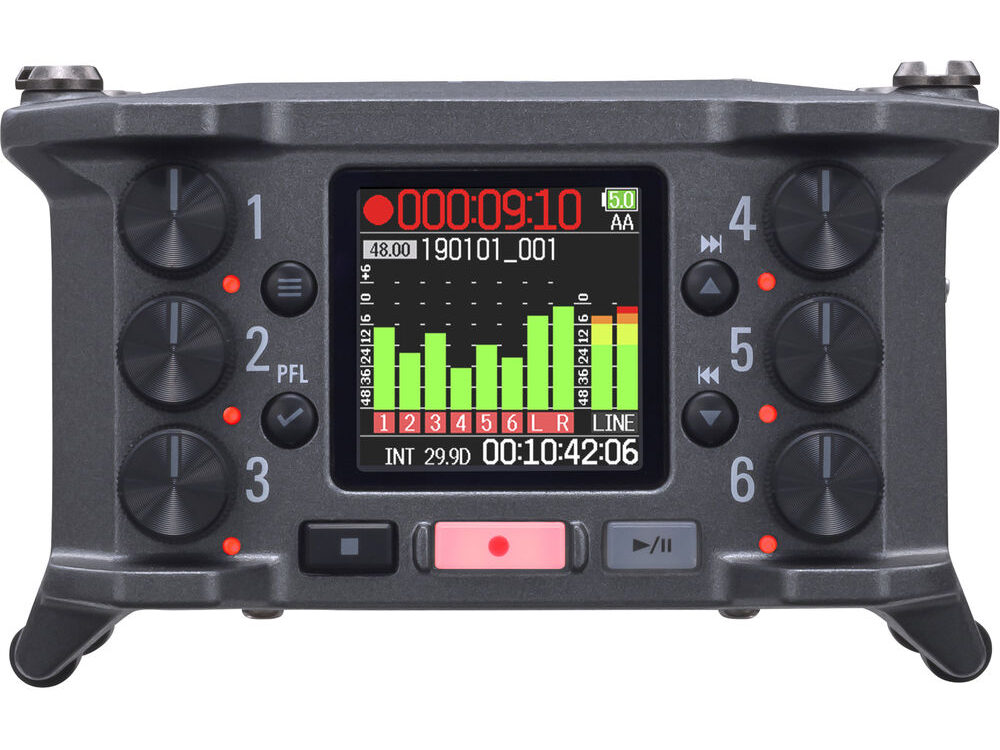
The Zoom F6 (Amazon, B&H) is the big brother version of the F3. Twice the price, thrice the features!
- 32-bit float recording.
- Supports sample rates up to 192 kHz.
- Six XLR inputs, with 24V or 48V phantom power, with a super-low noise floor of -127 dBu EIN and studio-quality microphone preamps.
- Record to SDXC Cards up to 1 TB.
- 3.5mm TRS mini jack for timecode I/O with an accuracy to ±0.2 ppm. You can jam sync the F6 when constant external timecode isn’t present.
- Only in 24-bit, an advanced look-ahead hybrid limiter adds a 1-millisecond delay to anticipate and prevent clipping before it’s recorded.
- Offers Ambisonics mode for VR, AR, and 360-audio productions,
- Operates on four AA batteries, a Sony L-Series battery, or USB-C bus power.
- Functions as a 6-in/14-out USB-C audio interface.
- Compatible with the Zoom BTA-1 Bluetooth adapter (sold separately) for remote control via the F6 Control app on iOS devices.
The F6 is really compact at 3.9 x 2.5 x 4.7 inches and about 530 grams or so. For the price it’s a great value, though overkill for most low budget film productions.
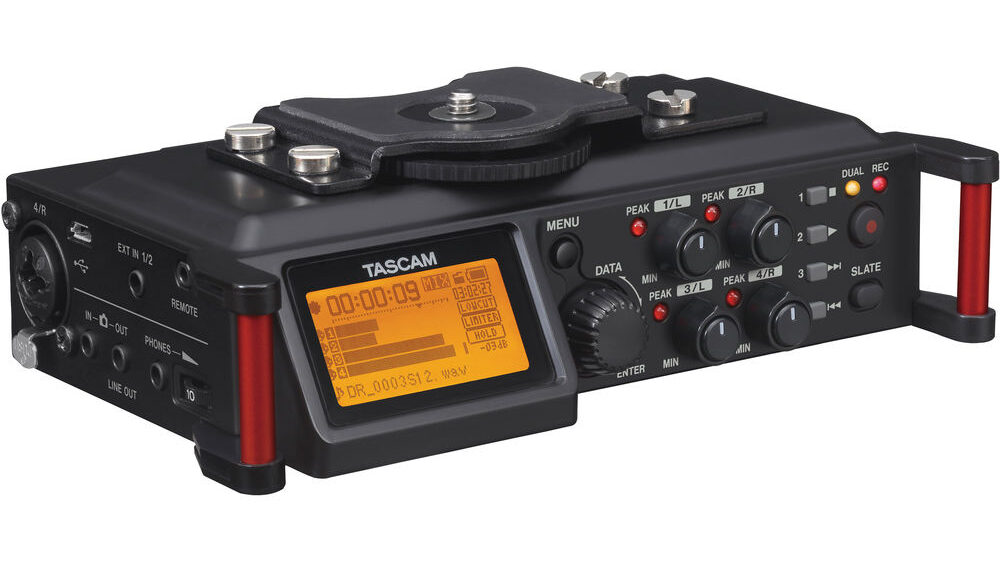
5 Tascam DR-70D
The Tascam DR-70D (Amazon, B&H) is a capable 4-track audio field recorder but doesn’t have 32-bit float.
- Supports up to 24-bit and up to 96kHz sample rates.
- Four XLR/TRS combo jacks with switchable phantom power (24V/48V).
- Built-In stereo microphones.
- Simultaneously records a safety track at a lower level. This is useful because you don’t have 32-bit float.
- Operates on four AA batteries, USB bus power, or an optional AC adapter.
- Low cut filter and limiter.
The Tascam DR-70D (Amazon, B&H) differs from the other field recorders in several key ways:
- The DR-70D is purpose-built for video shooters, with tripod threading and a camera shoe mount, as well as dedicated CAMERA IN/OUT ports to pass audio directly to and from the camera.
- No 32-Bit Float Recording
- It has a simpler user interface and lacks touchscreens or color.
- It cannot be used as a USB interface.
- But: It is a lot more affordable than the others if you need more XLR inputs and recording.
That’s it! I hope you found my list useful. The one I would try first is the Tascam FR-AV2 (Amazon, B&H), because the price-to-performance really appeals to me – especially for low budget feature and short films.
What do you think? Which is your favorite digital audio recorder, and why?

I much prefer the Sound Devices Mix Pre 6ii over the Mix Pre 3. It does everything the Mix Pre 3 does, and more. It has more inputs and outputs in case more microphones or line patches are needed. It costs a little more.
Sicofante Ambient Lockit is a separate unit. I also know the Sound Devices 240i has a timecode generator. Other than these I’d rely on Leader or Tektronix.
Sareesh Sudhakaran SicofanteYou also missed that I won’t start all cameras at the same time or even have all of them turned on all of the time. I must save storage resources and the bigger SDXC cards are “just” 128GB. (The wide shot of the stage, which is the reference for the rest and it’s actually the only constant recording of the whole show, will be recorded directly into an external recorder.)
I have used PluralEyes and it works perfectly well, except, like I said, for periods in the recorded material where there’s no “significantly informative” sound being recorded (room noise is useless, for instance, unless someone in the audience coughs a little… ;-)).
I’ve been checking typical WiFi latencies and it’s mostly erratic, but it depends a lot in the hardware and protocols used. Since I can build a pretty cheap prototype for testing, I’ll let you know how it goes when I try.
Still: do you have a list of inexpensive, portable time-code generators?
Sicofante I missed the ‘events’ part of your message. That’ll need genlock. Without genlock you can’t guarantee precise timecode across all devices. Even if you somehow manage (how?) to start all cameras at the same time, they will drift apart after a few minutes. I don’t know of any other technology that will guarantee this.
Once genlocked, all devices will record timecode according to the master device (camera, switcher or clock, etc.).
You’ll need to test timecode over wi-fi to see if works. Each wi-fi device has a separate delay. Even the same device will have a slightly different delay depending on the network. I have no experience with multi-cam wi-fi, but I wouldn’t try it with today’s technology. Even with SDI there’s a delay, which is why they use genlock to force synchronize all devices and keep a check on them from drifting apart.
I’m not a fan of PluralEyes. You can still make it work, I guess. But I don’t have any experience with it.
Thank you for the coffee!
Sareesh Sudhakaran Sicofante Just to clarify: I can’t use any form of slate once the event is started. The events ARE live, the editing of my recordings is not.
Sareesh Sudhakaran SicofanteA slate is OK if the cameras are all turned on all the time, but not all of them will, only the one shooting wide to frame the stage. Some of the rest will be handheld and do specific, short shots (I just can’t afford every camera to be running continuously, if only for storage constraints). I’ll be left with many clips shot at different points in time. Proper time code would put them “magically” in the right spot on the editor timeline. Actually, I’ve used an add-on called PluralEyes (http://www.redgiant.com/products/all/pluraleyes/) that simply uses the audio recorded from each camera to automatically do the same (analyzing the audio signal), but it’s not reliable enough (or at all) when there are silences.
I don’t quite get why I would need genlock. I never worked in live TV but isn’t that basically needed for syncing real-time video sources to switch between them? (I worked for many years in 3D and never ever used genlock at all. The only people who used it where those making real-time 3D graphics for live TV: sports, weather, virtual sets, etc.) I’m not doing any real-time switching at all. All the material will be edited (probably with Lightworks). I just need every frame recorded to get a timestamp. A timestamp, of course, which is a reference to an absolute “zero” time which is identical for all the cameras.
Why exactly would a timecode sent over wifi and converted to audio -somewhere in the camera rig- not work? I don’t think wifi latency would be so big to make it fail, or would it? An in-rig wifi to audio converter wouldn’t produce enough latency to make it fail either, I believe? After all, if simple audio works so wonderfully to put every clip in place (when there’s actually some sound to analyze)… As a matter of fact, feeding one of each camera’s audio channels with random audio “broadcast” over short-range FM to every camera (and the audio recorder too), then using Pluraleyes on that material in post would be probably good enough. Not very elegant, though, and PluralEyes requires pre-processing; that’s why I’m looking for a “proper” solution.
(PS: I’m using a pseudonym for privacy reasons. I’ve paid you a coffee, but the Paypal receipt will have no relation to my pseudonym, obviously. I hope I can help you with some more in the future.)
Sicofante What you’re looking for is ‘genlock’, tone generators, etc. I have some info about these in the Comprehensive Guide. You should not rely on timecode from different devices unless they are genlocked.
The easier way to do things is using a slate religiously. Actually, genlock is ‘easier’, but that means you’ll always need genlocked audio and video gear on set. What if you don’t? The slate method works on any production.
The BMPCC cannot genlock. None of the BMD cameras can, even with the SDI input. I’ve written articles on wireless transmission, so you can check that out.
Genlock is great for live TV productions, with numerous cameras that need to cut seamlessly, or for 3D work. Other than that, my advice to you would be to use a slate, or at least clap your hands or snap your fingers.
Since I discovered this site, it’s like a constant flow of useful information. Thank you very much for making it.
I want to record audio separately from video. I agree that this is the best way of doing things. I film with many cameras (mostly events), then edit as if it was a TV show, so I absolutely need perfect sync. The solution is obviously timecode. I can’t find “timecode workflows” here, so I’m sure it’s something of an easy matter to solve. Would you be so nice to write about how to generate, use, transmit, record, etc. timecode? Or if you have written already about it, can you point me to where?
I’ll be probably buying a few BMPCCs and one of the recorders shown in this article. Now I need to know how to generate timecode, wirelessly transmit it to each camera and record it there (I’m thinking of using one audio channel for that, the other one for reference).