
There are two parts to this:
- What you need to do in the Nikon Z6, and
- What you need to do in the Atomos Ninja V
How to setup RAW in the Nikon Z6
The ProresRAW upgrade isn’t a firmware update. You have to send or take the camera in to the nearest Nikon service center. It might take a day or more for them to return your camera, depending on the backlog.
Here’s the link to the Nikon USA page (it might not work in the future).
The Prores RAW upgrade isn’t officially free. There is a $199.95 (or the equivalent in your country) charge:
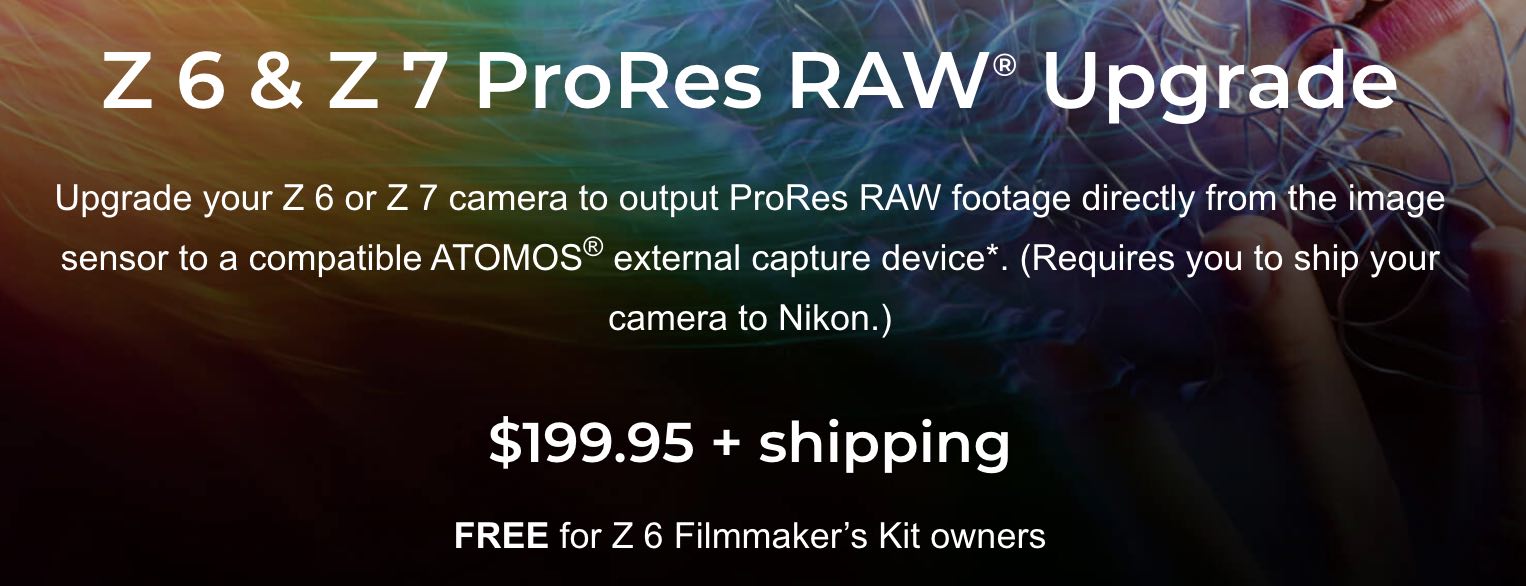
It’s also free if you have previously purchased a Z6 filmmaker’s kit or are planning to buy one in the future.
In some countries, like India, the upgrade is free for a limited period. Talk to your dealer or Nikon rep to see what your options are.
There is nothing you need to do, visit the HDMI page in Settings:
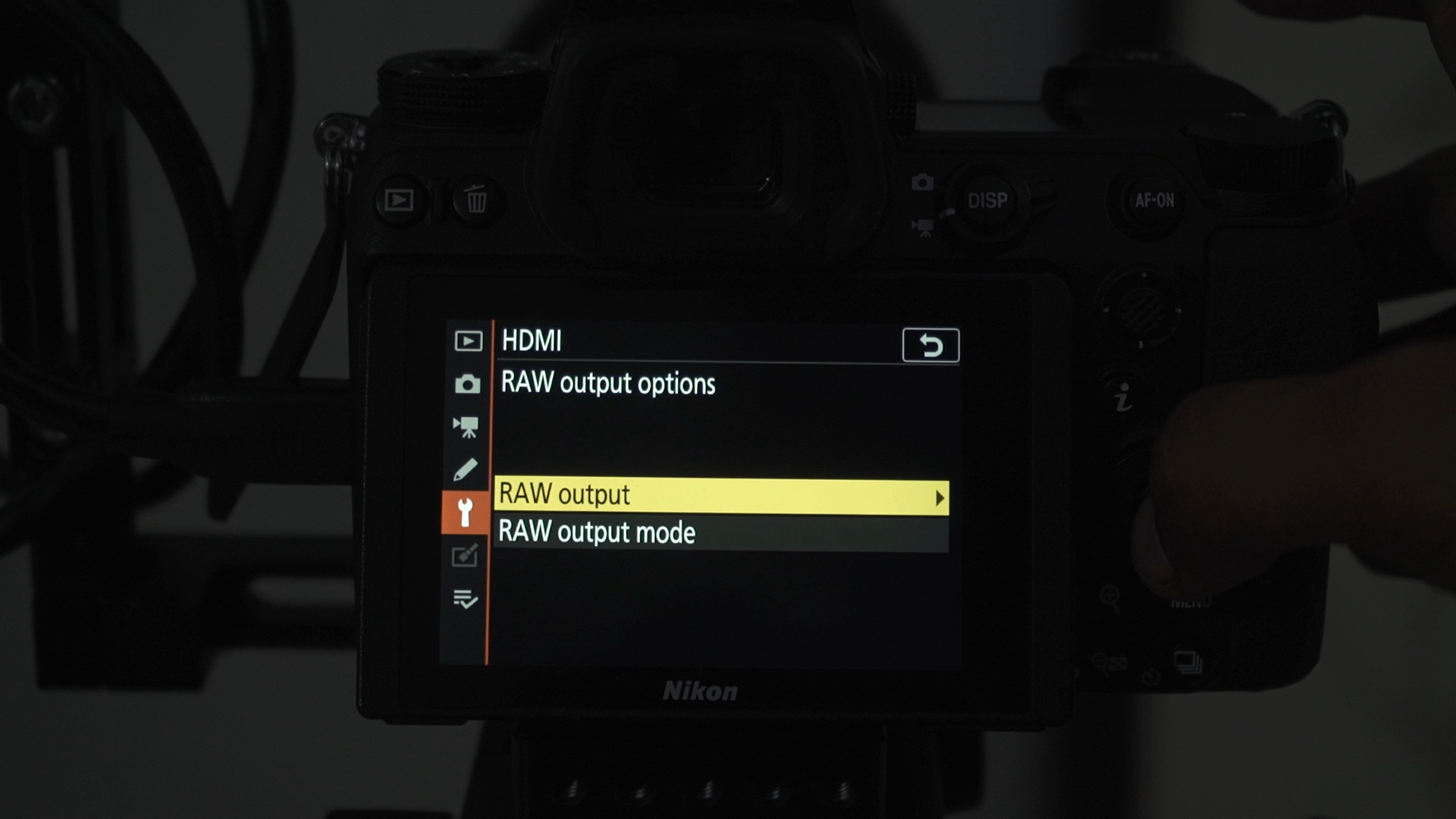
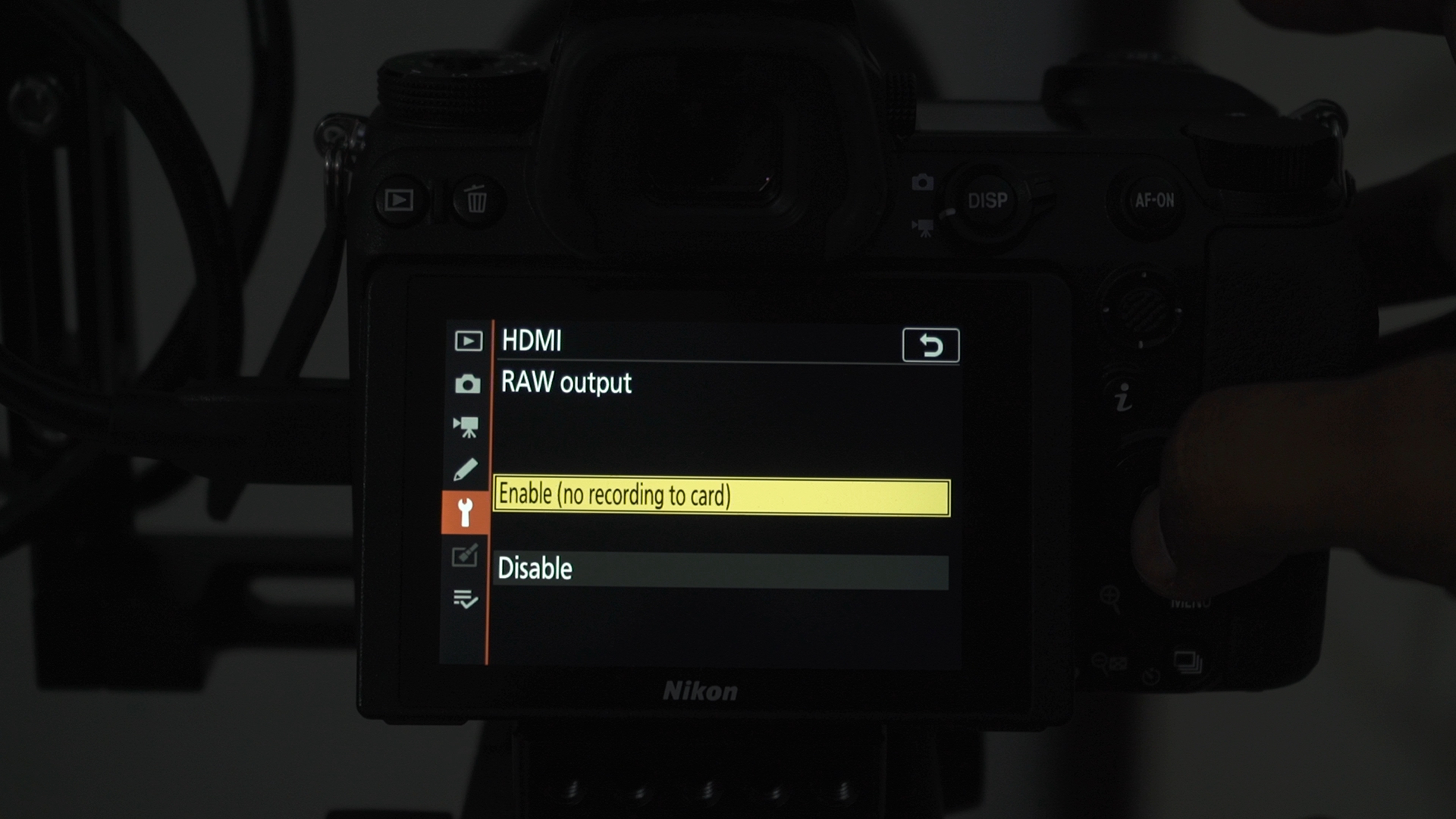
You’ll see two options. One to enable RAW:
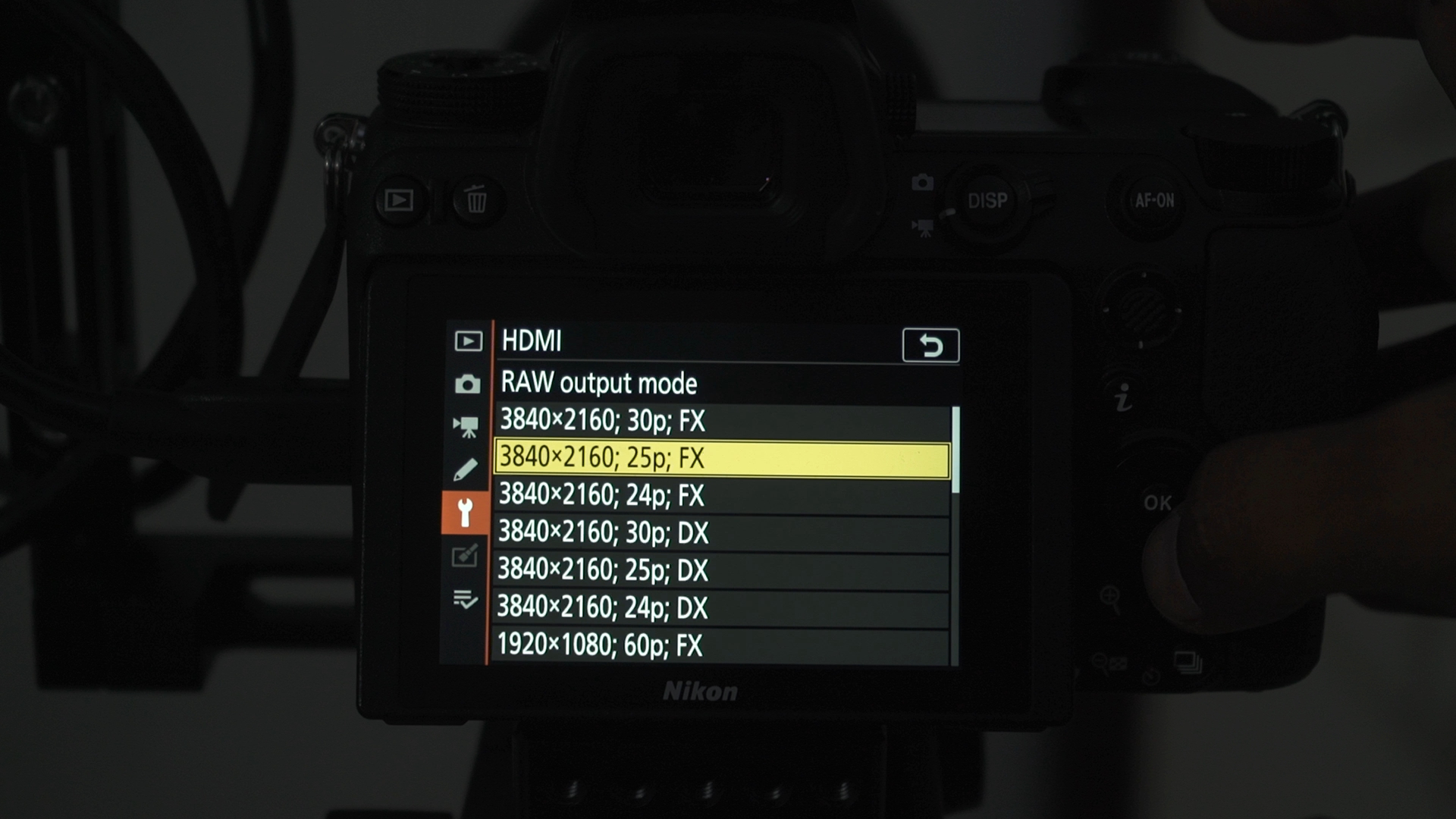
And the other to pick your resolution and frame rate:
Now watch the video in the next section.
How to setup RAW in the Atomos Ninja V
Your Atomos Ninja V needs to be updated to version 10.2 or higher.
This is beyond the scope of this guide, but there are instructions on the Atomos site. here’s a video:
Note: As of this writing, Prores RAW is only supported on the Ninja V, but this might change. If and when Atomos announces support for further products, just make sure you have updated to the latest version.
Once you have updated your Atomos recorder, watch this video:
Tip: Stick to Prores RAW, you don’t need Prores RAW HQ unless you’re shooting VFX or green screen work.
Important
As of this writing the color space/gamma recorded in the Ninja V is a weird ‘Linear’. There is no transform available in FCP X to get your footage to look as you shot it. But make sure you watch the lesson on exposure and editing Prores RAW for updated information.

What is your best settings for doing Real Estate Interior Videos, using the Z6 & Ninja 5.?
The flat profile might be good for accurate colors and to retain some highlights and shadows. All you would have to do is adjust the black and white levels later.
You can also underexpose slightly, by up to one stop if you have windows/lamps in the shot. You get good shadow detail in the Z6, so err on the side of underexpose. For RAW recording check out my exposure guide.
Hope this helps!
Do you have a LUT set up for the Nijna V so that when you are shooting ProRes RAW you can “monitor” the color more accurately – or should you use Native or Rec 709 as your viewing choice? Thanks. Please reply to rickvalasek@gmail.com
I use None but one can use HLG or PQ. My exposure and grading video will be out on Wednesday, it will have more details.