In this video I take you behind the scenes of a project I shot specifically to stress test the Portrait Photo Style:
Download Video (1080p) | Download Video (540p)
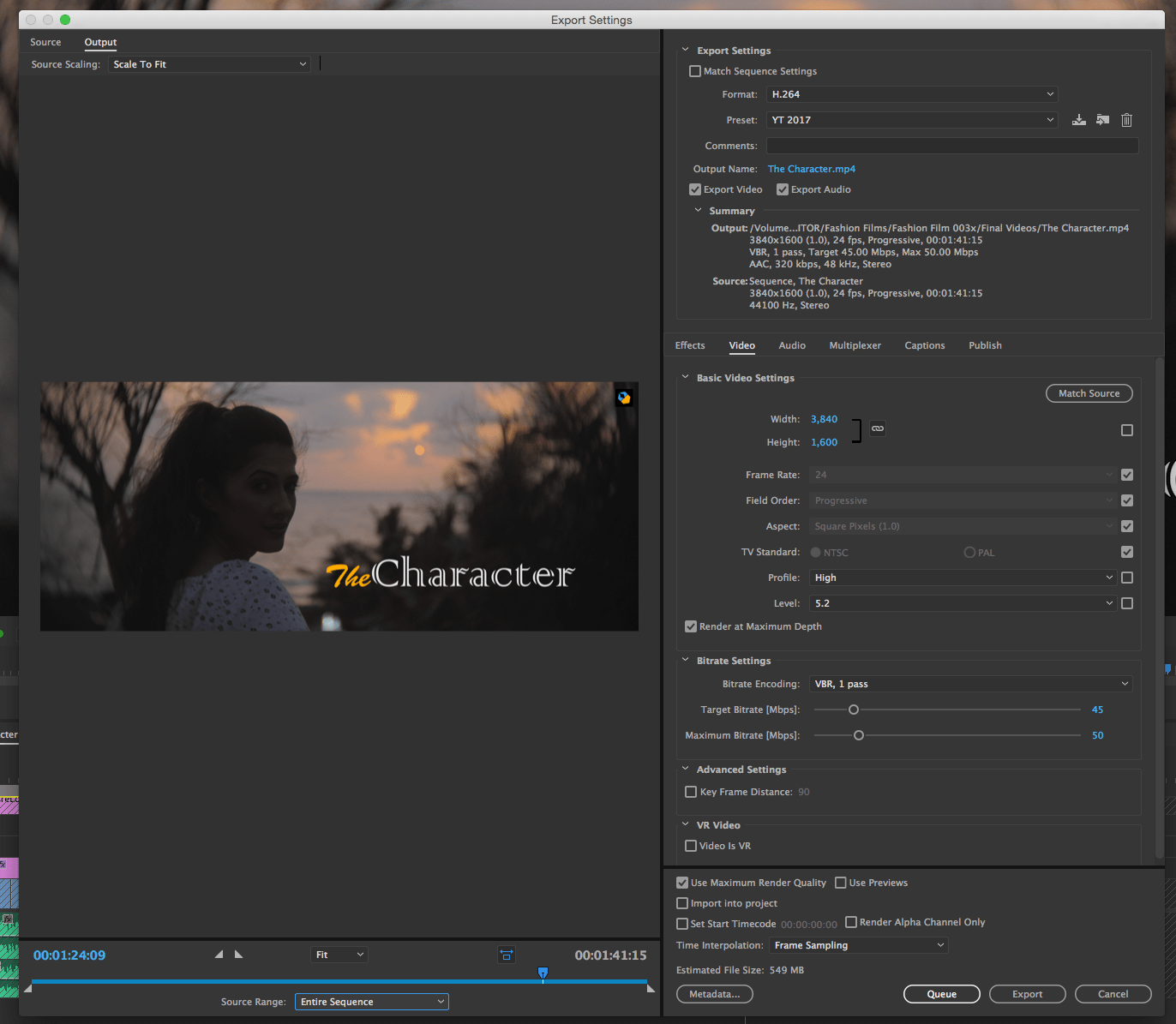
Note: Ultimately I brought down the blacks selectively for each shot and rendered with Keyframes to 90 (settings below).
Here is the final video, first on Vimeo:
Download original master (UHD)
My settings in Premiere Pro:
And here’s the Youtube version:
Links
YouTube Compression Guidelines
How to use your hand as a light meter:
https://www.youtube.com/watch?v=HuJtzA4OUR0
Test renders for your reference:
- Straight render, no changes
- Added noise (5%, 10%, 15%, 6+5%, 5+10%)
- Same as above, but Prores (26 GB!!)
- Added noise plus brought down the blacks to 0-5 IRE for greater contrast
- CBR at 60 Mbps
- VBR 2-Pass (all the ones above from 1 to 4 are VBR 1 Pass)
- This uses YouTube compression settings – 45 to 50 Mbps, Keyframe 90 (as recommended by Premiere Pro) Free Sampling
- Same as above but Frame Blending Interpolation
- Same as above but Optical Flow Interpolation
- Same as 7 but Keyframe is set to 1
- Brought down blacks but no noise
- Same as 7 but VBR 2-Pass and Keyframe is 1
- Same as above but added 10% noise
- Same as 12 but VBR 1-Pass