

The Red V-Raptor is almost five times the price of a Blackmagic URSA Mini Pro 12K, and that’s without the accessories.
If you’re looking to achieve cinematic results with the features of a true video camera, and you have the money (otherwise what’s the point?) for both – which do you pick?
The big question is: Does the V-Raptor deliver five times the value? Let’s find out!
Important!
Treat this as a fun comparison with currently available information. I’ll try to update this article when more factual information is available.
In many ways, I’m writing this article to understand the distinction myself. Do these cameras serve an overlapping market, or will they appeal to different sets of filmmakers?
Since we don’t get Red cameras easily in India, and the dealer isn’t very helpful with demos, it might be some time before I get my hands on one, so be patient!

The bare package
| Camera | Price of Camera | Lens Mount |
| Red V-Raptor | $24,500 | RF |
| Blackmagic URSA Mini Pro 12K | $5,995 | PL, (EF, F)* |
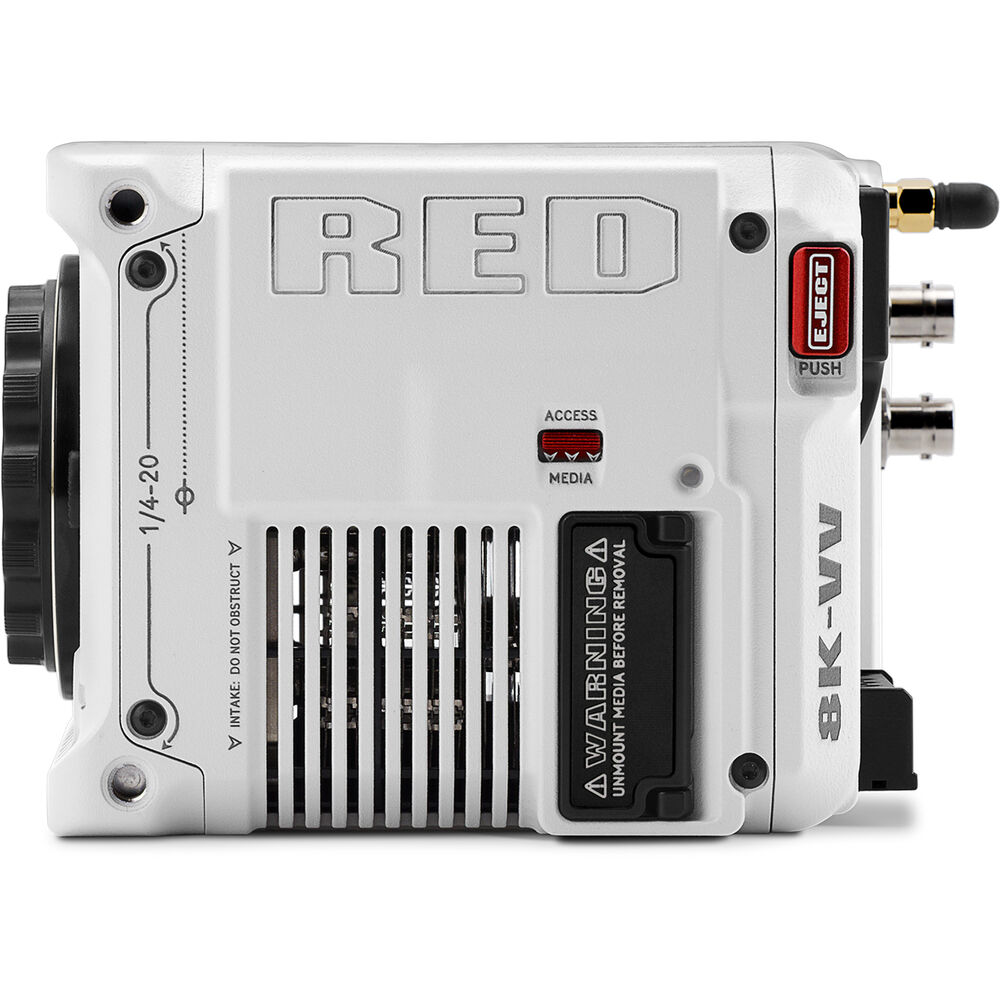
Both cameras have locking mounts. The Red V-Raptor has autofocus, though it needs to be tested and will most likely be similar to what you get with the Red Komodo. Either way, I’ll discount autofocus completely.
Red expects people to find their own adapters, and they sell the Canon RF to EF version (with ND filters) for those who want that option.
Here’s what you get in the box:
| Camera | Included in Price | Software |
| Blackmagic URSA Mini Pro 12K | PL Lens Mount Port Cap Power Supply Limited 1-Year Warranty | Davinci Resolve Studio |
| Red V-Raptor | AC Power Adapter Red Logo Sticker Limited 2-Year Warranty | None |
Red’s giving a 2-year warranty. It would be in your best interest to feel out the after sales and service in your country or area prior to committing to any camera.
Add a lens and a media card and you can shoot with both cameras immediately.
Comparison of sensors and video features
Here’s how the camera sensors compare:
| Camera | Resolution | Sensor Size | Dynamic Range | ISO Range |
| Super 35mm 3-perf film (1.89:1 Crop) | 24.8 x 13.13 mm | |||
| Blackmagic URSA Mini Pro 12K | 12,288 x 6480 | 27.03 x 14.25 mm | 14 | 160-3200 |
| Red V-Raptor | 8192 × 4320 | 40.96 x 21.60 mm | 17+ | At least 800-3200* |
Red has confirmed the V-Raptor has the highest dynamic range of any Red camera ever, so it has the edge here. It is slightly better in the highlights but definitely better in the shadows. If its performance is similar to the Monstro, or better, it will easily outmatch the URSA Mini 12K.
All the footage I’ve seen of the Mini Pro 12K has video-like skin tones, there might the underlying reason why the camera dropped in price by almost 50%. It was targeted at Hollywood DPs, and they mostly just ignored the bait.
The Raptor doesn’t have a global shutter like the Red Komodo.
The other big improvement comes in the rolling shutter performance. From 15ms in the Monstro it has come down to half (8ms) in the V-Raptor. However, the Blackmagic URSA Mini Pro 12K already has great rolling shutter performance, even at 12K. I’ve seen reports of it being 15ms in 12K and about 8ms in 8K, so they’re similar.
If 15ms was good enough for the Monstro, it’s fine, you know?
The other clear distinction between the two cameras is in the sensor size. The URSA Mini 12K is larger than Super 35mm horizontally, but falls way shy of Cinemascope anamorphic (18.6mm vertical). The V-Raptor can take both Super 35mm and anamorphic at full height.
Where the cameras will mainly earn their money back is in frame rates:
| Max Frame Rate | Blackmagic URSA Mini Pro 12K | Crop Factor | Red V-Raptor VV | Crop Factor |
| 12K | 60 fps (72 fps @ 2.40:1) | 1.00 | n/a | n/a |
| 8K | 120 fps (160 fps @ 2.40:1) | 1.00 | 120 fps (150 fps @ 2.40:1) | 1.00 |
| 6K | 120 fps | Super 16 mode | 160 fps (200 fps @ 2.40:1) | n/a* |
| 4K | 120 fps (160 fps @ 2.40:1), 240 fps cropped | 1.00, Super 16 mode | 240 fps (300 fps @ 2.40:1) | n/a* |
| 2K | No 2K mode | n/a | 480 fps (600 fps @ 2.40:1) | n/a* |
At 8K, the Blackmagic URSA Mini Pro 12K has a slightly better frame rate in the 2.4:1 mode. It downsamples to 8K and 4K “in-sensor”. Typically a sensor either downsamples from a higher resolution or skips lines.
When you drop down to the lower resolutions, the Red V-Raptor excels, though the sensor is cropped at higher frame rates – which is nothing new for Red cameras so it is what it is.
Both are impressive, but practically, you would be able to do more kinds of projects with the Red V-Raptor than the Mini Pro 12K.
| Codec* | Blackmagic URSA Mini Pro 12K (BRAW) | Data Rate (60 fps) | Red V-Raptor VV (Redcode DCT) | Data Rate (60 fps) |
| 12K | 5:1, Q0 | 578 MB/s | n/a | n/a |
| 8K | 5:1, Q0 | 257 MB/s | HQ (24p to 60p), LQ (120p) | 800 MB/s |
| 6K | 5:1, Q0 | 146 MB/s | HQ (24p to 200p) | n/a |
| 4K | 5:1, Q0 | 161 MB/s, 648 MB/s^ | HQ (24p to 240p) | n/a |
| 2K | Not in camera | n/a | HQ (24p to 480p) | n/a |
8K 120p is only available in LQ, the lowest quality possible. Even so the data rate is 800 MB/s. You have to give it to BRAW here, with an average rate in 8K of 257 MB/s.
There is no direct comparison between BRAW and the DCT Redcode, though I fully expect the DCT variant (also found in the Red Komodo) to be good enough for cinema.
Red has confirmed that MQ is as good as the best in DSMC2, and HQ is better than Monstro. So it would surprise me if LQ wasn’t up to the task.
What about Prores?
| Alternate Codecs | Blackmagic URSA Mini Pro 12K | Red V-Raptor VV |
| 4K | None | None |
| 2K | None | None |
That’s a surprise either way. You’re stuck with the RAW codec unless you use an external recorder, and who wants those on a true cinema/video camera?
What do you get externally? Here are the details:
| Camera | Connection | Best external resolution and fps |
| Blackmagic URSA Mini Pro 12K | 1 x 12G-SDI, 1 x 3G-SDI | 2160p @ 60fps 10-bit 4:2:2 |
| Red V-Raptor | 2x 12G SDI | 2160p @ 60fps 10-bit 4:2:2 |
There are a lot of pluses and minues on both sides, depending on your shooting needs. Whereas the V-Raptor has top of the line cinema quality and the ability to shoot full frame and with true anamorphics, the URSA Mini Pro 12K can do most of the work at one-fifth the price.
Let’s look further.
Audio
Here are the stats:
| Camera | Connection | Specs |
| Blackmagic URSA Mini Pro 12K | 2x XLR, +48V included | 24-bit 48 kHz |
| Red V-Raptor | Mic, Line +48V input via 5-pin | 24-bit 48 kHz |
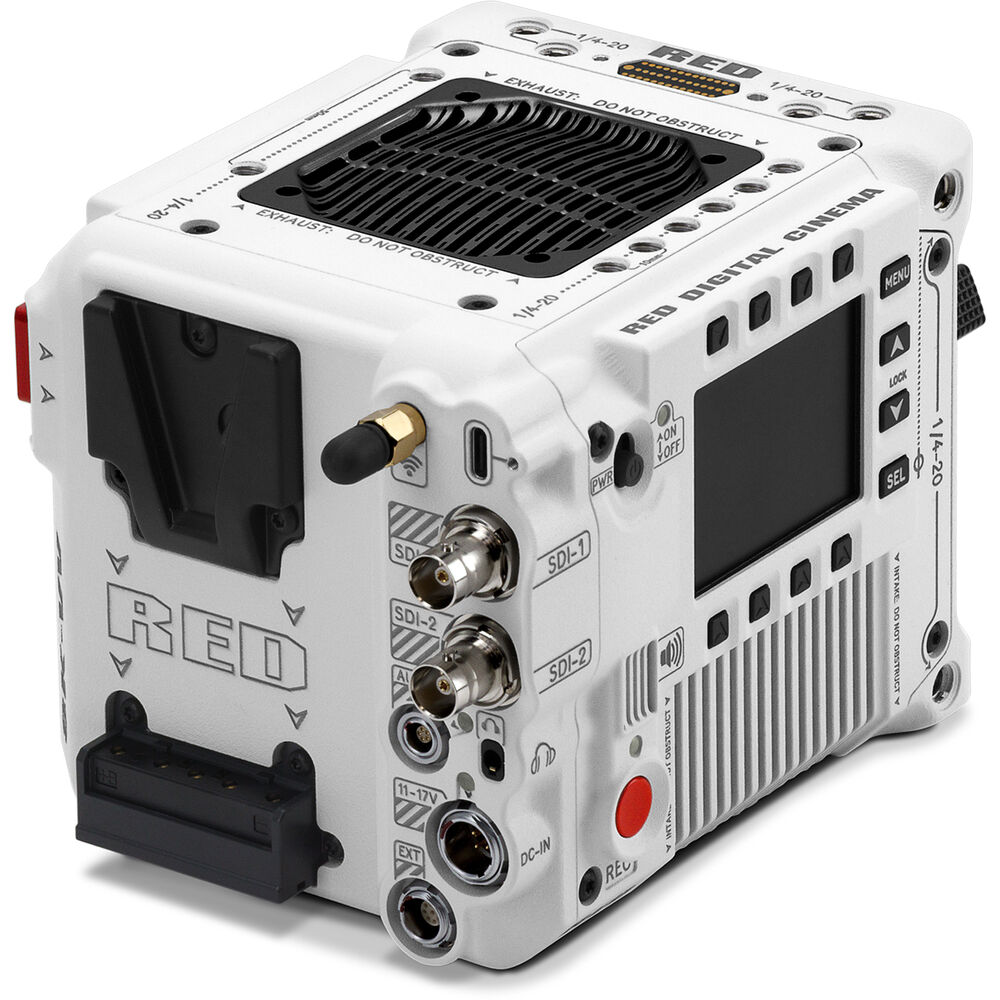
The Red V-Raptor has an audio input. With the right breakout cables you should be able to record XLR audio into the camera without recorders. Red is coming out with an additional accessory for dual XLR inputs.
Huge advantage for the Blackmagic URSA Mini Pro 12K, considering the price difference.
Lenses
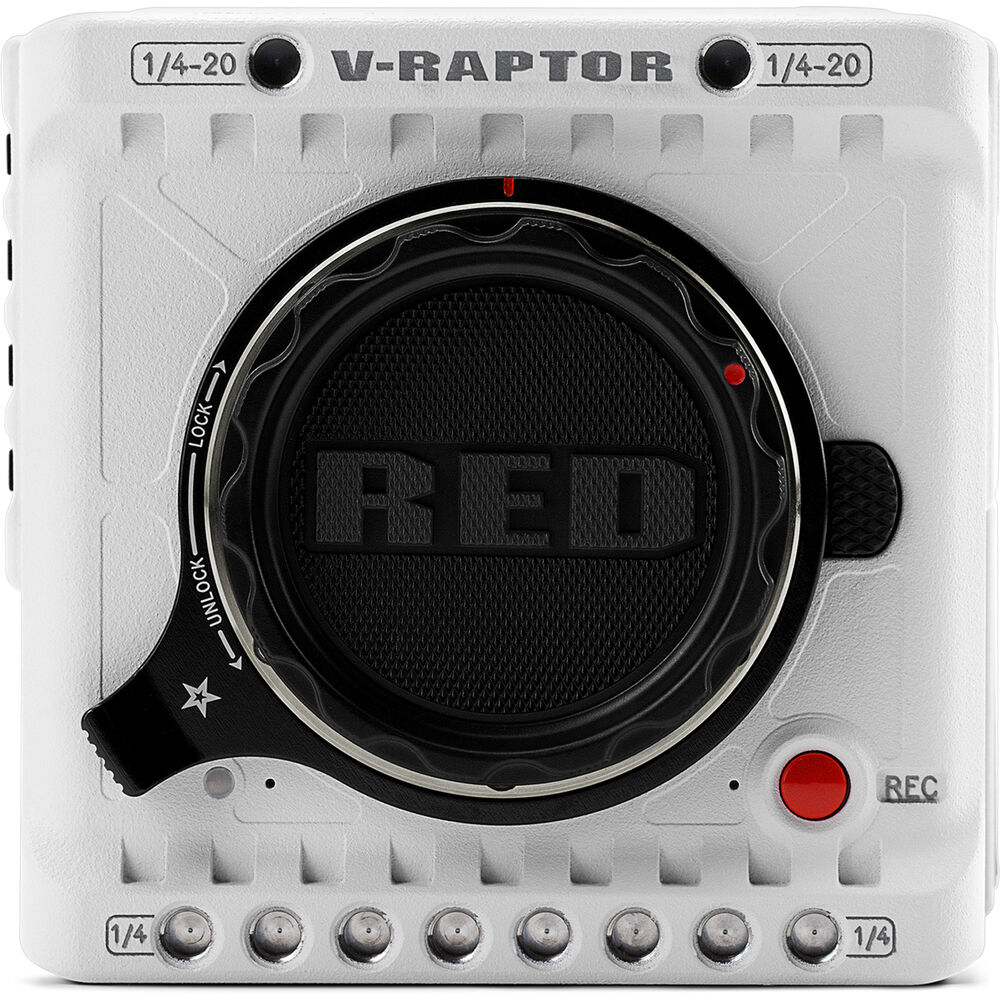
The Red V-Raptor has a locking Canon RF mount. The locking mount ensures adapters stay rock solid for PL lenses. It is fully electronic. It also has autofocus, though I would seriously do some soul searching before using it.
You’ll need adapters for PL.
Red’s strategic choice of RF is clear. They are betting on Canon to come out with more RF lenses. Check out our comprehensive articles on all the currently available RF lenses:
You can get robust RF to PL (and any other alternative). The other possibility is the addition of autofocus in the Komodo. There’s no news about that for the V-Raptor, but it would be a killer feature.
Red cameras are also wildly popular in documentaries, and the Red V-Raptor is shaping up to be a killer documentary camera. They use Canon EF lenses and cine zooms a lot.
Here’s a quick comparison for EF:
| Camera | EF Mount | Price |
| Blackmagic URSA Mini Pro 12K | Canon EF lens mount | $175 |
| Red V-Raptor | Canon RF + EF adapter | $199* |
And another comparison for PL:
| Camera | PL Mount | Price |
| Blackmagic URSA Mini Pro 12K | Included | $0 |
| Red V-Raptor | Canon RF – PL adapter | $369* |
Though it depends on what your shooting needs are and what lenses you’re using the V-Raptor can take more kinds of lenses through sensor size and smaller flange focal distance. And then you have AF.
The V-Raptor is better here, period.
Built-in ND Filter
This is a very important feature:
| Camera | Module | Type |
| Blackmagic URSA Mini Pro 12K | 2, 4, 6 stops | Manual filters |
| Red V-Raptor | None | External* |
*Red is coming out with an additional accessory that doubles as a variable ND and lens adapter. You also get the EF-RF ND adapter, though that is only useful for those shooting EF glass.
On the whole, I’d say this is a serious miss by Red, even though clearly their customer base has been screaming for it for over a decade. At this time, considering the competition, I’d consider this a major fail.
Red clearly didn’t want to engineer an ND-filter system, and you have to wonder why.
Monitoring and ergonomics
What about weight?
| Camera | Weight |
| Blackmagic URSA Mini Pro 12K | 2.55 kg, 5.61 lbs |
| Red V-Raptor | 1.8 kg, 4.03 lbs |
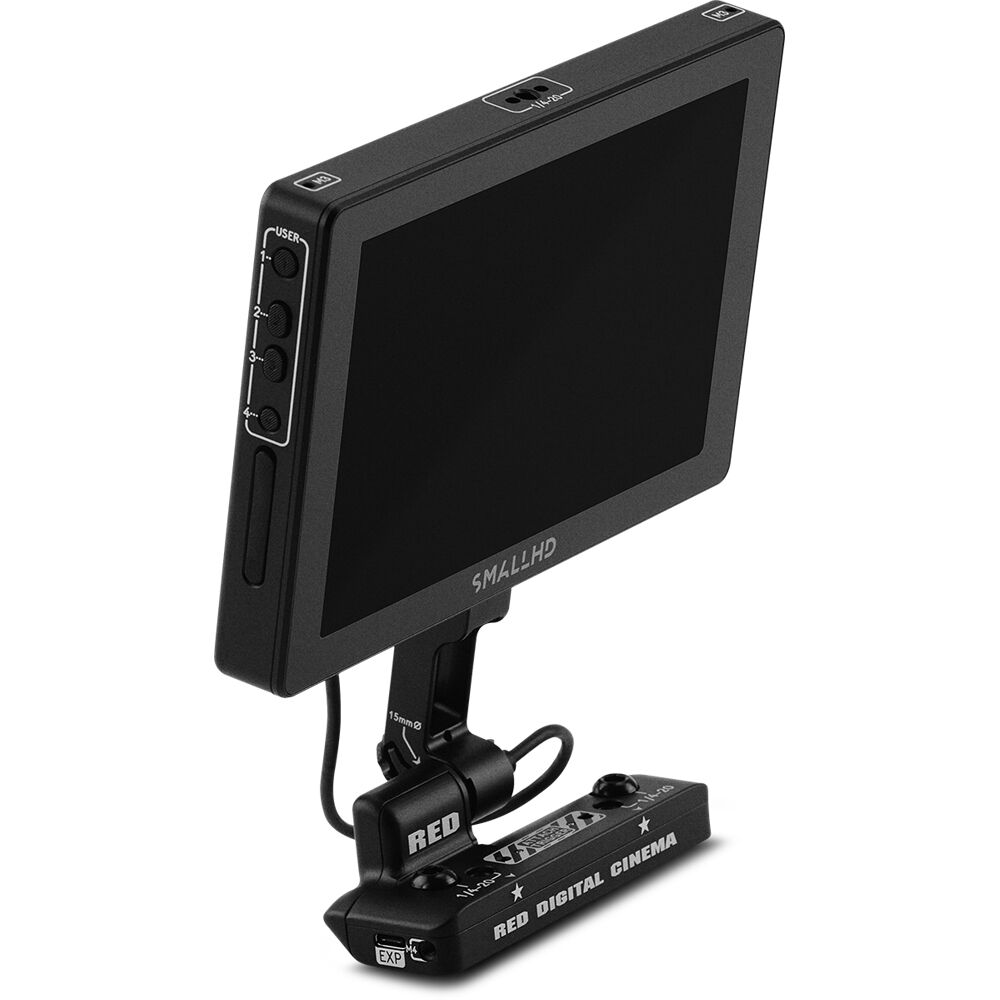
The Red V-Raptor is lighter, but the URSA Mini Pro is already ready with ND filters, XLR, etc, and a monitor:

With the V-Raptor, you have to buy this:
| Camera | Monitor |
| Blackmagic URSA Mini Pro 12K | $0 |
| Red V-Raptor | $2,750* |
If you don’t want Red touch screens you can always get something else via SDI. Still, it’s an added expense.
Wireless monitoring and control
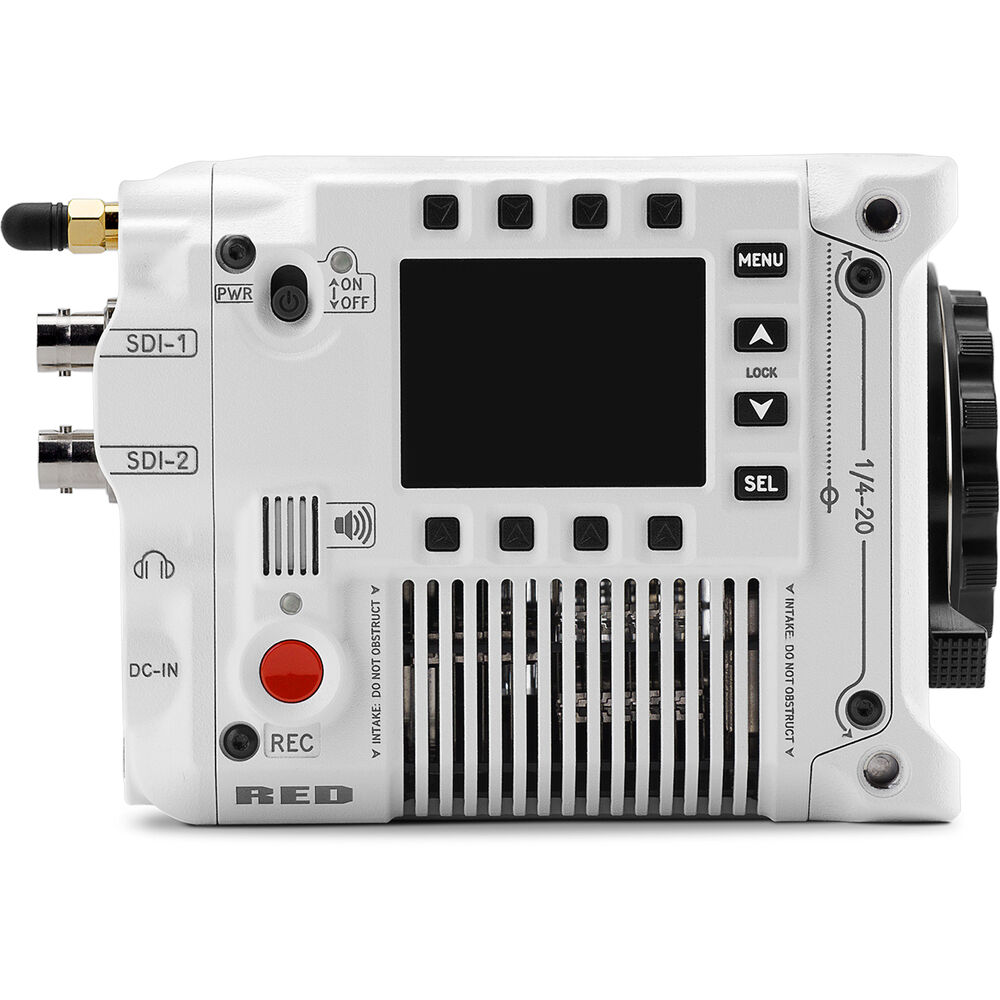
With the Red V-Raptor you have Wi-Fi camera control and monitoring. For monitoring you get a 1080p live preview video feed via 2.4 GHz and 5 GHz Wi-Fi. You don’t even need a monitor if you have a nice iPhone or iPad.
You can control the camera via wired USB-C or Gigabit Ethernet (compatible USB-C to Ethernet adapter required) allowing remote camera control, live video feed and remote media offload.
You also get Genlock, Timecode-in, GPIO and Ctrl (RS-232) via an integrated 9-pin EXT Port.
Now what about the Blackmagic URSA Mini Pro 12K?
It doesn’t have Genlock. It has reference inputs for Tri-Sync, Black Burst and Timecode. You do get LANC built-in, and don’t need an optional accessory.
Red V-Raptor is ready for modern clients and workflows. The URSA Mini Pro 12K isn’t on the same level.
Where the URSA Mini Pro 12K gets its revenge, though, is in media card options:

Batteries and media cards
Red has its own ‘rebranded’ CFexpress Type B card, called the RED DIGITAL CINEMA PRO 660GB. It’s a rebranded Angelbird 660GB card, but not the one currently in the market. Angelbird is coming out with a Mark II that can sustain 800 MB/s, the highest data rate at 8K.
Here’s a look at the media options:
| Camera | Dual card slots | Price per GB* | Card Reader* |
| Blackmagic URSA Mini Pro 12K | 2x CFast 2.0 + 2x SD UHS-II + 1x USB-C 3.1 Gen 2 | $1.56/$0.11^ | CFast 2.0 Reader ($80) |
| Red V-Raptor | No, CFexpress Type B | $1.45/GB | CFexpress Card Reader ($120) |
The added USB-C port in the URSA Mini Pro really gives it an edge if you want to reduce storage costs. You need to purchase the additional URSA Mini Pro 12K SSD Recorder for $395.
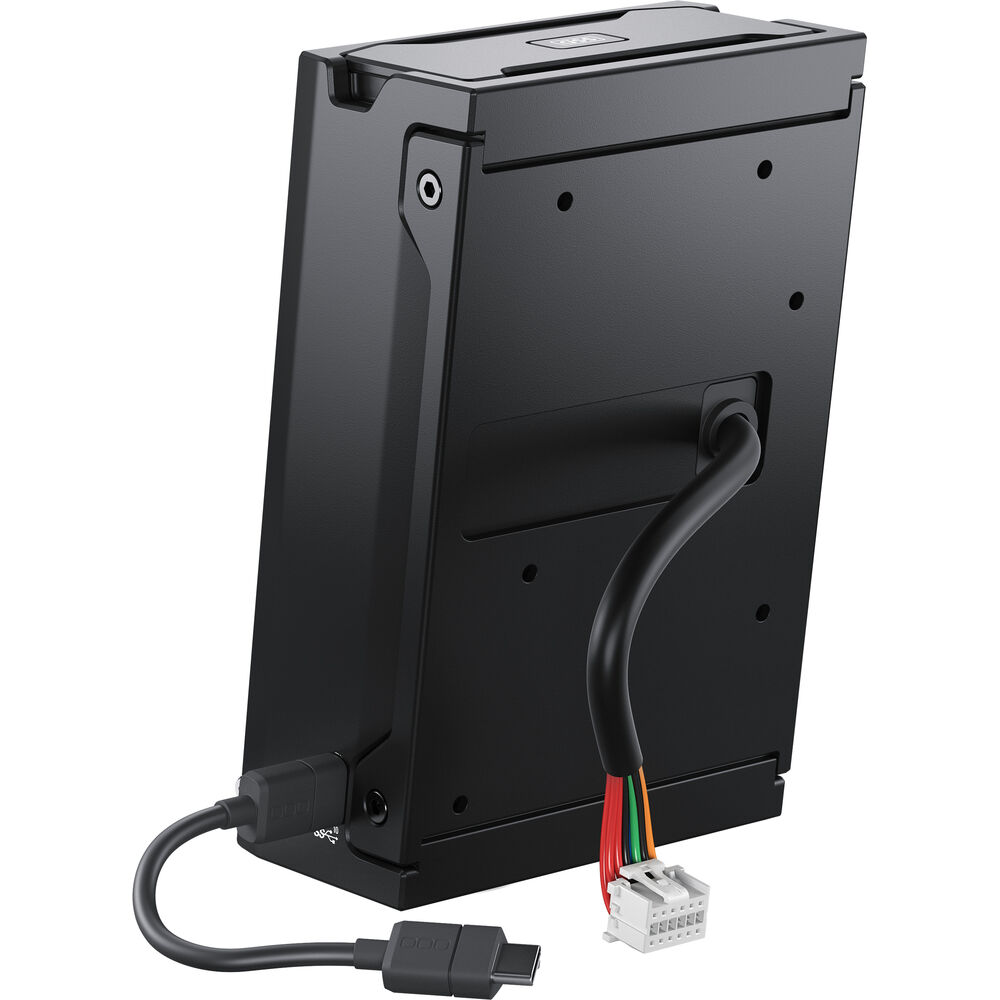
CFexpress Type B cards are getting cheaper, and Red is allowing users to use any card in the market as long as they hit sustained 800 MB/s write. Very few cards do at this time. For an updated list of compatible cards, click here.
On the whole, the price difference is huge for large projects. And you get options.
What about battery life?
The Red V-Raptor has a 11-17 V 6-pin DC port. What is great is there is an integrated V-Lock battery interface optimized for Micro V-Lock Batteries. I think the future is smaller brick batteries so it’s a good move (except if you already have a ton of large bricks)
The battery life sucks though, you get about one hour on a 98Wh battery. It sucks power in 8K.
| Camera | Battery life with a 98Wh battery | *Cost of two batteries and charger | Cost of 6 hours of operation |
| Blackmagic URSA Mini Pro 12K | n/a | $549 | n/a |
| Red V-Raptor | 60 minutes | $549 | $3,294 |
I don’t think either camera has a lot to boast about, but based on third-party reports it seems the URSA Mini Pro 12K has slightly better battery life. Can anyone confirm it?
The V-Raptor will need a top handle, but one isn’t available yet:
| Camera | Top Handle |
| Blackmagic URSA Mini Pro 12K | $0 |
| Red V-Raptor | $120 (Wing Grip) |
I guess when the camera ships we’ll have that as an additional expense.
Which is cheaper to own?
Shall we?
| Camera | Blackmagic URSA Mini Pro 12K | Red V-Raptor |
| Camera body | $5,995 | $24,500 |
| PL adapter/mount | $0 | $369* |
| Media (1 TB) | $112 with SSDs | $1,485 |
| Batteries (6 hours)^ | $0 | $0 |
| Monitor | $0 | $2,750 |
| Wing Grip | $0 | $120 |
| Audio Breakout Cable | $0 | $120 |
| Total | $6,107 | $29,344 |
That’s almost five times the price! But we knew that already, didn’t we? Let’s look at the results.
Verdict
First, a recap:
| Feature | Winner |
| Dynamic Range | Red V-Raptor |
| ISO Range | Red V-Raptor |
| Motion/Rolling Shutter | Tie |
| Frame Rates | Red V-Raptor |
| Lenses | Red V-Raptor |
| Media | URSA Mini Pro 12K |
| Resolution | URSA Mini Pro 12K |
| Ergonomics | URSA Mini Pro 12K |
| Battery life | URSA Mini Pro 12K |
| ND Filters | URSA Mini Pro 12K |
| Size and Weight | Tie |
| Broadcast Features | Red V-Raptor |
| Audio | Tie |
The Red V-Raptor wins if you want top-of-the-line cinema quality and have the clientele that can pay a premium for it.
But that’s not the majority of professionals and production houses. For them, the Blackmagic URSA Mini Pro 12K saves you about $20K and change. That gives you:
- Extra rent
- Cash to hire assistants or additional gear for projects.
- Buy better lenses
- Buy more batteries, storage, monitor, accessories, etc.
- Buy/build a better computer for editing and grading.
- A Blackmagic Design Pocket Cinema Camera 6K Pro or Sony a7S III as backup/gimbal/drone camera!
In this post-COVID world, where budgets are shrinking and bids have far more competition than ever before, it would be stupid to recommend the Red V-Raptor for the struggling freelancer or production company. You can always hire it when that client comes along.
The price reduction on the Blackmagic URSA Mini Pro 12K is just insane value. A good DP can work around its limitations. And, you can always buy an extra camera for the situations the URSA Mini Pro 12K is too heavy, or whatever. Case closed.
What do you think?

Thank you. I do not think many people are going to disagree.
Can you please Compare the EOS R3 and the 1DX Mark III?
Thanks in advance.
Will try!