

LTO stands for Linear Tape-Open. LTO (Amazon, B&H) is a tape-based data storage system primarily used for backups.
It’s not the only way to store data on tape. There were others. This version is the last man standing. In this article we’ll explore what LTO is, and whether or not it is still relevant for filmmaking and cinema storage.

About tape
Tape is one of the oldest methods of storing electronic data. It is extremely durable and reliable when taken care of.
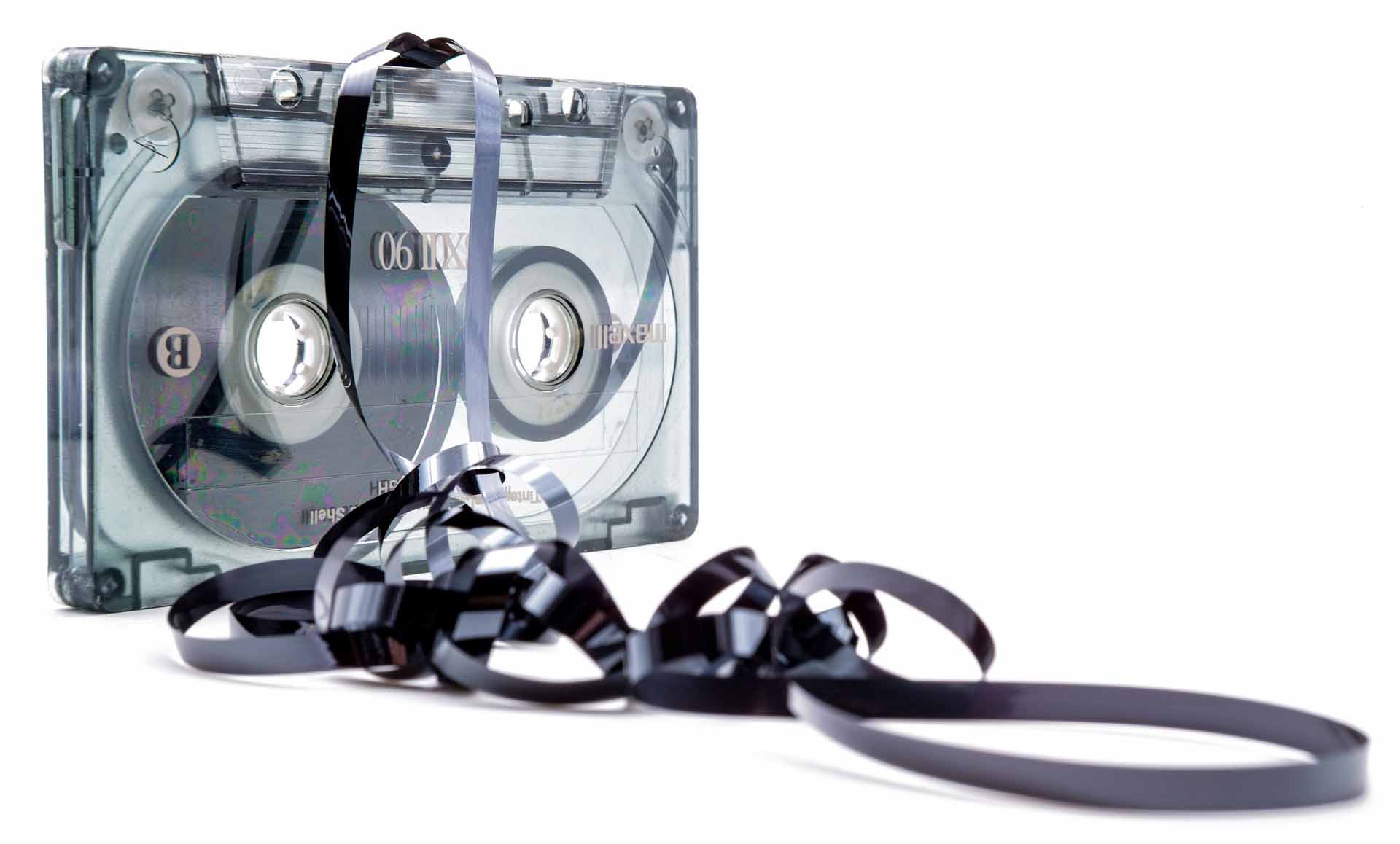
However, tape has drawbacks:
- You can’t get to a point in the middle somewhere without going through the tape from the beginning. Tape is great for serial access, but not for random access.
- Every time the tape passes through the head there is loss of data.
- Tape ‘unspooled’ is a nightmare to deal with.
- If a tape is cut the entire thing becomes useless until patched up again (which you can do with scotch tape).
- Tape is prone to fungus.
- Tape cannot start and stop immediately.
- Tape is prone to deformation if the motor system becomes unstable. Heat and cold affect both tape and the motor system.
- Limited storage temperature range, typically between 16-35 oC.
- Limited storage humidity range, typically between 20-50% RH.
But tape inherently also has advantages:
- A cut tape is still useful when patched up.
- A tape is harder to destroy than a disk drive. Recovering data is easier, too.
- Tape is easier to transport. It can take a lot more knocks than a spinning drive.
- It tends to be cheaper.
This last bit of information is when the ears of filmmakers perk up!
What is LTO?
LTO is a tape-based backup system.
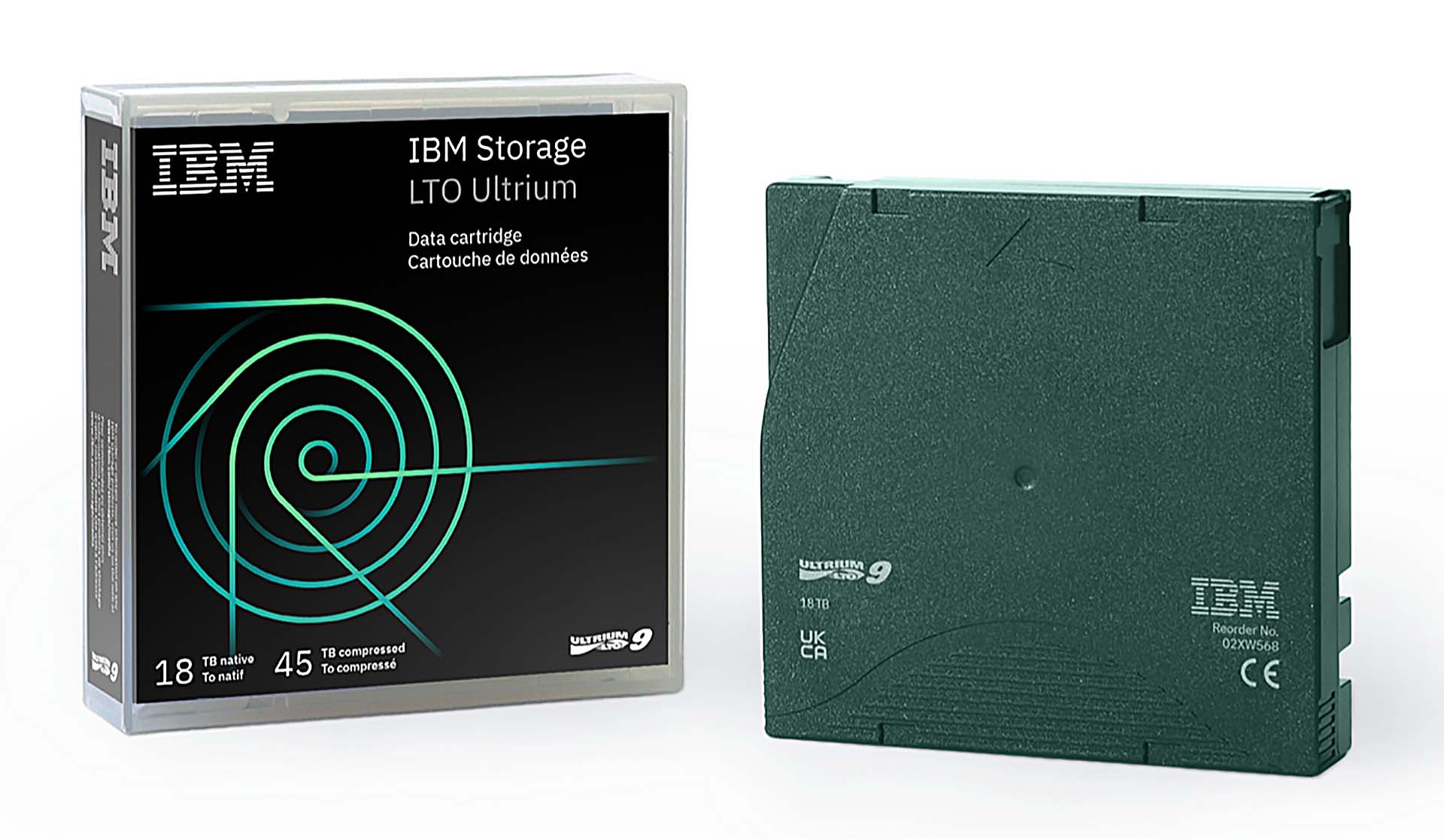
Unlike hard drives or SSDs, LTO uses magnetic tape housed in a cartridge. With the current generation, LTO-9 (Amazon, B&H), offering up to 18TB of native capacity and 45TB compressed, it has become a staple for enterprise-level backup solutions, including the film and video production industries.
Just like Windows has the FAT/NTFS file system and Macs have the HFS+ file system, LTO has its own file system, called LTFS (Linear Tape File System). It allows data to be written and read sequentially.
Here are some important quirks of the LTO system you should be aware of:
- The specific version (form factor) of the tape we are concerned with is called Ultrium. The entire thing (tape + cover) is called a cartridge. A drive that reads Ultrium tape is called an Ultrium drive.
- LTO is an evolving standard that is getting better with each version.
- As of September 2021, the current version is LTO-9. LTO-10 is rumored to be released sometime in 2025. It could double the current capacity but we don’t know for sure.
- The main players making LTO tape are IBM, HP, Tandberg, Fujifilm and Quantum.
- A drive typically reads data from a tape in its own generation and at least the prior two generations. This is not necessarily true of all drives. E.g., LTO-9 drives can read and write from LTO-8 and LTO-9, but not LTO-7.
- A drive typically writes data to a tape in its own generation and to a tape from the immediate prior generation. This is not necessarily true of all drives.
- A older drive cannot make use a cartridge from a more recent generation. E.g., LTO-8 drives cannot read LTO-9.
- LTO tape is designed for 15 to 30 years of archival storage.
Even though LTO is touted as a unique backup solution, there are some serious disadvantages, including this one:
Unlike a disk LTFS does not know the concept of permission and ownership. In the Unix/Linux world all files and directories on the tape are owned by root. One cannot chown or chmod items on tape. This makes LTFS unattractive as a backup solution – one still needs a third party application to manage the metadata (ownership, permission and timestamps).
Wikipedia
On the other hand, LTO includes an error-verification technology that immediately checks data as it is being written:
The tape drives use a strong error correction algorithm that makes data recovery possible when lost data is within one track. Also, when data is written to the tape it is verified by reading it back using the read heads that are positioned just ‘behind’ the write heads. This allows the drive to write a second copy of any data that fails the verify without the help of the host system.
Wikipedia
Understanding LTO versions
LTO has nine major versions, the last of which, LTO-9 (Amazon, B&H), was released in 2021. Each version (also called a generation) has added increased capacity with greater speed.
Here’s a general table highlighting the differences in versions or generations*:
| Version | Capacity | Capacity (Compressed) | Max Speed (MB/s) |
| LTO-1 | 100 GB | 200 GB | 20 |
| LTO-2 | 200 GB | 400 GB | 40 |
| LTO-3 | 400 GB | 800 GB | 80 |
| LTO-4 | 800 GB | 1.6 TB | 120 |
| LTO-5 | 1.5 TB | 3 TB | 140 |
| LTO-6 | 2.5 TB | 6.25 TB | 160 |
| LTO-7 | 6.4 TB | 15 TB | 300 |
| LTO-8 | 12.8 TB | 30 TB | 360 |
| LTO-9 | 18 TB | 45 TB | 400 |
Should you compress data in LTO?
LTO compresses data using hardware. So, the big question is, should you store your data in a compressed form or uncompressed form?
Only you can answer the question, though the consensus is that the compression in LTO is robust enough that it can be depended upon, reasonably. The same questions also plague other media and compression systems.
The advantage is you save a lot of space by compression. This is important if you’re a production company or studio that makes films continuously. The data can add up over years. Halving the number of drives is half the cost, and, half the storage space required to keep the drives safe.
How do you store LTO drives?
LTO drives that are ready for archival need to be stored in temperature controlled environments. You get shelves like this one:

Each tape has a cover, just like DVD or VHS or cassette tapes, if anyone reading is old enough to recognize them.
Obviously, you need tapes. But you also need an LTO reader (Amazon, B&H):

What do you look for in a reader? Here are some of the basic stuff:
The above reader has a 2U form factor, with 8 or 16 tape slots. It can support backup volumes of up to 720 TB. You can compress data up to 2.5x, and the software is built in.
The regular data transfer speed is about 300 MB/s. With compression, the data transfer speeds are about 750 MB/s (2.7 TB per hr). LTO-9 drives are connected via 12Gb SAS (not SATA, like regular hard drives).
Provides AES 256-bit hardware-based encryption. I’m not really sold on this, but it’s definitely one of the important criteria in a corporate environment.
So basically you need to estimate how many LTO tape drives you’d need, then factor in the cost of the reader and cables, and storage.
Here’s a cost comparison between LTO-9 and archival hard drives:
| Feature | LTO-9 Tape | Archival Hard Drives |
|---|---|---|
| Cost per TB | $10-$15 | $25-$35 |
| Cost of Reader | $4,000-$9,000 | $150-$2,000* |
| Speed of Data Transfer | Up to 300 MB/s | Up to 250 MB/s |
| Longevity | 30+ years | 5-10 years |
| Scalability | Highly scalable with additional tapes | Highly scalable with additional drives |
| Energy Consumption | Low (only during use) | Higher (active energy use) |
| Durability | High (resistant to physical damage) | Moderate (sensitive to shocks) |
The key question to ask yourself is: At what point would tape make more sense than archival hard drives?
Let’s assume you are planning to generate about 300 TB of data over three years. Here are the approximate costs:
| Feature | LTO-9 Tape | Archival Hard Drives with NAS |
|---|---|---|
| Total Data | 300 TB | 300 TB |
| Size of one drive | 18TB | 8TB (Cost effective right now) |
| Cost of one drive* | $108 | $160 |
| Cost per TB | $5.55 | $20 |
| Cost for Drives for 300 TB | $1,665 | $6,000 |
| Drives required | 17 | 38 |
| Cost for Reader or NAS^ | $8,000~ | $9000~ |
| Total | $10,000 | $15,000 |
**You have to factor in identical types of drives, not the cheapest ones.
^You’ll need two or more 24-bay NAS enclosures to store the drives. If you’re not planning on using a NAS, then you can ignore this cost, though transfers will be painful without a dedicated setup.
Advantages and Disadvantages of LTO for Filmmaking
LTO remains a compelling solution for filmmakers managing massive amounts of data. Key benefits include:
- Cost-Effectiveness: LTO tapes (Amazon, B&H) are significantly cheaper per terabyte compared to high-capacity hard drives or SSDs, especially for larger data sets. For example, LTO-9 tapes cost around $100 for 18TB of storage, while a 16TB hard drive can cost about $300.
- Longevity and Reliability: When stored in the recommended conditions, LTO tapes can last up to 30 years. This makes them suitable for backup, although they are not an ideal archival solution.
- Durability: Tapes are more resistant to physical shocks than hard drives, making them easier to transport and store.
- Enterprise-Grade Features: Error correction algorithms and verify-after-write ensure high data integrity, which is crucial for filmmakers handling valuable footage.
LTO also has notable drawbacks:
- Slow Random Access: Accessing specific data on tape is time-consuming because it requires sequential reading. For filmmakers, this can be a hassle when retrieving individual shots or clips.
- High Initial Cost: While the tapes are inexpensive, LTO readers (Amazon, B&H) can cost $4,000 or more for current-generation models. Maintenance and cleaning tapes add to the expense.
- Complex Workflow: Setting up an LTO system requires technical expertise. Unlike plug-and-play hard drives, LTO needs dedicated software and hardware integration.
- Not Truly Archival: Although LTO tapes last decades, the drives needed to read them become obsolete quickly, requiring frequent migrations to newer formats.
If the data you’re generating per year is just a few TB or so, then it probably makes no sense to go LTO. In about a decade it will be time to upgrade your reader, and you’d continuously need to invest in tape drives as the versions upgrade past the 2-stage process. There are still older LTO drives and readers available right now, but that’s also the case for archival hard drives.
As media technology continues to improve, the decision is not so cut and dried. However, in my opinion, it’s definitely not useful for small time production companies involved in fiction. With non-fiction and reality-based productions, you need to make a serious study of the costs and long-term benefits and drawbacks.
Is LTO an archival solution?
Tape is touted as a backup solution. But it shouldn’t be confused as an archival solution, even though many people incorrectly believe this.
The major manufacturers offer a limited lifetime warranty on LTO tape cartridges and up to 3 years for the drives. An LTO tape is supposed to last for up to 30 years but that is not my definition of an archival period.
Also, tape drives and readers are bottlenecked by backward compatibility issues. This means you have to continuously move your data to newer drives via newer readers. On the other hand, archival hard drives have been using SATA forever, and you can use any computer to read or write data. And, you get multiple format options like NTFS, exFAT, etc.
Tape isn’t an archival solution but its structure and file system is designed for reliability in the short-to-medium term, making it a decent backup solution.
LTO is used as the backup solution for large productions because it works out to be cheaper and supposedly lasts longer than hard drives. It has a file system that tries its best to protect data, and its service is enterprise-quality. Film insurance companies love LTO for these reasons.

So, is LTO Still Worth It?
Yes, but only under the right circumstances. For productions dealing with hundreds of Terabytes or more of data, LTO can be more cost-effective and reliable than hard drives. For smaller data volumes, I recommend a decent NAS system (Amazon, B&H) instead.
LTO (Amazon, B&H) has evolved significantly since its inception, with modern versions offering higher capacities, faster speeds, and improved reliability. It is something you need to seriously consider for long-term storage and backups.
What do you think?

Now, more than ten years after publishing the first version of this article, I see the debate about LTO tapes still ongoing—whether they are a cost-effective, practical, and reliable archival solution for filmmakers.
I have been using LTO tapes since generation 5, and they have become indispensable for large productions where data accumulation can reach multiple hundreds of terabytes if not petabytes. LTO tapes have become the industry standard for massive data exchange and archival purposes. Simply put, when a client requests a copy of everything filmed, along with the master copies for all deliverable formats, there is no cheaper, more practical, or more affordable solution than LTO tapes.
For example, 50 LTO-8 tapes (12TB uncompressed, as video data cannot benefit from compression) can accommodate approximately 565TB of data. This considers the space lost after formatting and the 500GB of free space that must be kept for error correction and caching, leaving us with 11.3TB of usable storage space per tape. The total weight of these tapes would be around 10 kg (an LTO-8 cartridge weighs 200 grams).
In contrast, a solution using 50 enterprise-grade HDDs of the same capacity (12TB each) would weigh around 35 kg (assuming each HDD weighs roughly 700 grams). Additionally, one must consider the power consumption of a 24-bay NAS and the cooling required to keep it running smoothly. LTO drives can operate at high temperatures, reaching up to 30º Celsius, and consume much less power than a NAS.
While LTO is indeed a slower archiving solution, copying and verifying 11TB of media data can take up to 20 hours, with tape speeds reaching 300MB/sec. These are real-life figures based on my five years of experience.
Large production houses should have at least two spare LTO drives for every other LTO generation (LTO-5, 7, 9) if they prefer not to migrate old data every time a new Ultrium tape generation is released. The cost of these drives must be factored in when comparing LTO to HDD solutions.
Some great points there, Issam. The weight difference is staggering!
Hi,
I used LTO-4 800 GB tape for my data backup and i want LTO 5 tape because of my large amount of data.
Nice informative post thanks for sharing really awesome.
Hi,
Awesome thanks for sharing this information, it is really useful and
Lto-7 tape has a large storage capacity of 6.4TB. This tape is very useful in large scale business.
Hello,
(I apologize for my low level wrinting in english). I Read your post and I’m satisfied with all the information that you provided, but I have a simple question: I start a featute film like DIT the next week and a I proposed to the producer that Backedup on LTO-6 tape all RAW media of the project. We will film with Alexa cameras in ARRIRAW, the question here is if those LTO-6 tapes are going to be of 2.5TB (raw data) or 6.5TB (compression data)? I sure that those boxes will keep 2.5TB but I have doubts on that.
Thanks!!
I like the LTO version 2 its very solid.
http://www.ustechlabs.com/