
Which RAW setting is best?
TLDR;
Pick Constant Bitrate 3:1 RAW whenever possible for best image quality. (For 6K 50/60p, you have to limit yourself to 5:1 due to drive/media card speeds).
If storage space is an issue, pick Constant Bitrate 8:1.
Here’s a quick chart of the data rates for each RAW variant:
| Codec | Variant | Data rate at 30 fps 6K (6144 x 3456) |
| Blackmagic RAW | CB 3:1 | 323 MB/s |
| Blackmagic RAW | CB 5:1 | 194 MB/s |
| Blackmagic RAW | CB 8:1 | 121 MB/s |
| Blackmagic RAW | CB 12:1 | 81 MB/s |
| Blackmagic RAW | Q0 | 194 to 483 MB/s |
| Blackmagic RAW | Q5 | 49 to 139 MB/s |
The problem comes in the high-speed mode. The Pocket 6K can go up to 50 fps in full frame 6K and 60 fps in other variants. But, as you can see below, the data rates at 3:1 compression are too high for any current media card – SSD, CFast 2.0 or SD Card.
| Codec BRAW CB 3:1 | Data rate at 50/60 fps |
| 6K (6144 x 3456) @ 3:1 | 539 MB/s @ 50 fps |
| 6K (6144 x 3456) @ 5:1 | 322 MB/s @ 50 fps |
| 6144 x 2560 (6K 2.4:1) @ 3:1 | 480 MB/s @ 60 fps |
| 6144 x 2560 (6K 2.4:1) @ 5:1 | 288 MB/s @ 60 fps |
| 5744 x 3024 (5.7K 17:9) @ 3:1 | 528 MB/s @ 60 fps |
| 5744 x 3024 (5.7K 17:9) @ 5:1 | 318 MB/s @ 60 fps |
All variants are visually lossless.
The best quality always has the highest data rate. So if you want best quality, it’s best to compare Constant Bitrate 3:1 to Constant Quality Q0. I prefer CB 3:1 for these reasons:
- It doesn’t discriminate for highlights and shadows, or over/under exposure. Sometimes with Q0 the algorithm might not allot enough data when the scene demands it.
- You can estimate your data needs more precisely.
- The camera doesn’t have to process the data to determine when to apply what data rate. This saves a bit of battery life and generates less heat (tiny advantage).
- Constant data rates always give the best image quality consistently. E.g., theoretically, Q0 has a higher data rate of 483 MB/s, but that’s only if the algorithm correctly interprets the footage as needing it. It might interpret dark footage as not needing enough data, but you might have accidentally underexposed and would love to have that extra data to pull up the shadows later in post.
- I find 3:1 to be less noisy and slightly more organic than Q0. Q0 appears sharper so it is apparent there is some processing beforehand, which you ideally don’t want.
Here are two frames of 3:1 and Q0, with just the RAW settings pushed to extremes:
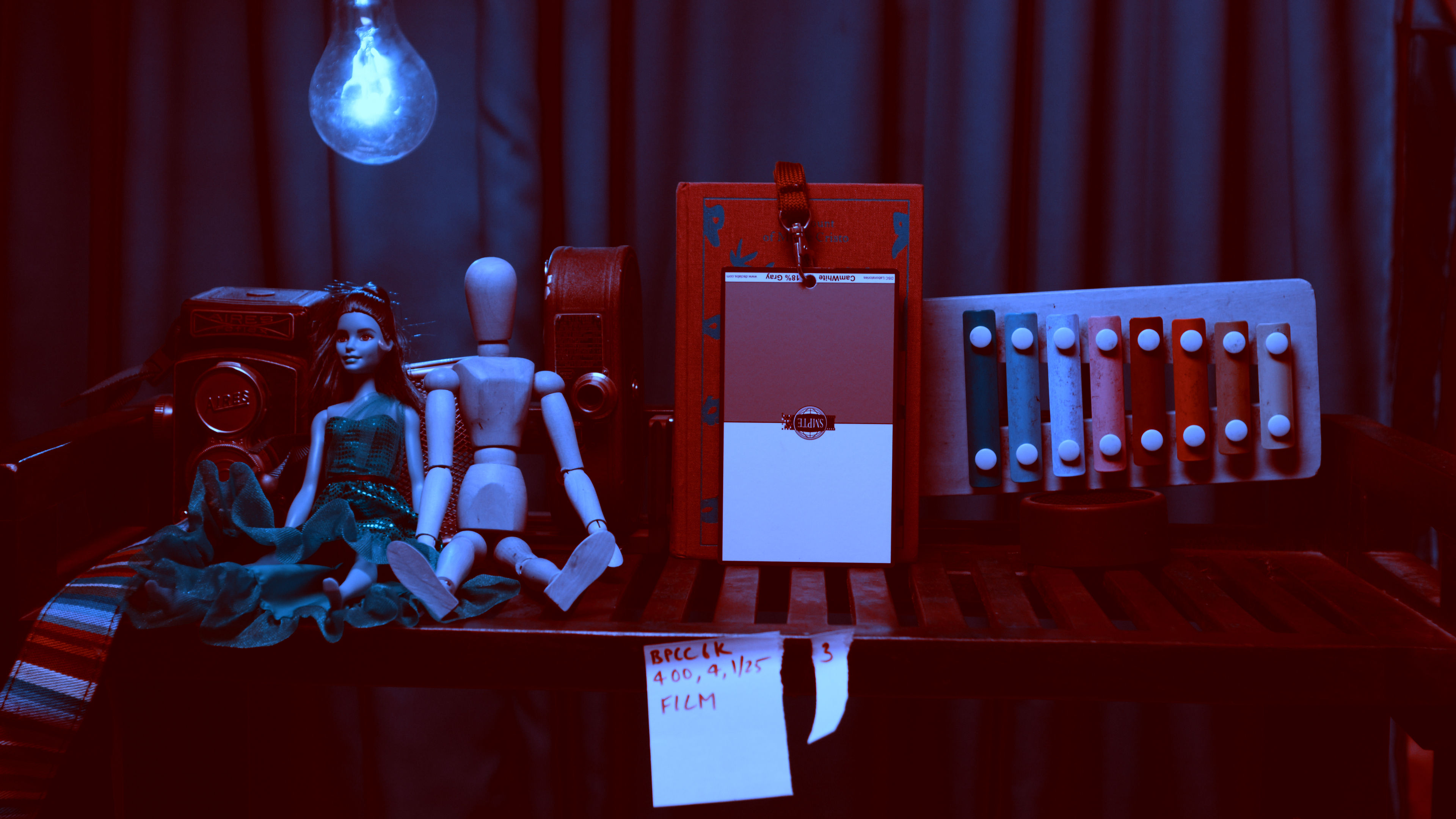
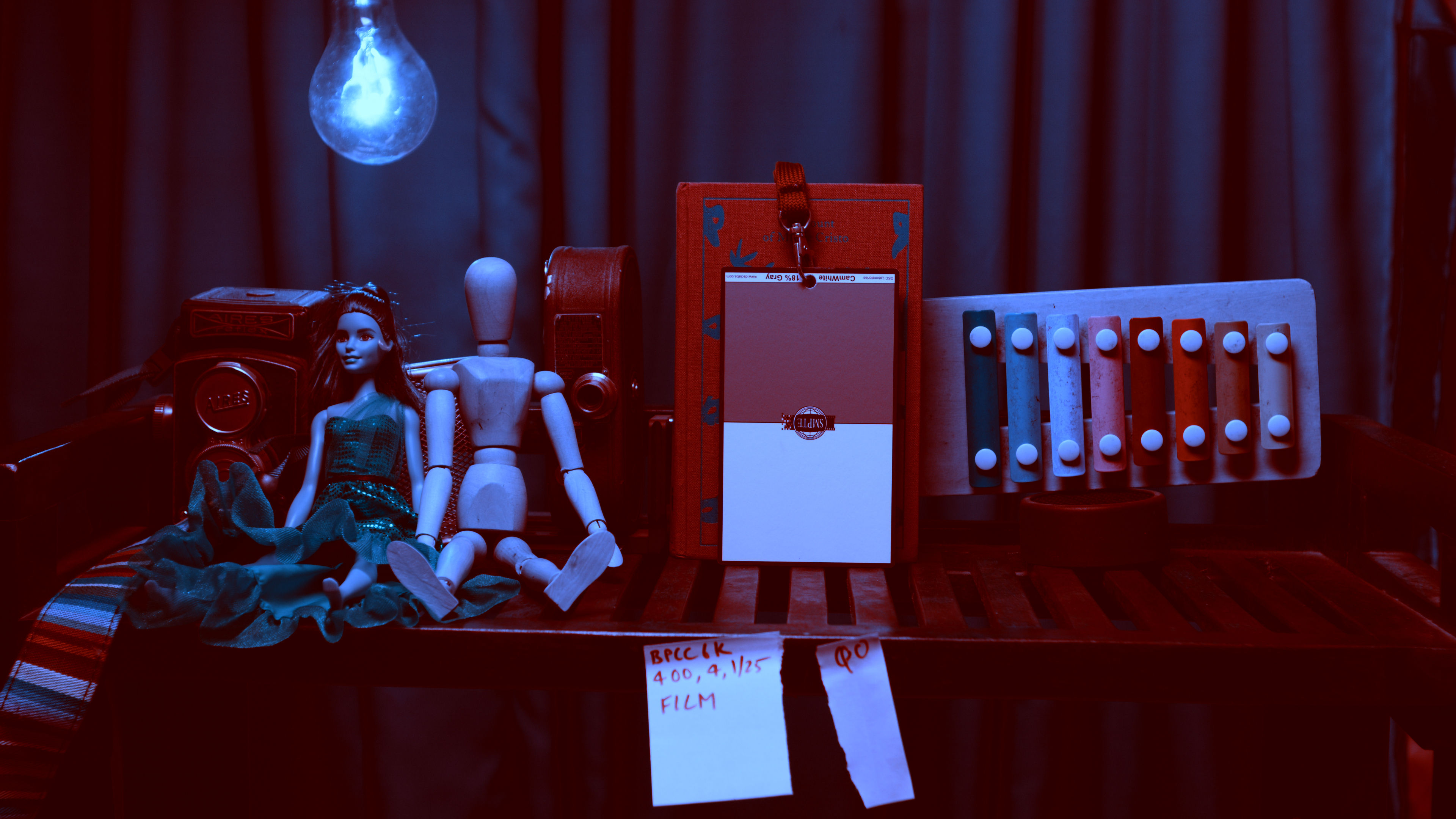
Playing back the footage I see Q0 is noisier, and 3:1 is more organic. Q0 also has extra sharpness, which might be the result of processing. This is not ideal because you can always add sharpening later in Resolve.
If you really need to save space, you could compare CB 8:1 to Q5. Again, for the same reasons above, I would pick CB 8:1 to save space instead of Q5.
[show_if has_tag=”24complete”]Download BRAW files[/show_if]
[show_if does_not_have_tag=”24complete”]Download link will be available right here after 24 hours of purchase.[/show_if]
