

This is a comprehensive comparison of all the modes in the Canon EOS R5 (Amazon, B&H) to see if there is any practical difference.
Note: Full resolution images are available to download for lifetime access members and Canon EOS R5 Guide buyers (coming soon):
The Test
We have a simple still life image designed for
- Resolution (focus is on the text on the right)
- Dynamic range – shadows behind the blocks to blown out highlights on the top left.
- Scene is correctly exposed to the grey patch on the DSC Labs One Shot chart.
- A two-stop underexposure and overexposure was also done (by changing the shutter speed) to study how the image behaves in all these modes.
- Everything was studied on a 4K monitor (for resolution) and my FSI DM240 for colors and dynamic range. I’m also using the scopes in Resolve.
- Footage was shot in Canon Log, Neutral, Rec. 2020 and stills are JPEGs exported from the timeline in Resolve.
Don’t forget to check out my comprehensive review of the Canon EOS R5:
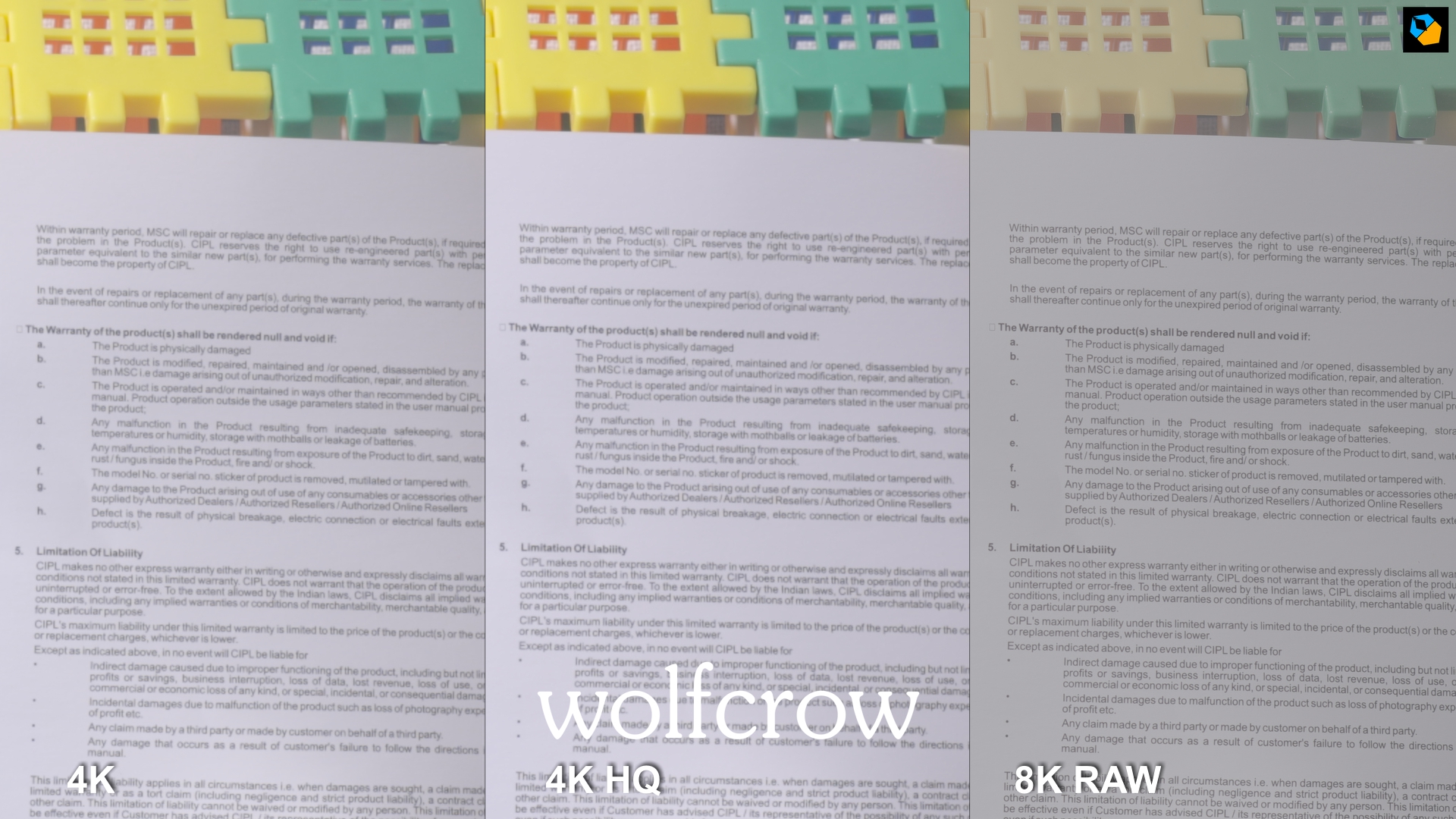
8K vs 4K HQ vs 4K Comparison in the Canon EOS R5: Resolution
All shots are blown up to 200%:
Normal exposure

Overexposed by 2 stops
Underexposed by 2 stops

Result: Resolution
As the images clearly show, 8K just blows the other two out of the water.
What about 4K HQ vs 4K normal mode?
There is definitely a difference, and 4K HQ is objectively better. However, I can hardly see a major difference in resolution in HQ. There is a difference between resolution and sharpness. You can add sharpness later, but resolution cannot be created.
At 100% the difference exists, but it’s too small to fret about. I’m really not sure the 4K HQ mode is true downsampled 8K, because the dissimilarity is striking. I don’t know why 4K HQ mode is this bad, when it should be a lot better.
And because you risk overheating, I only recommend 4K HQ if you really have your shoot under control. For most people, I have no hesitation in recommending the normal 4K mode up to 30p. The other reason to pick 4K 30p is if you shoot 60p or 120p, the footage will match. 4K HQ is only available to 30p.
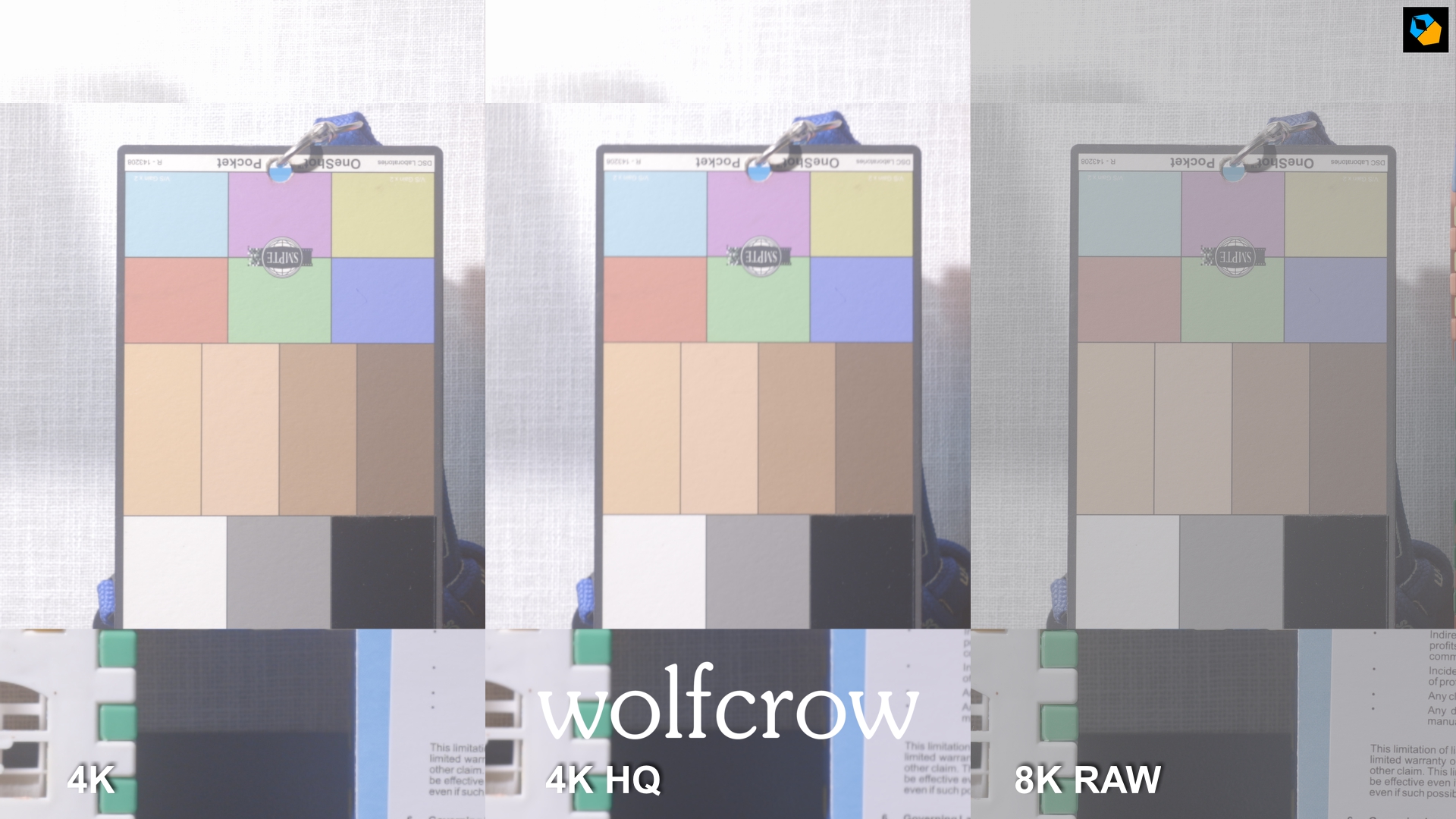
8K vs 4K HQ vs 4K Comparison in the Canon EOS R5: Color and DR
All shots are blown up to 200%:
Normal exposure

Overexposed by 2 stops
Underexposed by 2 stops

Result: Color and DR
8K really wins here as well. Look at the overexposed bit (top) and underexposed bit (bottom) and the results are clear. 8K has more dynamic range for sure.
One thing to note is you change the log encoding in 8K to Canon Log 2 or Canon Log 3. I prefer Canon Log 2, which is what I’ve set it to in Resolve. That’s the advantage RAW has. that cannot be matched.
The other two are encoded in Canon Log, which is similar to what you find in the Canon 1D X Mark III.
What about 4K HQ vs 4K normal mode?
You can see quite clearly 4K HQ has no practical advantage in DR or color.
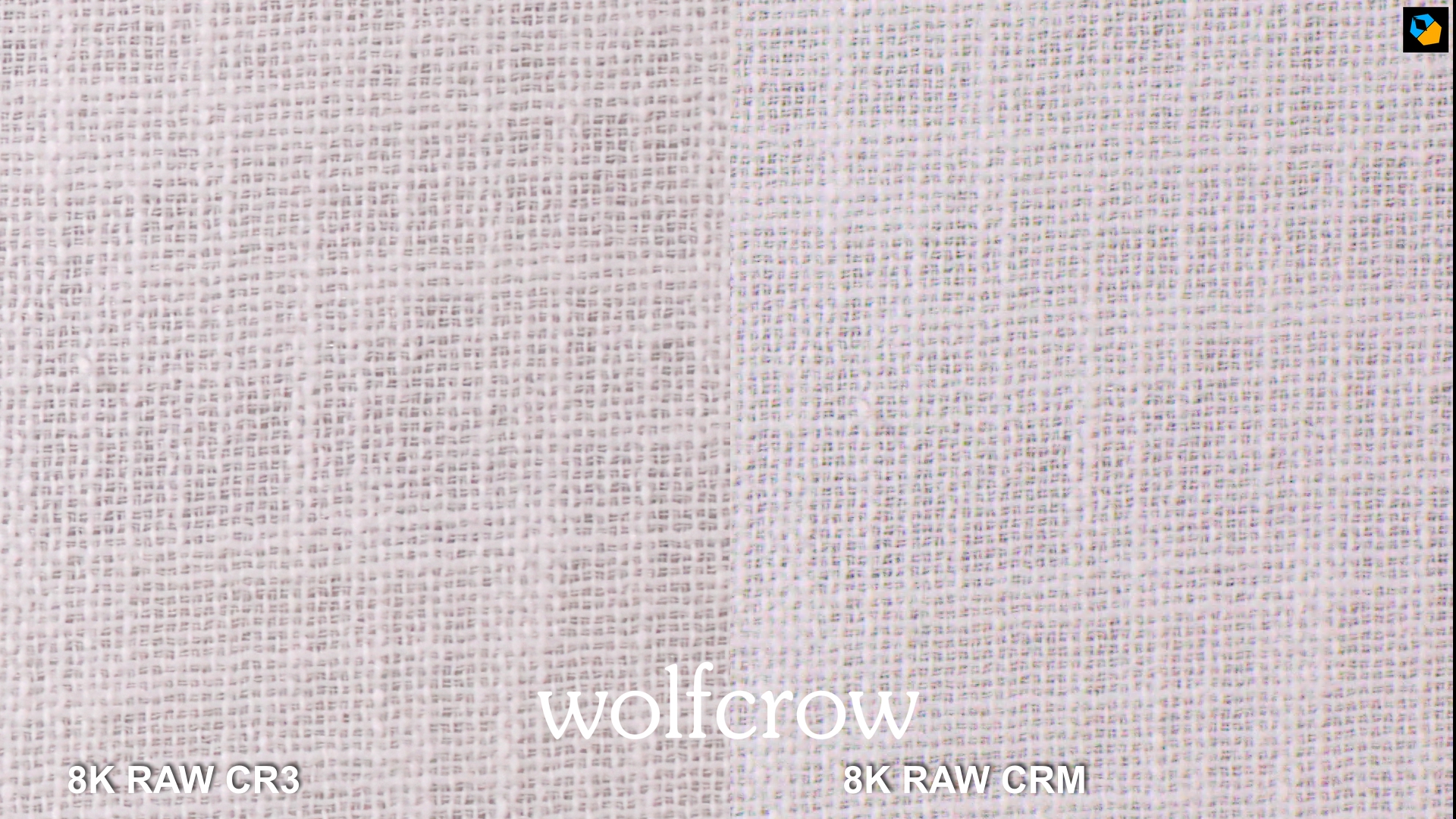
8K Stills RAW CR3 vs 8K RAW CRM in the Canon EOS R5
Adjusted by 3 stops over in DPP
Adjusted by 3 stops under in DPP

Result
It’s a very interesting result!
8K CR3 (still) does better in the shadows, and 8K CRM (video) holds up in the highlights. I’m not sure why, but the CR3 file turns green on underexposure in DPP. The CR3 image is slightly sharper.
In practical terms, the differences are slight. The still RAW file is supposed to be 14-bit, and the video RAW is 12-bit. However, there’s hardly a difference for practical work.
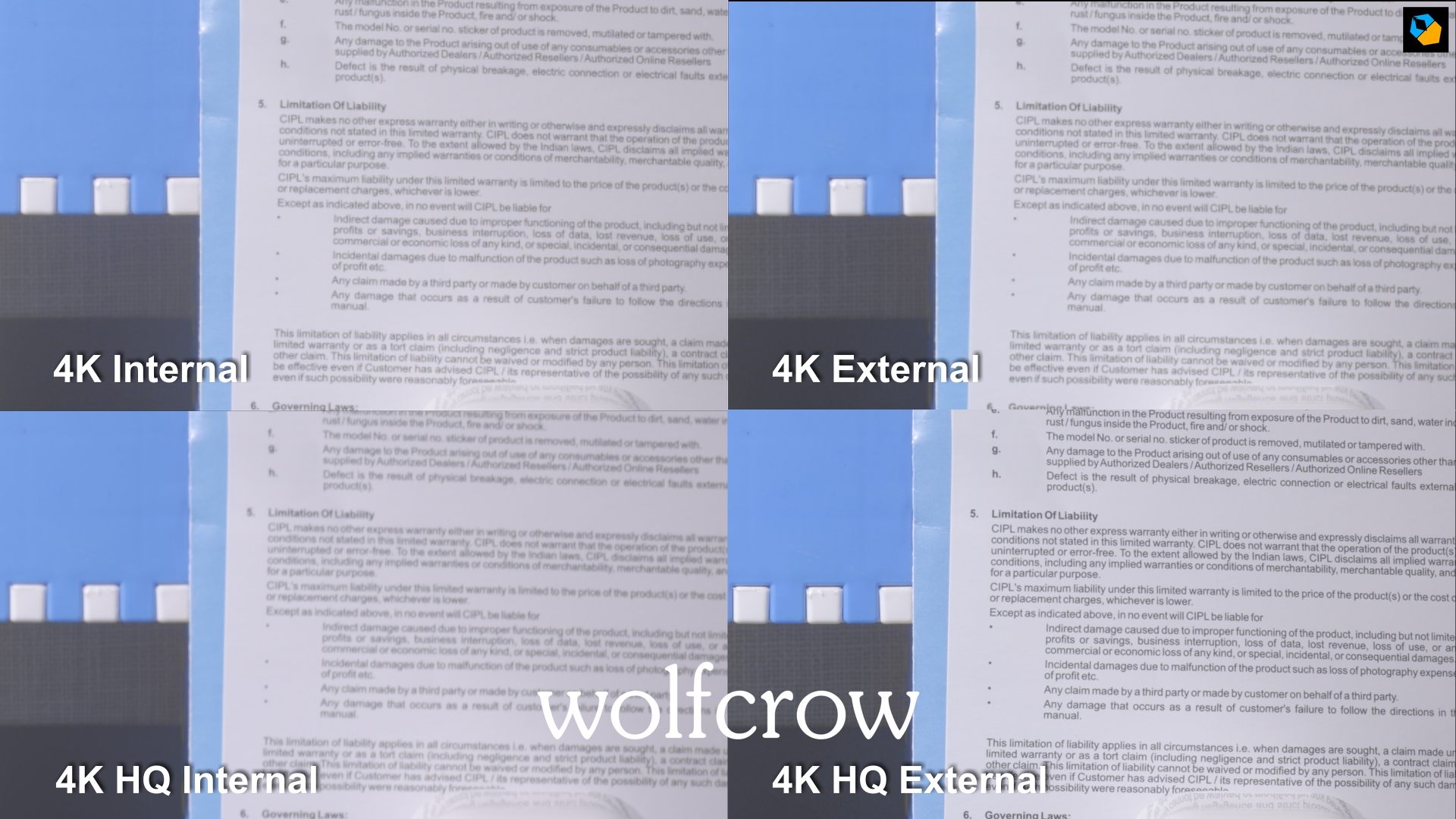
4K HQ vs 4K Comparison for External Recording in the Canon EOS R5
All shots are blown up to 200%:
Normal exposure

Overexposed by 2 stops
Underexposed by 2 stops

Result
4K HQ recorded externally is easily the best, and if you are using an external recorder this is the mode you should be aiming for. There is no overheating when using an external recorder in either mode.
However, if you’re shooting 4K 60p as well, the footage won’t match as cleanly, and you might have to add a bit of sharpening to the 60p footage.
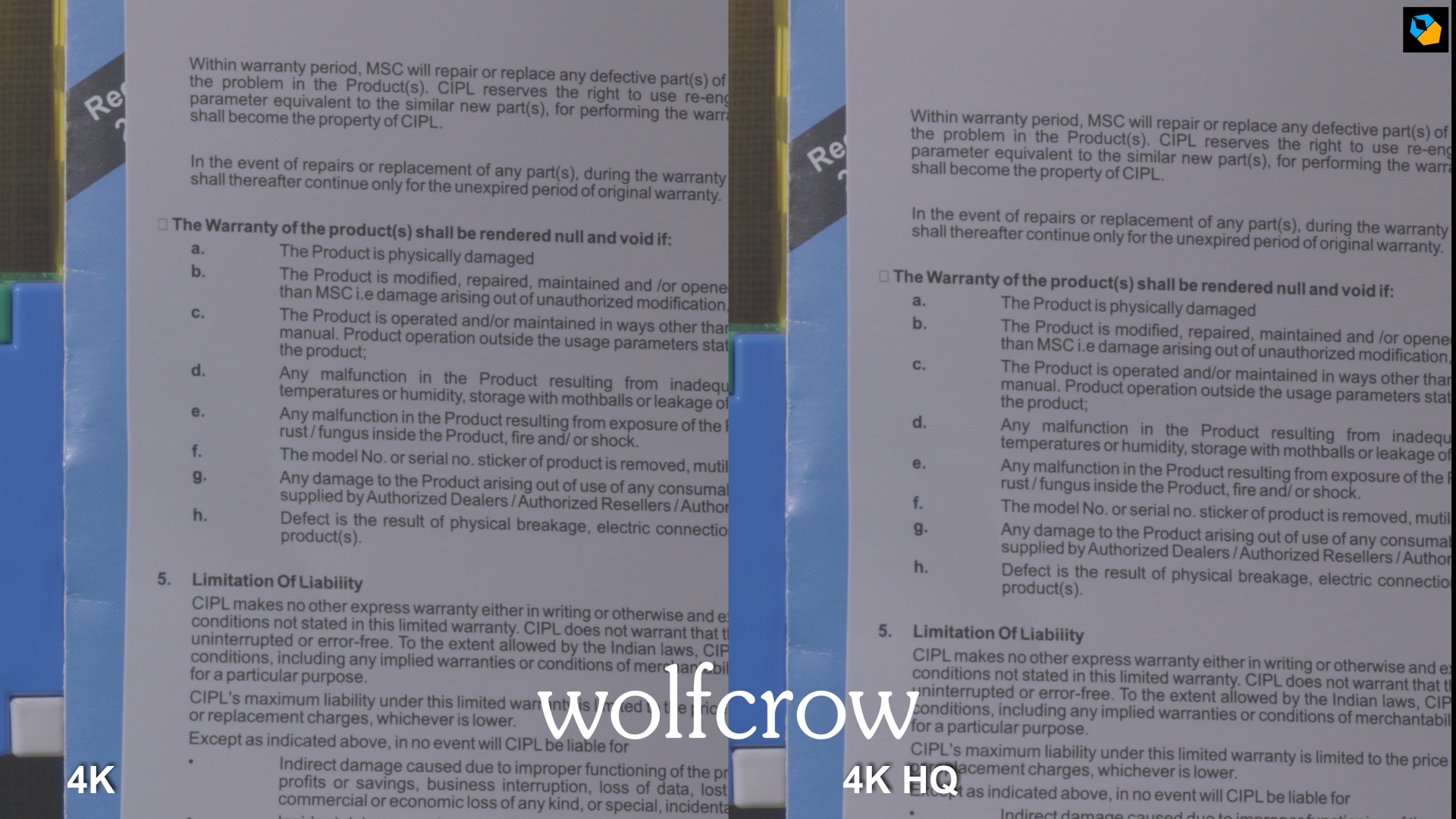
APS-C 4K vs 4K HQ Comparison in the Canon EOS R5
All shots are blown up to 200%:
Result
Hardly a difference. Both are probably sampled from 5.1K so it makes no difference which one you use.
UHD APS-C HQ vs Normal vs External Comparison in the Canon EOS R5
I used UHD here because I’m using an Atomos Shogun that is limited to UHD 30p. All shots are blown up to 200%:
Normal exposure
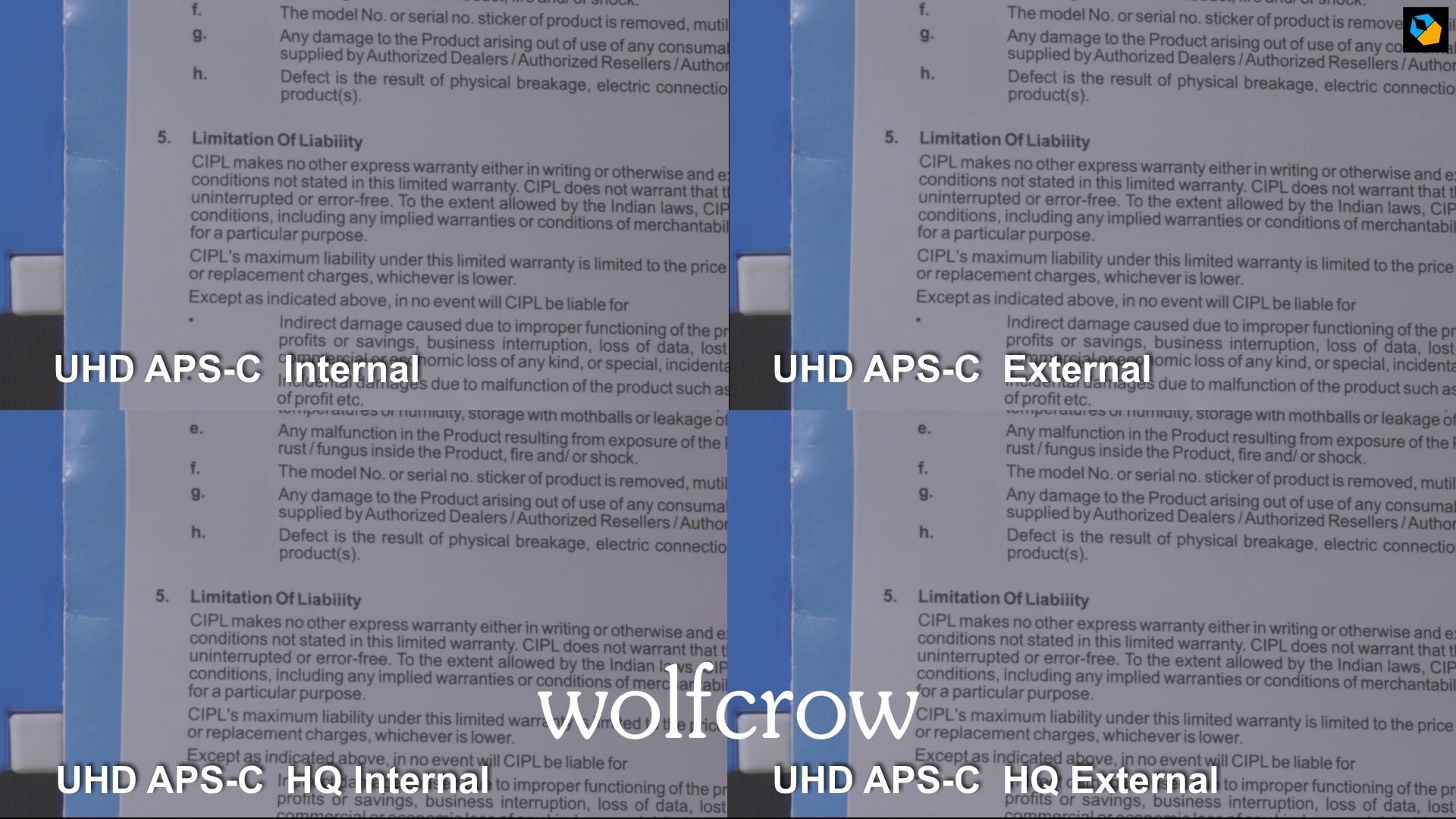
Result
No practical difference, so HQ doesn’t really make such a big impact here. Still, if all you need is up to 30p, 4K HQ APS-C is the way to go.
What is the most practical resolution and codec for the Canon EOS R5?
For the Canon EOS R5 (Amazon, B&H) I recommend:
- 4K Full Frame or APS-C “normal” mode, for all frame rates 23.976 to 119.88 fps
- 10-bit 4:2:2 ALL-I (HEVC, H.265)
- Canon Log
- For external recording, if you are shooting up to 30p only, use 4K HQ mode for best results.
I hope you found this test useful. Let me know if you have any questions.
For a comprehensive look, check out my full review of the Canon EOS R5 (Amazon, B&H):

Hi Sareesh! This was very helpful and detailed. Would the same trend hold true for non log footage as well on the Canon R5 for 4K vs 4K HQ?
Wow. Sareesh, you’ve done a great job here. This is the best comparison I’ve seen so far. Definitely helps making a choice. Thank you for your time and efforts.
You’re welcome!
4k 10 bit 4:2:2 all intra h265 can be recorded internally up to 120fps? What is the burn rate in storage for the 8k and does it overheat quickly?
Thx
Check this out: https://wolfcrow.com/canon-eos-r5-overheating-tests-the-true-story/
And this: https://wolfcrow.com/canon-eos-r5-review-good-for-video/