
It had to come to this. This article compares seven of the biggest names in video editing to find the best video editing software.

We all know this is going to end in a bloodbath. Look around far and wide, and you won’t find a single comprehensive comparison of every major video editing software. So, I decided to put one together myself. This article is the result of months of hands on experience with each and every one of the applications mentioned here. I’m taking no prisoners. There will be one and only one winner.
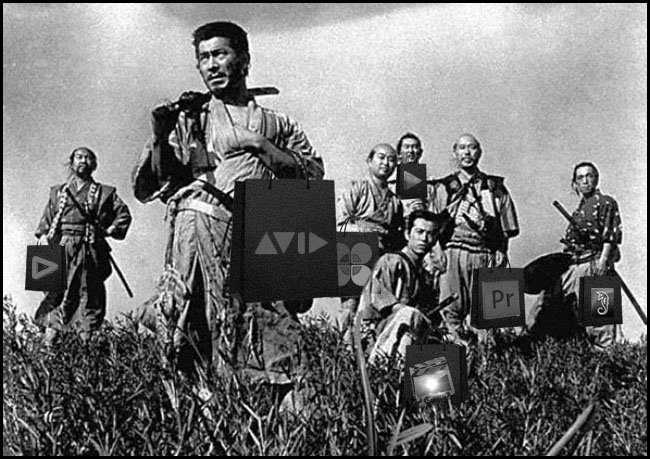
The philosophy and the goal
There are four words in ‘best video editing software’. We all know there is no absolute ‘best’ for anything, let alone software. So, my first task is to give meaning to the other three words.
What is a video editing software?
When I say ‘video editing software’, I specifically mean a non-linear editing application (NLE). What does that mean? Here are some definitions:
From Webopedia:
In digital video editing, non-linear editing is a method that allows you to access any frame in a digital video clip regardless of sequence in the clip. The freedom to access any frame, and use a cut-and-paste method, similar to the ease of cutting and pasting text in a word processor, and allows you to easily include fades, transitions, and other effects that cannot be achieved with linear editing.
From Wikipedia:
…a system that performs non-destructive editing on source material.
From the FCP 7 manual:
The editing process involves taking the video and audio you’ve captured, along with any music or graphics you’ve imported, and arranging these raw materials into a final edited sequence of clips. Most editors start with a rough cut, where they quickly arrange all of the clips for a movie in sequence. Once that’s finished, they work on fine-tuning, subtly adjusting the edit points between clips and refining the pacing of each cut. Basic audio editing and synchronizing are also part of this process, as well as adding transitions, such as fades and dissolves.
What does every editor need from a video editing software?
What can we learn from the above definitions? Let’s say you want to build an NLE from scratch today. What would be its core features? Here’s my list:
- It must be able to import video files.
- It must be able to deal with metadata and timecode.
- It must give you the freedom to pick and choose files and use the ‘cut and paste’ method of editing.
- It must have the three basic transitions: Cut, Dissolve, and Fade.
- It must include audio editing, with some basic mixing features like volume control, stereo pan, fade and dissolves.
- It must be able to perform real-time playback of sequences.
- It must allow you to use a standard keyboard and mouse to perform quick edits, with shortcuts.
- It must have a view monitor that shows you the edited sequence.
- It must not make changes to the source files.
- It must have provision for titles and text content superimposed on the video.
- It must be able to export your video (with or without audio) to standard file formats.
It is incorrect to assume that an editor needs visual effects plug-ins, color correction plug-ins and other jazzy things. They have its place, but not on every editor’s workflow. A super-cool plug-in package might help one editor, but not another.
Similarly, if one wants jazzy titles and motion graphics, it would be nice for the NLE to have these features, but it’s not mandatory. The same goes for audio, visual effects, color correction and all the specialized fields of post production. An NLE cannot be all things to everyone, and to have a fair comparison, you only need to compare each NLE against the other for its core feature set.
How can you improve the core features of an NLE?
What I’ve listed above are the core features of any NLE. It’s what makes it an NLE. The average editor needs to edit, that is a given.
Therefore, an NLE can only stand out in these ways:
- It can import more file formats than its competitor.
- It can export to more file formats than its competitor.
- It can work with native file formats (non-destructive editing) if that’s what you want.
- It can handle more frame rates and resolutions than its competitor.
- It can handle more color information than its competitor.
- It can handle more audio information than its competitor.
Today, most NLEs can work with native file formats. Those that can’t support higher quality intermediary codecs that provide visually-lossless non-destructive editing. Frame rates and resolutions are limited by the distribution pipeline and display monitors. The same goes for color information. Why view your edits in 16-bit when 8-bit is all you need at this stage?
What I am not going to compare
There are three things I’m not going to compare.
The first is the basic editing features like cuts, dissolves, shortcuts, etc. Every one of the NLEs compared here have thousands of satisfied users, and it would be foolish to even question if these NLEs can edit or not, because they all can. You’ll just have to trust me on that one. I’ve edited on all of them. It all comes down to which NLE can support the most diverse workflows. If you’re setting up a post facility, having a versatile NLE gives you the freedom to accept a large variety of projects. If you’re stuck with a restrictive NLE, you will be forced to work within its limitations.
The second is the number of available plug-ins (both internal and third-party) – these are specialized tools and are not mandatory features of an NLE.
The third is audio. For true audio quality you need a DAW and a sound editor and mixer. You cannot depend on a video editor for audio, then why depend on his or her tool, an NLE?
The three acts
I have divided this shootout into three segments:
- The beginning – basic information, availability and pricing.
- The middle – comparison of workflows.
- The end – comparison of features and support, and the future.
How to use this comparison, and who is it for?
Who is it for? Anybody who wants to know how each NLE stacks up against its competitor in the things that matter – to everyone equally.
If you are into workflows that one and only one NLE supports, then your choice is made for you. However, if you’re a newcomer, or somebody looking to take on multiple projects and invest in an NLE for the future, you will appreciate the details provided in this comparison.
This article does not intend to change your mind, or make you buy something. Don’t take buying decisions based on this, and take responsibility for your own actions and choices.
I will show you the data, and I’ll also provide my conclusions. You can take either, neither, or both. Your choice. Just understand why you’re making those choices.
The goal
Is this article an attempt to find the best video editing software in the world so everyone can buy it? No. On the contrary, it is a survey of facts which should help you find the ideal solution for your work faster.
The players
Don’t you want to know which seven video editing softwares are included? Here are the names (in alphabetical order of the names of their developers):
- Adobe Premiere Pro Creative Cloud (CC)
- Apple Final Cut Pro X
- Autodesk Smoke
- Avid Media Composer
- Editshare Lightworks Pro
- Grass Valley Edius Pro
- Sony Vegas Pro
Do I have a personal bias?
Of course I do! Now’s a good time to tell you that I have a strong bias towards Adobe Premiere Pro. Well, I should, because it’s what I use. If you’re the type who –
- can’t be bothered to read through all what I’m about to share with you,
- don’t care to think on your own, and
- will trust my advice unquestioningly, then
How much money have you got? Purchase a subscription to the Adobe Creative Cloud and send the rest to me.
To those who aren’t pushovers, though, this article is an assimilation of data that will either confirm your own views or lead to new ones. Don’t let my comments and conclusions blind you to the facts. I’m sharing everything, warts and all.
Ready? Let’s roll.
Pedigree
It is important to know, albeit briefly, when and where each NLE sprouted from, and why. Here’s a chart:
| First released | Current release | Years | |
| Avid Media Composer | 1989 | 7.0 | 24 |
| Editshare Lightworks Pro | 1989 | 11.1 | 24 |
| Adobe Premiere Pro | 1991 | CC, 7.0, Ongoing | 22 |
| Apple Final Cut Pro X | 1999* | 10.0.8 | 14 |
| Sony Vegas Pro | 1999 | 12 | 14 |
| Grass Valley Edius Pro | 2002 | 7 | 11 |
| Autodesk Smoke | 2004** | 2013 Ext 1 | 9 |
* – FCP-X was released in 2011, though to be fair Apple has been in this game for longer.
** – Smoke was initially an editor to support Flame. Flame was released in 1993.
Surprised? They are all big names. Each an every one of these applications are world-class professional grade video editing software. They all deserve this moniker simply for one reason – they deliver.
Except for Final Cut Pro X, none of them have changed their ‘fundamental character’ radically:
- Avid, Edius and Lightworks still support broadcast-based workflows more than any other kind. They also provide turnkey storage and hardware solutions for collaborative workflows.
- Premiere Pro and Sony Vegas Pro are possibly the only applications that are device-agnostic. Adobe does not make hardware. Avid, Smoke, Edius and Lightworks have been forced to abandon turn-key systems and are now giving up their software as standalone versions.
- Smoke is a finishing system that does compositing as well. It is only half-NLE, but that’s a very good half!
- Premiere Pro and FCP-X are probably the only two NLEs geared to make use of ‘future-proof’ (for lack of a better word) metadata and digital asset management. Apple went so far as to write the application from scratch, and they are not encumbered by a ‘suite’ to integrate with.
See? They all have good reason to be who they are. You can’t take that away.
Price
This one had to come up sooner or later! I’m going to give you two prices. The first is for just the application, with no updates (other than the free ones):
| Price in USD 2013 | 3 months | 6 months | 1 year | 3 years |
| Editshare Lightworks Pro*** | $ 60.00 | $ 60.00 | $ 60.00 | $ 180.00 |
| Apple Final Cut Pro X | $ 299.99 | $ 299.99 | $ 299.99 | $ 299.99 |
| Grass Valley Edius Pro | $ 699.00 | $ 699.00 | $ 699.00 | $ 699.00 |
| Sony Vegas Pro | $ 699.95 | $ 699.95 | $ 699.95 | $ 699.95 |
| Adobe Premiere Pro*** | $ 89.97 | $ 179.94 | $ 239.88 | $ 719.64 |
| Avid Media Composer | $ 999.00 | $ 999.00 | $ 999.00 | $ 999.00 |
| Autodesk Smoke | $ 3,500.00 | $ 3,500.00 | $ 3,500.00 | $ 3,500.00 |
***These have monthly and/or yearly plans. For Adobe Creative Cloud, you’ll get a better deal if you purchase the cloud rather than just one application. The price, though, is for the stand-alone application only.
Important: The prices might be inaccurate or plain wrong. Some softwares are available at discounted rates from various vendors. I’ve included their full price. For correct prices talk to the developers directly.
What if you wanted to always have the latest and greatest? Do some applications give you extended support for new releases? Yes. This is what it would look like:
| Price to stay current in USD 2013 | 3/6 months | 1 year | 3 years | Last release period^ |
| Editshare Lightworks Pro | $ 60.00 | $ 60.00 | $ 180.00 | 12 |
| Apple Final Cut Pro X | $ 299.99 | $ 299.99 | $ 299.99 | 3 |
| Adobe Premiere Pro | $89.97 / $179.94 | $ 239.88 | $ 719.64 | 2 |
| Sony Vegas Pro | $ 699.95 | $ 699.95 | $ 898.95 | 13 |
| Grass Valley Edius Pro | $ 699.00 | $ 699.00 | $ 998.00 | 9 |
| Avid Media Composer | $ 1,598.00 | $ 1,598.00 | $ 2,796.00 | 10 |
| Autodesk Smoke | $ 4,175.00 | $ 4,175.00 | $ 5,525.00 | 15 |
^In months. Smoke was released as a beta and the duration is from that period to the release of Extension 1. Lightworks Pro cycle is from version 11 to 11.1.
The second chart is bound to be incorrect, because we don’t know which application will be around three years from now, and we don’t know what pricing model they’ll select for upgrades or whatever. I’ve used the upgrade prices or service contracts as they exist today.
There’s another reason why you should only focus on the one-year period. The applications who lag in today’s marketplace are the ones who update the slowest. Adobe and Apple have frequent updates, and this is going to be the trend for the future. Smoke also updates regularly, but calls them service packs.
What this means, though, is that you’re going to be faced with annual service contracts instead of the old model. Premiere Pro, Smoke, Lightworks and Avid all follow this paradigm. Regular updates are hip now, and the market reflects that.
Okay, what do we learn from the charts? Leaving aside Smoke, which has to maintain high prices due to its VFX features, one can see that Avid is probably charging at least twice as much as the rest. FCP-X seems to be the best deal, considering Apple has been providing free updates so far. We don’t know if that will carry on to version 11, whenever that comes.
Ultimately, you will have to compare prices not only with features, but also with your business model. E.g., if you’re a Mac person, and if you can do your job with FCP-X, then it seems stupid to opt for Autodesk Smoke, at more than ten times the cost.
Availability
If you wanted to buy your favorite video editing software right now, can you do it, no matter where you are in the world? Let’s see:
| Disc | Download | Purchase | Trial | |
| Editshare Lightworks Pro | No | Yes | Official website | Yes |
| Apple Final Cut Pro X | No | Yes | iTunes App Store | Yes |
| Adobe Premiere Pro | No | Yes | Reseller and/or Adobe’s official website | Yes |
| Sony Vegas Pro | Yes | Yes | Reseller and/or Sony’s official website | Yes |
| Grass Valley Edius Pro | No | Yes | Reseller | Yes |
| Avid Media Composer | No | Yes | Reseller and/or Avid’s official website | Yes |
| Autodesk Smoke | Yes | Yes | Reseller and/or Autodesk’s official website | Yes |
If you’re in the US, you can buy every one of the NLEs (except Edius Pro) from the official website or store. If you’re in another country, there are restrictions and you’ll have to go through a reseller. E.g., you can buy from the Autodesk Smoke site, but if your country isn’t listed, you are forbidden to use it. I had to purchase the Creative Cloud for teams from a reseller.
If I had to pick one NLE for the easiest and smoothest download-to-purchase-to-edit experience, I’ll say it’s a tie between:
- FCP-X, and
- Lightworks Pro
To all the rest, shame on you. Each and every developer on this list gives you quick access to download a fully functional trial version, no matter where you are. All they want in return is your email address.
Let’s say you download the trial version and at the end of your 30 day period you want to purchase the software. If you’re not on the developer’s ‘preferred country’ list, you can’t purchase your software as easily as you downloaded it. You’re forced to find a vendor, and deal with them instead. I can collaborate with anyone in the world on Creative Cloud, but it took me a week to purchase it. I wonder how much time it’ll take me to end it.
What’s wrong with you people?
Size of download and installation
Each and every single installation went perfectly, and I can’t fault a single application for taking too long or crashing.
Here’s the size of each download, and the operating systems these softwares work on:
| Download size | Installed size | Supported OS | |
| Editshare Lightworks Pro | 80 MB | 200 MB | Windows, Linux and OS X* |
| Apple Final Cut Pro X | 1.64 GB | 2.4 GB | OS X |
| Adobe Premiere Pro | 1.34 GB | 4 GB | Windows and OS X |
| Sony Vegas Pro | 231.6 MB | 500 MB | Windows |
| Grass Valley Edius Pro | 429 MB | 6 GB | Windows |
| Avid Media Composer | 3.07 GB | 5 GB | Windows and OS X |
| Autodesk Smoke | 1.83 GB | 3 GB | OS X |
*The Mac version will be out soon.
It is amazing how Vegas Pro and Lightworks can occupy so less space, and everyone else needs gigabytes of space. Of course, a lot of plug-ins, back-end processes, applications, etc., get downloaded with the package.
As a side note, can anyone explain how Edius Pro is only 429 MB to download but asks for 6 GB of installed space?
Going by just the above data, it would seem Lightworks is not only small and fast, it is also the only professional NLE in our list that works on Linux. In any case, I’d say the developers who have restricted their applications to just one operating system are at a serious disadvantage. I can understand Apple wanting to restrict FCP-X to Macs, but I cannot fathom why Smoke runs only on a Mac, while most of the major applications in the Autodesk arsenal run on Windows and even Linux.
Actually, the choice of operating system speaks volumes about each developer’s strategy, short-sightedness or limitations. It cannot be that an operating system is stopping development, and I’m pretty certain every developer on this list is smart. The only thing that’s left is that they don’t have the money to develop for different operating systems. You can hear them say: “You know what? Most of our user base is on XYZ operating system, so let’s just stick to that and keep this operation going.”
Here’s a tip: This website caters to folk serious about video, and the OS split is 50:50 between OS X and Windows. At least give us both Windows and OS X at least, if nothing else.
Uninstallation
If you’re happy with a product, why would you uninstall it? Well, I had to, because except for Premiere Pro the rest were all demo versions. This part would have been a mere footnote if not for one unacceptable experience.
Each and every application on the list was easy to uninstall. But after uninstalling one particular application on our list, a resident program remained, uploading Gigabytes of data (yes, gigabytes) per day to someplace. It was a strange experience, because, while this application was installed, there was no such activity. It was only after uninstalling it that the uploads began.
Unluckily for me, I only found out after 20 days or so! Luckily, I had saved the date on which I had uninstalled this application, and I could pin point the culprit – Autodesk Smoke. It seems the uninstaller does not completely remove the program, as mentioned in their official Knowledge Base. Of course, I should have read the ‘fine print’. But you have been warned.
Minimum and recommended system requirements
Here are the minimum specifications required:
| CPU | RAM | 32/64-bit | GPU | Display Resolution | |
| Editshare Lightworks Pro | Intel Core Duo, Intel Xeon or AMD | 2 GB | 32/64 | 256 MB | 1024 x 768 |
| Apple Final Cut Pro X | Intel Core 2 Duo | 2 GB | 32/64 | OpenCL capable, 256 MB | 1280 x 768 |
| Adobe Premiere Pro | Intel Core2 Duo or AMD Phenom II | 4 GB | 64 | No | 1280×800 |
| Sony Vegas Pro | 2 GHz processor | 4 GB | 64 | 512 MB | ? |
| Grass Valley Edius Pro | Intel Core 2 or Core iX, or AMD single core CPU with a 3 GHz speed or faster | 1 GB | 32/64 | 512 MB | 1024 X 768 |
| Avid Media Composer | Intel Quad Core i7 or Quad Core Xeon | 4 GB | 64 | No | ? |
| Autodesk Smoke | Multi core | 4 GB | 64 | No | 1,440 x 900 |
Here are the recommended specifications:
| CPU | RAM | 32/64-bit | GPU | Display Resolution | |
| Editshare Lightworks Pro | Intel i7 chipset or faster, fast AMD chipset | 3 GB | 32/64 | 1 GB and higher | 1920 x 1080 |
| Apple Final Cut Pro X | ? | 4 GB | 32/64 | OpenCL capable, 512 MB | ? |
| Adobe Premiere Pro | Multiple CPUs or multi-core CPUs | 8 GB | 64 | Nvidia certified** | 1920 x 1080 |
| Sony Vegas Pro | Multiple CPUs or multi-core CPUs | 8 GB | 64 | OpenCL capable, 512 MB | ? |
| Grass Valley Edius Pro | Multiple CPUs or multi-core CPUs | 4 GB | 64 | 2 GB | ? |
| Avid Media Composer | Intel Quad Core i7 or Quad Core Xeon | 6 GB | 64 | NVIDIA Quadro | 1920 x 1080 |
| Autodesk Smoke | Multi core | 8 GB | 64 | NVIDIA Quadro | 1920 x 1080 |
You could say it’s a given that all NLEs utilize multi-core and multiple CPUs. They prefer a 64-bit architecture and could use a GPU if given one.
Much has been said about Nvidia GPUs and CUDA. If you look closely, there is equal support for OpenCL technology which brings AMD GPUs into the game. I suspect one major reason for this is Apple’s decision to stick with AMD/ATI GPUs in their new Mac Pros.
All said and done, though, you can’t beat the Mercury Playback Engine (MPE) in Premiere Pro which supports both playback and rendering – now possible with both Nvidia and ATI GPUs. Leaving aside GPUs, I’d say Sony Vegas, Edius and Lightworks deserves praise for still being able to run on old computers. Who knows, they might be able to run on smartphones by next year.
Load time average
Every NLE except one loads fast (enough).
The slow coach is Avid Media Composer, which took minutes just to start up! No matter what I tried, I couldn’t get it to load faster, and this wasn’t with any large projects or whatever. Even on a blank slate the load time was into the several minutes range. Once it loaded though, it performed as fast as everyone else on the list.
Closing the application had the same problem – more than a minute to close!
In general, I’d say having an SSD for your OS+Applications is worth it. If you have a robust workstation, it is unlikely to let you down. What will let you down is frequent software updates from developers. When this happens, there will always be something they missed, which might lead to surprising crashes. It’s your call on how or whether this affects you.
Collaboration
Collaboration could mean different things to different people. For some it is just two people working on the same project off one shared storage drive (like a SAN). For others it might be editing on the cloud. And for yet others it could mean editing one after the other, but not at the same time. Either way, having a centralized storage is one of the key features.
For editing at the same time on one project, you must give credit to Avid, Lightworks Pro and Edius. They not only have the software ready to go the whole distance, they also supply hardware that works seamlessly with everything.
On the other hand, Adobe has cloud editing with Adobe Anywhere, though it is in its nascent stages.
Curiously FCP-X doesn’t have robust collaboration features built in, though there are workarounds. I guess Apple is still in ‘Personal’ computer mode.
Quality of information and support
First you download and run an application; and the next thing you’ll need is quality support. It comes in the form of:
- The manual
- Wiki or knowledge base and videos
- Forum
- Customer support
Customer support varies wildly depending on several factors. Even in the best support team, there are bad eggs, and it might just be your unlucky day to get one of those to help you out.
I’ve read all the manuals, from cover to cover. You know what? Most issues are already covered in manuals, it’s just that lazy editors never bother to read them. But you can’t blame all the editors. Most manuals are in English, while a lot of the world isn’t.
The manual
I rate the manuals in this way (best first):
| Grass Valley Edius Pro** |
| Apple Final Cut Pro X |
| Autodesk Smoke |
| Editshare Lightworks Pro |
| Sony Vegas Pro |
| Avid Media Composer |
| Adobe Premiere Pro |
Why is Premiere Pro last? Not only does the manual seem hastily written, it misses covering important concepts that a newcomer will need to know, to understand the manual! Secondly, it is littered with external links to tutorials (some of which are samples that lead to sales pages) and videos. I simply cannot forgive a company proud to sell a million subscriptions but can’t get a decent manual written.
**There is one curious problem with the Edius manual, though – it isn’t downloaded along with the application. You have to download it separately.
Wiki, knowledge base and videos
In this respect, the lack of marketing resources clearly shine through. Autodesk, Adobe and Sony lead with the most number of videos. Adobe easily wins this category with Adobe TV. Apple links to third-party videos while Avid, Lightworks and Edius Pro hardly have any. Funny to see the ‘broadcasters’ here at the bottom. For years they nurtured an air of exclusivity. The next step might be oblivion.
Forums
You’re not going to believe this, but I actually went to each and every forum and studied the number of questions and replies to gauge the activity level over the last two weeks (Please don’t ask me for the numbers or my methodology).
Here’s the list, from best to worst:
| Adobe Premiere Pro |
| Apple Final Cut Pro X |
| Avid Media Composer |
| Grass Valley Edius Pro |
| Sony Vegas Pro |
| Autodesk Smoke |
| Editshare Lightworks Pro |
So we know who’s the most popular, don’t we?
The Adobe, Apple and Avid forums are the best, while the Edius Pro, Smoke and Vegas Pro forums are average. Lightworks has the lowest posts and replies. Mind you, these numbers don’t reflect the quality of the support, only the frequency. If you’re in a part of the world where support is hard to come by, your only hope might be forums.
GUI
Right, you fire up the application and what hits you first is the layout, the Graphical User Interface (GUI). The aesthetics and usability of a layout of any software is subjective at best. Here are my thoughts:
| Editshare Lightworks Pro | Simple and Elegant |
| Apple Final Cut Pro X | Good |
| Adobe Premiere Pro | Average |
| Avid Media Composer | Average |
| Grass Valley Edius Pro | Average |
| Sony Vegas Pro | Average |
| Autodesk Smoke | Complicated |
Both Lightworks and FCP-X are applications that have been redesigned from scratch, and their interfaces show modern design features. Smoke is complicated because it has to be, though to a newcomer it does look intimidating. As far as the others are concerned, the best I can say is ‘meh’.
Import Workflow
The import workflow is where the tire meets the road. We are going to break it up into:
- Support for codecs
- Metadata support
- Maximum resolution
- Maximum frame rate
- Best color information
Support for codecs
Which NLEs support which codecs? Here’s the list (click to enlarge):

O – support is either restricted, transcoded, rewrapped or via a paid or third-party plug-in.
X – Supported natively.
Blank – Not supported.
Important: Some codecs were missed in the above chart. E.g., Avid Media Composer can read Sony RAW, F65 RAW and XAVC (Thank you Luis Ochoa!) via AMA. I will track any more changes until December and add them in together.If you feel I’ve missed something, please bring them to my attention.
There are only four codecs that are supported by every one of the seven editing applications on our list:
- H.264
- MPEG-4
- AVCHD
- Prores
The first three are in essence the same thing!
If it were up to me, I’d say every camera manufacturer should embrace Prores as an acquisition medium, second to RAW. Who supports the most codecs? Here’s the list:
| Total | Native | |
| Adobe Premiere Pro | 15 | 13 |
| Sony Vegas Pro | 13 | 13 |
| Autodesk Smoke | 12 | 12 |
| Grass Valley Edius Pro | 11 | 10 |
| Avid Media Composer | 12 | 9 |
| Editshare Lightworks Pro | 11 | 9 |
| Apple Final Cut Pro X | 15 | 6 |
Adobe Premiere Pro wins clearly in numbers, though that doesn’t tell the whole story. Strangely, FCP-X supports as many codecs as Premiere Pro, only not natively or without transcoding or rewrapping or without the help of a third-party plug-in.
Metadata support
All NLEs support metadata generally. As far as editing is concerned, this level of support is more than sufficient. Things go haywire when:
- You are importing RAW files with camera metadata.
- You are porting the project over to VFX facilities that need camera metadata.
- You are importing from Ingest and Logging tools like Prelude, Bulletproof, etc., which might create its own metadata.
Though all these workflows are important, they are the exception rather than the norm. On the average project, the import begins with the NLE, and camera metadata is usually covered by the NLE’s support for RAW codecs.
Having said that, two applications that have future-looking support for metadata are:
- Premiere Pro – not directly, but with XMP.
- FCP-X – directly, but with a ‘proprietary’ version of FCPXML.
It’s too early to tell whether these systems will survive or evolve or stay put. For the majority of editors, all seven NLEs are good enough.
Maximum project specifications
Some NLEs claim they can work with 6K Dragon footage, or with 120 fps, or with 16-bit RAW files. All this means squat if the project settings restrict you to 1080p or 30p or 10-bit color. Sure, you could use your NLE as a proxy (offline) editor, but that sort of defeats the marketing purpose when the suckers who bought into your pseudo-truth spreads the word.
There was a time when every NLE was restricted to 1080p30 and 10-bit color. Is that the case today? Let’s see:
| Resolution | Frame rate at this resolution*** | Color bit depth | |
| Autodesk Smoke | 10,000 x 10,000 | 60 | 16-bit |
| Adobe Premiere Pro | 10,240 x 8,192 | 60 | 10-bit |
| Apple Final Cut Pro X | 5120 x 2160 | 60 | 16-bit^ |
| Sony Vegas Pro | 4096 x 4096 | 60 | 32-bit |
| Grass Valley Edius Pro | 4096 x 2048 | 60 | 10-bit |
| Avid Media Composer | 1920 x 1080 | 60 | 10-bit |
| Editshare Lightworks Pro | 1920 x 1080 | 30 | 10-bit |
***All NLEs can go up to 60p. Sometimes, 60p means 59.94p. ^There is no document from Apple in support of this, but FCP-X exports 12-bit Prores 444 and 16-bit TIFF.
Except for Lightworks Pro, all NLEs support 1080p60. Smoke, being a finishing application with VFX in mind, supports the best specifications overall. Adobe Premiere Pro isn’t far behind, but is limited by its 10-bit working space.
Avid Media Composer is showing its age. The fact that it can’t work with projects over 1080p at all, even with AMA, is a testament to its regressive thinking. Sony Vegas Pro gives us the most pleasant surprise. It covers every cinema and broadcast project out there, with the best color possible. If it adds 120p, it will make a lot of gamers happy too!

A side note: The article is getting too long, and sometimes you’ll find conclusions without explanations. If that’s the case, please read the links I’ve given earlier.
Export workflow
Importing footage and editing with them is just one half the story. A good NLE must be able to export to your delivery format of choice, if that’s all you want to do. Here’s the list (click to enlarge):

*Edius has Grass Valley HQX and HQ, an intermediary codec, Lightworks has Lightworks Archival
Which NLEs export to the greatest number of deliverables? Here’s the count:
| Codecs | |
| Editshare Lightworks Pro | 16 |
| Adobe Premiere Pro | 14 |
| Sony Vegas Pro | 14 |
| Autodesk Smoke | 12 |
| Grass Valley Edius Pro | 11 |
| Apple Final Cut Pro X | 11 |
| Avid Media Composer | 10 |
Does anybody want to explain how Lightworks Pro can export more codecs than anyone else and still cost only $60 a year? Of course, don’t go only by the numbers. Some codecs are limited by bit depth, resolution, etc. Just because two applications support DPX, for example, it doesn’t mean it’s the same kind of DPX. Also, don’t forget that this list doesn’t represent all the codecs or file formats supported, just the most common ones.
Which codecs are found on every software? Here’s the list:
- H.264
- Uncompressed HD, usually via Quicktime
- TIFF image sequence
- PNG image sequence
It’s no fluke that I said TIFF is the best archival format for video. The difference between TIFF and uncompressed HD is simple: the latter is restricted to HD and 10-bit color. TIFF is only limited by the project settings, which we talked about earlier. It is the best quality your NLE can give, and it is recognized ubiquitously.
As far as final deliverables are concerned, only H.264 finds universal flavor.
Round-tripping support
Not all projects end at the NLE. Some need to be taken further for VFX or grading. Some projects go out and then come back again, to be finished in the NLE. This is called round-tripping.
Here’s how our seven samurai fare for export:

**Other applies to porting the project directly to other applications. Premiere Pro integrates well with the Creative Cloud suite, while Vegas Pro can export a Premiere Pro project file!
| Number | |
| Sony Vegas Pro | 5 |
| Adobe Premiere Pro | 4 |
| Editshare Lightworks Pro* | 2 |
| Autodesk Smoke | 2 |
| Grass Valley Edius Pro* | 2 |
| Apple Final Cut Pro X | 1 |
| Avid Media Composer | 1 |
If you’re looking for an NLE that will support any third-party application, then look no further than Sony Vegas Pro. It supports every possible method of moving projects. The second best would be Adobe Premiere Pro, which would be best if you’re going to a CC-based app!
Adobe Premiere Pro, as of October, will integrate directly with:
- After Effects
- Photoshop
- Prelude
- Speedgrade
- Audition
Curiously, the most widely supported format is AAF, and that’s saying a lot about the respect Avid has in the editing space. I’m not going to comment on why it is in the bottom, though.
Multi-cam support
Multi-cam editing is important to many workflows. This is a special case, and I’m not going to give it much weight-age. But here’s an overview:
| Multi-cam editing? | |
| Sony Vegas Pro | Yes |
| Adobe Premiere Pro | Yes |
| Editshare Lightworks Pro | Yes |
| Grass Valley Edius Pro | Yes |
| Apple Final Cut Pro X | Yes |
| Avid Media Composer | Yes |
| Autodesk Smoke | No |
Audio
Audio is important to NLEs, but only as a playback medium. I wouldn’t take any editor seriously who said he or she can also edit and mix audio just as well.
My reference to audio is restricted to the kind of codecs that can be imported and exported (click to enlarge):

To complete things, here are the maximum specifications possible for audio:
| Total codecs | Bit depth | Sampling (KHz) | Channels | |
| Sony Vegas Pro | 9 | 32 | 192 | 32 |
| Apple Final Cut Pro X | 6 | 16 | 48 | 8 |
| Adobe Premiere Pro | 4 | 32 | 96 | 32 |
| Editshare Lightworks Pro | 4 | 24 | 48 | 16 |
| Autodesk Smoke | 4 | 32 | 48 | 16 |
| Grass Valley Edius Pro | 2 | 32 | 48 | 16 |
| Avid Media Composer | 2 | 24 | 48 | 24 |
All of them support WAV (which is as good as it gets for video editing). The rest of the specifications are decent enough, though I hope I’m wrong about FCP-X – it should at least support 24-bit audio.
Other systems from the same developer
The ‘before’ and ‘after’ hardware and software chain of an NLE is important because it is usually designed to supplement it. Here’s a list of software and hardware choices provided by a vendor to support its NLE (click to enlarge):

Adobe Premiere Pro delivers more software options, but no hardware options. Avid makes up for software with robust hardware options. This chart is excellent at highlighting the priorities of each manufacturer. Here are some notes:
- Apple is the only vendor selling computers, and its focus is on the individual. The word ‘Shake’ instead of ‘Motion’ would have been much cooler.
- Premiere Pro is platform agnostic, and tries to make its software run on everything. Sony Vegas Pro follows this paradigm.
- Avid, Edius and Lightworks are heavily broadcast-centric, and supplies the technology to pull off the toughest broadcast and collaborative workflows.
- Smoke is a single-computer finishing system, and is unique.
(SW)OT analysis
SWOT stands for Strengths, Weaknesses, Opportunities and Threats.
Mine follows, but be warned: The analysis is conducted based on all the factors I’ve considered in this article, and my hands on experience with each and every one of them over the past few months. You must be able to form your own conclusions, that is the point of presenting all this data to you. If you haven’t read everything in all the three parts of this article, do not make assumptions and draw conclusions based on this analysis. Also, I’ve been preaching the Strengths and Weaknesses all this time, so I’m going to combine everything into just ‘Okay’ and ‘Not So Okay’.
How does this help? I want to know where each software is going. It’s the kind of analysis you would do if you’re planning on setting up a small (or large) post facility. You’d want to know how likely your choice of NLE will stick around five years from now. The costs of setting up hardware, workflows and training editors is not negligible, you know. It’s also the kind of analysis you should be doing if you’re planning on learning an NLE to set up a career in editing. Choosing the wrong NLE today will have serious repercussions tomorrow.
Use this only as a guide, and don’t take it literally, because it’s just my subjective opinion on things:
| Okay | Not So Okay | |
| Sony Vegas Pro | Business oriented and is likely to align its services to any market demand. Has the money, the contacts, the marketing and the media leverage to swing any way. | Bureaucratic, slow to move and change, is too ‘bottom-line’ focused to take a leadership position. Notice how Sony comes up with great products, but usually only after someone else has tested the market with something similar first? |
| Apple Final Cut Pro X | Fan base, the new Mac Pro and iMac, metadata and XML redesign, can build on this revised platform to whatever is required in the future. | The dominance of Windows, the dominance of Android, proclivity to shake things up (like abandoning FCP 7 and Shake users) without consideration to customer loyalty. |
| Adobe Premiere Pro | Business oriented and is likely to align its services to any market demand. Has the money, the contacts, the marketing and the media leverage to swing any way. In addition to all this, they have priceless data on how and what the world is moving towards. | Pricing model has many questions unanswered, company is too big and has too many applications in all spheres of design and art, has the proclivity to introduce and then abandan half of their projects (OnLocation, CinemaDNG, Soundbooth, etc). |
| Editshare Lightworks Pro | To ‘free’ software by providing services around it. They recognize that video editing applications have very few “new tricks” to show. Great user base and pedigree. Support for three operating systems. Hardware. | They need more marketing, their focus is on the broadcast market but they are giving away their software – won’t those who pay for hardware pay a few dollars more for software? Make up your minds and swing! |
| Autodesk Smoke | A finishing application with great tools and capabilities. Autodesk’s kitty of 3D applications is unparalleled. | No audio app in their kitty. Being Mac-centric was, in my opinion, backward thinking. Too expensive for just an NLE. |
| Grass Valley Edius Pro | Strong hardware and software support and strategy, has the potential to usurp Avid’s position in the market. | Narrow focus on just the broadcast market, no supporting applications for color, audio, VFX, etc. High price for what is on offer. Why are there four versions of Edius? |
| Avid Media Composer | The brand name, and the number of editors who have been trained in the ‘Avid’ way. Hardware, marketing and contacts. Massive knowhow – who knows broadcast and Hollywood better than Avid? | Price reduction shows they are under severe pressure, they need to redesign their app from scratch. Are they financially stable enough to accomplish this? |
Looking forward, I like the chances of FCP-X, Premiere Pro and Vegas Pro. I can’t say the same about everyone else. However, to be fair to everyone, I won’t give this aspect much importance in this shootout. After all, it’s about the best video editing software as of 2013, not 2045.
The best video editing software in the world
The following results are obtained by considering every single factor I’ve outlined in these three parts, with more priority given to workflow-based stuff, and less to things like pedigree, etc. I am not going to reveal the mathematics behind my analysis, but I’ll say this: When I started putting everything together, I told myself I’d accept the first result I got, and wouldn’t try to manipulate the results based on any prejudices. Here are some notes on how I went about it:
- More important codecs like Prores, TIFF, H.264, etc., got priority over ones not widely used.
- The total number of codecs for video and audio got low priority, simply because that doesn’t mean you’ll use them.
- Other than workflow, the other top priorities were price, GPU support, project settings, and updates.
- Support, specifications, operating systems and availability came next.
- Subjective parameters like pedigree, future outlook, uninstallation, etc., got the least priority.
Let the chips fall where they may. If you’ve selected different parameters, you’ll arrive at different results. Here’s mine:
7 Autodesk Smoke
I was really surprised by this. I was actually hoping it’d do better, because it is such a class act. However, it is tough to recommend Autodesk Smoke solely as a video editing software to anyone. If you’re wondering, I didn’t give priority to its ‘uninstallation gimmick’. I’m not that cruel.
6 Avid Media Composer
This was expected. Avid feels old, was slow to use, and has features from the dawn of 1080p. Even with AMA it really can’t compete if it continues to live in the past. The performance it gave in this evaluation was so sub par that I cannot seriously recommend it to anyone. As a silver lining on the horizon, you can pay more for Symphony, which will improve the experience quite a bit.
In fact, I strongly suggest that anyone thinking of purchasing Avid Media Composer buy it with Symphony.
5 Grass Valley Edius Pro
Grass Valley Edius Pro came close to Final Cut Pro X, but lost on price. In many ways, Edius Pro is what Avid should have been. The good news is that there is an Elite version that adds even more capability at a greater cost.
Edius is really pushing hard at the broadcast space. I’m pretty certain we are not seeing changes happen quickly because the space itself is a deadbeat. I think (not that Grass Valley cares what I think) Grass Valley should focus on cloud streaming more. This way, they’ll be in a great position to take advantage of the future of broadcast.
4 Apple Final Cut Pro X
FCP-X is brilliant, and it is adding new features every three months for free. If Edius is great for the broadcast space, FCP-X is great for the personal editor or small post house. There’s hardly anything it can’t do. Apple is positioning FCP-X quite well, I just hope it doesn’t give it up.
In fact, out of all the NLEs on this list, this is the only NLE likely to move move up by December, 2013. If the new Mac Pro is everything I think it is, by next year FCP-X will be in the top three.
3 Editshare Lightworks Pro
The surprise package. Who’d a thunk? Lightworks Pro is only $60 a year (works out to be $5 per month), and if you’re looking to get into the broadcast space this is the second NLE I recommend. Editshare has the hardware to back you up, and imagine the cost savings of having a Linux post house.
Lightworks Pro has great pedigree, and it has been overshadowed by poor marketing. The glacial pace at which they have ‘yet to bring’ the Mac version out, and keep their promise of making the software open source, is telling. You guys have a great product. Don’t you know that?
2 Sony Vegas Pro
Ultimately, money talks. Sony has been quietly piling on the features in Vegas Pro. It is no longer a small player (actually it hasn’t been for 5 years now, since version 8). It is a powerful NLE capable of every cinema and broadcast workflow, backed by a company who is master of both the cinema and the broadcast space:
- Sony makes cinema cameras.
- Sony makes broadcast cameras.
- Sony makes consumer cameras.
- Sony makes cinema projectors.
- Sony makes televisions, tablets and smartphones.
- Sony makes pro and consumer audio systems.
- Sony writes firmware and software for all of the above.
If Sony Vegas Pro is second, it is only because Sony doesn’t have a lot of hardware or software to support Vegas Pro specifically. That, and the fact that it doesn’t run on Macs or Linux.
1 Adobe Premiere Pro
Was there any doubt? I’d already told you I was using Premiere Pro (in fact, I’ve been using it since 2002), and this is the reason why: Throw anything at it, it can do it easily. If there’s something it can’t do, it has powerful friends and legends like After Effects, Speedgrade and Photoshop to make up for its shortcomings. And the integration is so near perfect, that you really wouldn’t notice moving from one app to the other.
To solidly put the nail in the coffin, the entire suite of apps is available to you for only $50 a month. If you buy the Creative Cloud for teams membership, you also get cloud storage and powerful collaboration tools that are the very future of post production.
You’ll hear many sound bites about the pricing model of Creative Cloud. What you won’t read much about is the massive statement of intent that Adobe has made by moving its entire business to the cloud. They are backing up their talk by walking the walk.
Therefore, no matter who you are, newcomer, seasoned professional or Oscar-winner, I have no hesitation in recommending Adobe Premiere Pro as your primary choice of video editing software. For this reason, I give it the title of the best video editing software as of 2013. Unless there are some updates that shake up the world of editing, I don’t really see anyone displacing this order in the near future.

Which NLE should you choose?
You really want me telling you what to choose? I take no responsibility, but here’s some advice:
- If you’re an absolute newbie and want to learn an editing application – go for Adobe Creative Cloud.
- If you’re looking to improve your future workflow with a better suite of tools – go for Adobe Creative Cloud.
- If you’re looking to set up a small production facility – go for Adobe Creative Cloud for teams.
- If you’re looking to set up editing for live streaming – go for Adobe Creative Cloud. FCP-X is great, but Adobe will do both HLS and Flash, and maybe even DASH.
- If you’re looking to set up a large production facility – give your editors iMacs and let them use FCP-X+Premiere Pro and Mac Pros with Adobe Creative Cloud. This way, if you have a future ‘problem’ with Creative Cloud, you will not suffer financially. Did you notice how FCP-X and Premiere Pro complement each other?
Which codec should you use?
Want to know? Here goes:
- No matter what you acquire on, your first priority should be to edit native.
- If editing native is too hard on your resources, convert to Prores HQ or better and edit.
- If you have VFX work and just want an offline proxy codec, choose Prores proxy.
- For mastering work for the long term, use TIFF image sequences and WAV for audio.
- For mastering work for the short term (just to please clients or whatever), store it in Prores and save space.
- For streaming, VOD and everything else choose H.264.
I’m spent. That’s that.
No matter which software you use or end up using, always be at peace.

There is one huge factor that was not mentioned about Vegas, which I believe separates it from the entire pack… No render-time when previewing ANYTHING. There is also no need to index any temporary footage. .VEG files are tiny and that is the only bit of information saved from any project.
Thanks for such a great review. I have been using Vegas for a while and was recently thinking about going for Premiere. This particular review was a great help. Thanks again.
scotyount Sicofante Sareesh Sudhakaran OK, let’s end this gracefully: I can’t see how a 30 tracks non-linear Lightworks or Premiere non-linear edit has any resemblance to linear video tape, but you’re entitled to your opinion. You got it all wrong with regards to Liquid. What they abandoned was the paradigm, which is not new (as usual, Apple will have you to believe it’s their great invention, but it simply isn’t).
Use whatever floats your boat, that’s fine by me, but don’t pretend you have discovered heaven on earth and the rest of the industry is just blind. You can’t reduce people’s preferences to their ignorance or old habits just because they’re different from yours. Sure, you deeply believe the Liquid/FCPX paradigm is so superior that we’ll be laughing at the tracks paradim a few years from now. I’m only saying thats a belief; your technically solid, knowledgeable believe. Just admit there are very serious, very open minded, very knowledgeable editors who disagree with you on equally strong technical grounds.None of the paradigms are mutually exclusive. They can coexist. They had already before FCPX. They will in the future. No need to have such strong feelings at all.
scotyount Sicofante Sareesh Sudhakaran OK, let’s end this gracefully: I can’t see how a 30 tracks non-linear Lightworks or Premiere non-linear edit has any resemblance to linear video tape, but you’re entitled to your opinion. You got it all wrong with regards to Liquid. What they abandoned was the paradigm, which is not new (as usual, Apple will have you to believe it’s their great invention, but it simply isn’t).
Use whatever floats your boat, that’s fine by me, but don’t pretend you have discovered heaven on earth and the rest of the industry is just blind. You can’t reduce people’s preferences to their ignorance or old habits just because they’re different from yours. Sure, you deeply believe the LIquid/FCPX paradigm is so superior that we’ll be laughing at the tracks paradim a few years from now. I’m only saying thats a belief; your technically solid, knowledgeable believe. Just admit there are very serious, very open minded, very knowledgeable editors who disagree with you on equally strong technical grounds.None of the paradigms are mutually exclusive. They can coexist. They had already before FCPX. They will in the future. No need to have such strong feelings at all.
scotyount Sicofante I’ve used the magnetic timeline for a month, and I must say I found it extremely frustrating to use. However, I also understood its significance.
What I’ve gathered is that it’s just a different ‘musical instrument’. Some people ‘get’ it, while others don’t.
For those who use the magnetic timeline and ‘get’ it, there’s nothing better. There are others, like me, that simply don’t find it intuitive. That doesn’t mean it’s good or bad. That’s one of the big reasons I didn’t write about each NLE’s editing capabilities, because that’s really a pointless exercise. I know this because I’ve used all of them.
Sicofante scotyount Sareesh Sudhakaran I am not stating any prediction as a fact. Hence the “silly forum” comment. I know FCPX wasn’t born last week. But unlike you, I know it intimately. We can agree on that I am certain. I am arguing from a point of view whereby I know it inside and out. You aren’t. Really? It does have some connection to Pinnacle, but Avid is going broke and sold that as well as M-Audio to keep themselves from going into the red. The road has not been abandoned because FCPX is taking that road. All I am saying is that NLEs in general have been using tracks and timecode because that is what tape did, because that is what film did. I digress. Timecode or sprocket holes? Same Difference. FCPX is a new think on how to do things. Apple is not a stupid company and while I could tell you a hundred things I am upset at them about the reality is that they have created an NLE that will be the blueprint for editing in the future. Get the program. Learn it and edit on deadline with it and then tell me it is not the future.
scotyount Sicofante Sareesh Sudhakaran Again: your particular point of view doesn’t discredit my colleagues’ and many others around the world. I’ve been in 3D animation for some 25 years, editors have always been just next door. You love the magnetic timeline. They hate it. You don’t have a cristall ball telling the future, that’s all I’m saying.
This is anything but a silly forum, BTW. There are other many professional forums with different opinions. I tend to give little value to opinions stating predictions as facts. FCPX wasn’t born last week. There’s a reason no one else has used its paradigm, which I’ve found -while you were replying- is not “new”, but an heir to former editors like Avid’s (nee Pinnacle) Liquid. In other words, this road has been explored already and abandoned, although it had its fans back then as FCPX has its fans and detractors today.
Sicofante scotyount Sareesh Sudhakaran Let me add that I live in Boston where Avid is made and even the people who work there are like, “we have to get with it or we are dead”. I have used FCP Legacy, FCPX, Edious, Aurora Edit, Premier, and Avid if that helps my credibility.
Sicofante scotyount Sareesh Sudhakaran I don’t know for certain. But what I do know is that most of the people who have dissed fcpx haven’t used it. They diss it based on what they read on silly forums like this. The magnetic timeline is only mysterious to the people who post things about it whom have not used it, again proving my point. I am not a fan boi and I don’t subscribe to “new and shiny” in any scenario. I have been editing news, features and commercials for 28 years going back to CMX (you might want to look that up) and U-Matic tape. I only like the software because it works. Period.
scotyount Sicofante Sareesh Sudhakaran I’m curious. How do you know my colleagues didn’t use FCPX before abhorring it?
I’ll check that mysterious “magnetic timeline” you’re talking about, but don’t think something new and shiny is here to stay just because you love it.
Sicofante scotyount Sareesh Sudhakaran The funniest thing about those people is that none of them (those people who are all opposed to FCPX) HAVE NEVER USED IT. Get used to it. All NLEs will operate the same way because we are done with tracks. Just no need. The magnetic timeline alone saves so much time. The people like me who learned every kernel of the thing will be far ahead of those who are desperately clinging to the past. There used to blacksmiths on every corner. Kodak and Polaroid essentially invented digital photography. All are out of business because they couldn’t see the future. It was a botched intro I and everyone else agrees. And it didn’t have the features we needed in the beginning. But neither did FCP in the beginning. People found ways to work around it because it had so much promise. FCPX is full of promise. The rest are not.
Lightworks can use ProRes material natively. It doesn’t export to ProRes, though.
scotyount Sareesh Sudhakaran I can’t say anything about FCPX since I’m not a Mac user, but my colleagues in post production are all up in arms against it because it took away so much from them compared to the late FCP. I don’t know a single one who has got used to the new FCPX and is looking for a replacement for FCP, which won’t be FCPX…
Since it’s not explicitly mentioned anywhere (save someone in the comments), let me point out that Lightworks has a fully free version, which simply lacks some codecs (I think you actually just pay for the codec licensing when using the Pro version). I understand Editshare’s forté is broadcasting, but I’m a bit puzzled by you insisting on a supposed Lightworks focus on broadcast, when it’s well known for being a cinema editors favorite. I’d say it’s easily the best candidate for low budget studios, students and, specifically, story tellers (this last one has nothing to do with price, obviously). When it finally becomes open source (fingers crossed) it should support all free-to-use formats in existence natively (open source commonly gets you that), which is a plus.
I have added a comment to your article on the best archival format. It’s inaccurate regarding PNG in at least three points. Also, although FLAC is not “ubiquitous”, it’s just a fully open source (meaning you’ll be able to open it forever) lossless compressed WAV file. Until disk or tape become free of charge, lossless compressed will always be better than uncompressed.
scotyount I totally get what you’re saying. We all have to prioritize based on our needs. Thank you for the kind words, and the coffee!
Sareesh Sudhakaran scotyount I guess what I am referencing is that you put FCP-X far down the list when it is the only one of the NLEs featured that is pushing us in a new, and very advanced direction in terms of editing power. Not keen on XMP either. The skimming alone not to mention all the advanced metadata available in X just makes it great to work with. The plug-ins seem limitless and I really like that. I also love the “organic” bouncy feel, which everybody seems to love on their iPhone or Android. Ain’t no bounce in Avid or Premier!! So, what I was disagreeing with is Premier being the top choice, but I should be a bit nicer since everyone seems to have an opinion. Great site btw….lots of very good stuff, especially on compression and codecs! Cheers.
scotyount Thanks for the reply! But Scot, I did say FCP-X has been redesigned from the ground up keeping in mind the digital future, so I’m not sure why we’re disagreeing!
Adobe’s answer has been XMP, because they have a lot of software that they want to interconnect in their grand scheme of things. I’m not very happy with it, having played with it with Prelude to Premiere Pro. Sidecars are baggage!
Lightworks has also been cleaned up. Smoke, a little bit.
I totally agree with you that the FCP-X model is the future, but of all the developers, Adobe, Apple and Sony are the only ones with enough money to make right if they screw up.
I have to say I totally disagree. I have been editing TV news and features and commercials since 1985. I have and use Premier, CS6, Grass Valley Aurora Edit, Final cut going back to 4 and Avid. Nothing beats the speed and ease of use of this much maligned critter FCPX. Nothing. You say in your article that none of the other NLEs reviewed have changed much about the way they work for years. And that, is exactly what is wrong. NLEs have tracks because tape had tracks. Tape had tracks because film had tracks. We don’t any longer need tracks. We don’t. I have been using FCPX since it came out and the best part is that it is a total rethink. The problem is we as editors don’t want to throw away all that we know about editing and start over. It is kind of like being a great snow skier. You never want to learn to snowboard, because days on the mountain are too precious to spend all day falling down and looking like a fool. I could go into all the reasons that the other NLEs will be forced to mimic the direction Apple is heading in, but I won’t. The real editor isn’t worried about the software or knowing how to “push all the buttons” on a given NLE. I can teach you to push all 88 keys on the piano, but that doesn’t music will come out. It won’t. So in closing this rant, I will say I don’t care what your saxophone looks like, just what comes out of it, and that means we as editors must remain committed to the craft or dare I say art, of editing.
varekb You can buy Premiere Pro for $20 as a single app, without anything else.
I don’t know about what you mean by hobby, but I’d say $20 (even $50) is a small amount to pay for a hobby if someone’s really serious about it. It seems your issue is with the pricing model from Adobe, that’s understandable.
Don’t you subscribe to anything? – Newspapers, magazines, gym membership, internet connections, mobile phone, electricity, rent, etc.? So, let’s not assume a subscription model for software is any different, especially when it’s from a company like Adobe who’s always delivered. I’ve been using them since 2002. If I had had any doubt regarding their ability to deliver, I wouldn’t have opted for CC for teams (it costs me $80/mo).
If you don’t need the features that CC offers, and you don’t like the subscription model, then choose what you like. FCP-X is really good. I’m planning on buying a copy myself as a backup to CC, and it also does some cool things CC can’t. That’s why I’ve recommended it at the end as well.
jlenting Thank you! I’ve seen reference to that package before and will certainly check it out. The point of my initial question though was not about the merits of the software, but the merits of recommending the Adobe suite for a newbie looking to learn.
I don’t mind saving up to buy editing software. I’m still in that process and will now likely go with FCPx and Motion. It’s cheaper and, relating to my main point, I only have to buy it once. I know it won’t do as much as a subscription to CS but, after 7 months I will have spent the same amount and still have to keep paying. (Sareesh Sudhakaran I can’t get the $20 rate as I’m not a student).
All I’m doing is trying to (respectfully) challenge recommending subscription software for newbies. That’s it.
Have a great day,
varekb @varekb If you are a hobbyist editor like me, who has some other full-time job and only edits from time to time. And if you don’t have the cash to invest in something expensive. Then I would overwhelmingly recommend EditShare LightWorks.
2 important reasons:
1) There is a free (legal) version available (http://www.lwks.com)
2) Once you get into it, editing is fast, intuitive and simple
I use a free version of Lightworks (which I use). The PRO version costs $60/year. The only difference being that there are some CODECS that are not available in the FREE version.
But apart from that, the software interface is identical on both FREE and PRO versions.
since I am not a professional editor in any case, and hence I don’t work for paying clients with many heterogenous codec needs, I don’t miss the full CODEC support.
varekbIf editing is just a hobby and you’re not going to earn from it, then any software will be too expensive, even FCP-X. Premiere Pro CC is only $20 per month.
There are many ‘absolute newbies’ serious enough about editing to invest $20-50 a month on it. Only you know what’s good for you, and it looks like you’ve already decided that purchasing a licensed version is better for your needs.
Good luck with your hobby.
Sareesh Sudhakaran en el botón OutPut tienes las opciones FilmEscribe y EDL. Con FilmEscribe puedes hacer XML y otro montón de archivos. Y el botón de la EDL puedes hacer EDL de hasta 24 canales de audio.
As one of the aforementioned “absolute newbies” I will defer to your judgment on the technical merits of any particular editing package. However, for this absolute newbie, $50/month isn’t realistic. Even with an initial higher price, purchasing a license outright is a better option for a hobbyist who isn’t editing every day (or even every month) and who isn’t making an income from using this software. Once I own that license I can work on projects as my schedule permits without worrying about whether I’ve thrown money away this month not having had the time to continue to learn the craft.
The rest of your conclusions make sense to me as they sound as if they’re directed at professionals or semi-professionals. People who at least aspire to make an income from this endeavour and may be able to justify (and even write off) an ongoing expense in order to use the software they require. I’m not disputing its merits as the best editing package. I respect your call on that. I just question its practicality for your first use-case of the “absolute newbie”.
Maybe I’m not your target audience? What am I missing here?
Thanks much,
martiinroig1 I’m guess that means Avid can do both EDL and XML. Can you show me a link how?
Desde Avid también puedes hacer EDL y XML