

Visual effects (VFX) refer to the digital processes that enhance and transform raw footage into the final cinematic experience.
In filmmaking, VFX covers a wide spectrum – from seamlessly integrating computer-generated imagery with live action to creating entirely digital environments and characters. Essentially, VFX empowers filmmakers to bring their creative visions to life in ways that traditional filming techniques simply cannot achieve.
This guide will focus on the software and tools that make these visual feats possible, offering you a detailed overview of the applications that underpin every aspect of modern VFX. By understanding what VFX is and the role it plays in film production, you’ll be better equipped to choose the right tools for your projects and harness the full potential of digital effects in your storytelling.

For the sake of simplicity, let’s breakdown the disciplines of special effects in this manner:
- Computer Generated Imagery
- Visual Effects and Techniques
- Bread and Butter Visual Effects and Processes
Computer Generated Imagery (CGI)
Any imagery that needs to be drawn, rendered or created using a computer (hardware or software) is computer generated imagery (CGI).

2D CGI
2D, or two-dimensional imagery, is drawn and rendered on a plane (flat surface). Typical examples are cartoon figures, geometric shapes, text, vector art, etc. The creation of animation figures, cartoons and text effects is dealt with separately.
For the purposes of this article, this section will focus on 2D shapes. Some important software are as follows:
Adobe Illustrator – For creating vector shapes and layouts precisely. It is the industry standard for logo design and many other tasks.
Adobe Photoshop – Drawing, creating shapes, manipulating images, AI, anything – this software is so good it is the industry standard for photo manipulation and compositing. This is what I use currently.
GIMP (GNU Image Manipulation Program) – free alternative to Photoshop. I did try GIMP as an alternative to Photoshop a couple of years ago. You can do a lot with GIMP, but I would just bite the bullet and buy Photoshop.
Corel Paint Shop Pro and CorelDRAW – the alternatives to Photoshop and Illustrator. It is widely used in some countries but not in others.
AutoCAD – the de facto standard for creating architectural plans, layouts, etc.
Most 3D tools (discussed in the next section) can also create 2D shapes.
Important Hardware Tool:
A Tablet and Pen, typically Wacom (Amazon, B&H). Once you’re a professional you’ll need these tools for precision and speed.
A tablet is a pressure sensitive surface over which you draw your shapes. A pen, which can come in different ‘points’, and can also be pressure sensitive, is used to replace actual pens, pencils and brushes, etc.
To appreciate the importance of these tools, just try drawing with a computer mouse!
3D CGI
3D CGI deals with creating shapes, textures, lighting and motion using three-dimensional geometry. Instead of rectangles you get cubes, and instead of circles you get spheres.
3D CGI is used to create objects, animals, humans, environments, architecture, atmosphere, textures, shapes, and many more things. In fact, today’s 3D tools are so advanced there’s really no limit to what you can create and light.
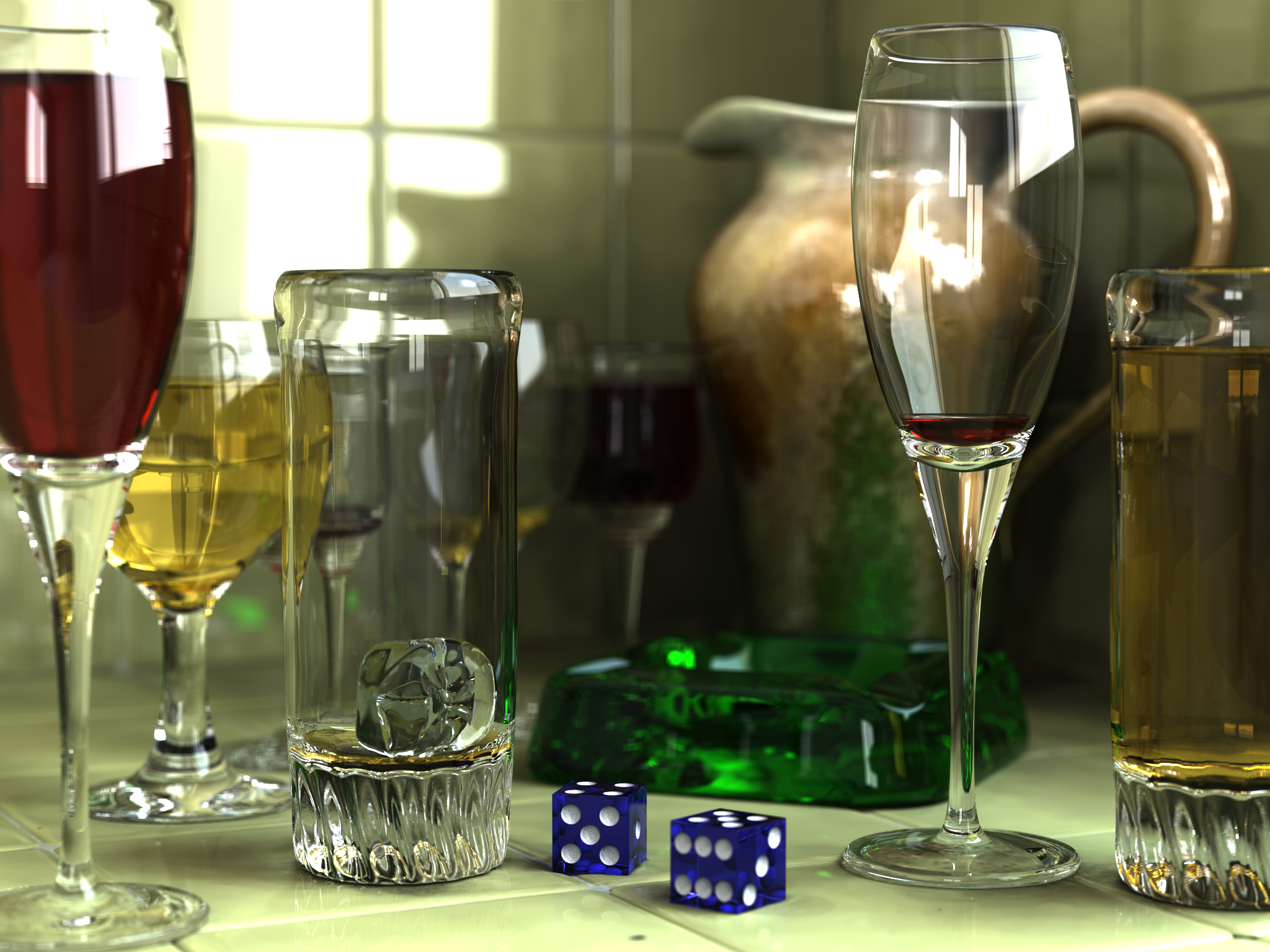
A typical 3D special effects workflow has the following steps:
- Wireframing – Create a wire model as a frame. Think of it as the skeleton.
- Modelling – Create the actual shapes.
- Rigging – Make sure the different parts of the model can be moved harmoniously as required, especially if you’re creating models for animation.
- Texturing – Wrap the models in life-like (or whatever) textures, some programs can create realistic textures.
- Lighting – Add lights to give form, light, effects, mood, etc.
- Animation – Move your model through an environment in a controlled manner.
- Compositing – Mix all the different CGI sources, live action, etc. into one final image.
What software can do all of the above in Hollywood-quality?
Autodesk Maya – the undisputed champion of the 3D CGI world. If you can only learn one software, learn this one. It can do everything listed above, all by itself. In fact, you can make a whole movie with this one software, in one session, if you were up to the task.
Autodesk 3Ds Max – This tool used to be a ‘3D-AutoCAD’ version, but today, its features are so similar to Maya that many are confused which one to pick.
Tip: Which to pick, Autodesk Maya or 3Dx Max?
If you’re more interested in creating 3D models and lighting them, 3Ds Max is perfect. If you’re a cinema, game or animation freak, pick Maya.
Blender – the free software that has taken the world by storm. It even includes an editing application. The most beautiful part of Blender is, if you don’t like something, you can create it!
Cinema 4D Studio, by Maxon – an alternative to Maya.
Unreal Engine 5 by Epic Games.
Sketchup by Trimble (formerly Google Sketchup Pro) – The alternative to 3Ds Max, but with integration with Google tools. A free version is available for personal use.
Poser – a 3D tool that specializes in 3D human beings. Excellent tool for pre-viz; sometimes its models have better expressions than their human counterparts.
Lightwave 3D – an alternative to Maya, Blender and Cinema 4D.
ZBrush, by Maxon – a tool that specializes in digital sculpting.

Animation
Designing and rigging a 3D model is one thing, while animating it is a whole different art.
Animation involves many techniques, the most famous of which is called ‘key-frame’ animation. You plot each frame by hand over a timeline. Here’s a cool video that explains the process:
There are many automated methods of animating objects if their trajectory is either geometric or totally random. Anything in between and the process is time-consuming and tedious, but fun! The only way to achieve a realistic effect is via key-framing.
Actually, that’s not entirely true. There’s another way, which is called Motion Capture, discussed later.
Key-framing (sometimes ‘keyframing’) can be done at various stages. You can do it within the CGI software itself, or later, using other tools. Most editing, compositing, grading and VFX tools can do key-framing.
Motion Graphics
Motion Graphics is the art of typography and creating two-dimensional effects overlaid over video. E.g., adding the name of the interviewee during a documentary is motion graphics. Titles can be considered motion graphics, though some people like to keep it separate.
Adding shapes, logos and animation to presentations or screen grabs or video is motion graphics.
The undisputed king of the motion graphics world is Adobe After Effects. I’m not even going to name another software!
Matte Painting
Matte Painting is the technique of creating the background environment by literally painting it in a computer program.
But it’s not that simple. Some matte painting will also have to display three-dimensionality, especially if the camera is expected to move around it. Think: the large aerial shots in Lord of the Rings.
Here’s an example to help you get started:
Matte paintings are great time and money savers. The far-off horizons (mountains, clouds, etc.) can all be painted as static objects. It takes a great artist to create life-like matte paintings that you’ll never guess is a computer generated (okay, in this case, hand-generated) image.
A tablet and pen is an indispensable tool for matte painting artists. Software can be anything (these guys can draw anywhere!). Other than all the software that has gone before in this article, the following are known for matte painting:
GlyphFX – Matte Painting Toolkit (plug-in) for Maya
Modern artists also use tools like Procreate on the iPad and Krita on desktops for digital matte painting and concept art.
Particle Physics and Dynamics
Particle physics and dynamics is the discipline of using mathematics and computers to create large bodies, textures or shapes by following ‘nature’s rules’. It’s not easy to explain, because this is real science.
This includes creating
- Water (including foam, motion, waves, ice, and other cool effects),
- Air (clouds, thunder, lightning, etc.)
- Land (mountains, plains, topography, maps, forests, etc.)
- Space (planets, galaxies, stars, nebulas, etc.)
- Fire (Explosions, fire elements, etc.)
- Fractals (a broad term that creates patterns based on fractal theory – examples include leaves, snowflakes, crystals, etc.)
The software that deals with these issues are:
Autodesk Maya has some great tools already built-in.
Incendia and Fractal Software – free and not-so-free tools.
EmberGen – real-time volumetric simulation.
Houdini’s advanced dynamics modules offer significant value for artists working on particle and fluid dynamics.
Crowd Simulation
Crowd simulation is the creation, rigging, texturing and animation of humans, clothes and props in large numbers. The underlying technology is similar to that of 3D CGI, but there are specialized programs that heed to this specific discipline (What can I say, Hollywood loves its war scenes!):
Golaem – watch this in action:
“Special” Techniques
By “Special” I mean anything that ‘works’ and is standard across the industry.
Rotoscoping
Rotoscoping (or roto-ing) is the art of cutting out an object or shape from an image. You do this by creating masks or mattes around the object, and then manipulating that. Many applications have rotoscoping tools, but some software stand on their own:
Silhouette and Mocha Pro, by Boris FX – available as plug-ins for popular software:
The Adobe After Effects Roto Brush.
Motion Tracking or Match-moving
Tracking or match-moving is the art of pin-pointing a point, object, color or matte and then able to ‘track’ that as it moves through a video. Rotoscoping and tracking go hand-in-hand. Some important tools are:
3D Tracker in Nuke
SynthEyes, by Andersson Technologies.
2D Tracker in Adobe After Effects
Retiming
Retiming is either adding frames between frames (interpolation) or taking away frames. The former will lead to slow-motion, while the latter will lead to fast motion.
Retiming isn’t a replacement for high-speed filming. What it does do is cover up for certain ‘mistakes’. Like all things in special effects, the results are better if you plan ahead. Speeding up is slightly easier.
Even though many retiming tools exist in popular software, two important stand-outs are:
The Foundry Kronos, part of Nuke X
Twixtor, by Re-vision effects
HDR
HDR (High Dynamic Range imagery) is the ability of an image to display greater dynamic range than what was possible to record with a camera. It’s easy with still images, but with moving images, the workload is massive. Above that, you have the problem of trying to match all the frames so there’s no ‘flickering’.
To know more about HDR, watch this:
Time-lapse and Hyper-lapse
Time-lapse is the technique of combining images (frames) taken many seconds or minutes apart to cover a large time period. The resulting video will only be a few seconds long, but you can cover hours of activity, like sunrises, star trails, clouds passing, etc.
Hyper-lapse is a time-lapse technique that involves motion, so you’re moving close and further away from your subjects. Here’s a video that will make this clear:
Time-lapse is easy to achieve with any professional NLE.
Stop-motion and Clay animation
Move puppets or models frame by frame, and you have stop-motion.
Most of the artistry in stop-motion animation happens in camera and on location. The software only has to assemble and ‘correct’ for certain things. Most NLEs are more than sufficient for stop-motion animation, but there are some stand-alone applications:
Morphing
Morphing or frame-blending is the art of mixing one object into another, as if the first object turned into or transformed into the second one. Examples include morphing a small man into a green monster, the overused face morphs, etc.
An example is FantaMorph.
That’s about it for ‘special’ visual effects disciplines. If you’re looking for software that will do all of the above, then look no further than Adobe After Effects (for 2D work and finishing) and The Foundry Nuke X (for everything else).
Visual Effects Plug-ins, Apps and Filters
The sheer range of plug-ins and filters available for software is mind-boggling. Many tools are already incorporated into software that you purchase. Some of them need to be purchased separately. I’m not going into the details here, but will only list a few famous ‘suites’:
Red Giant Magic Bullet and Trapcode
Genarts Sapphire and other Boris FX plugins.
The Foundry Plug-ins
Color Correction and Grading Tools
To know more about this, read these articles:
Noise Reduction
Noise, either film grain or video noise, is sometimes inevitable. Small amounts of noise is not very hard to remove. Some applications dedicated to noise removal are:
Flicker
Flicker can be caused by incorrect lighting, high-speed imaging, wrong shutter speeds, etc. Not all flicker can be corrected, and sometimes you’ll need to do it frame by frame. Not fun.
Typically you have flicker plugins in most high-end software.
De-Warp or Warp Stabilization
Warping happens for many reasons, like lens distortion, lens perspective, fish-eye lenses, etc. Correcting this is not easy. Warping also refers to temporal distortion, like shaky footage, etc.
The Video-look
If there was one supreme way to convert video into the film-look somebody would have found it by now. Camera manufacturers have done the next best thing, which is design cameras that shoot like film.
Some common corrections include interlacing and de-interlacing, changing the frame rates, resizing, gamma correction, rolling shutter, aliasing, etc. Most of these tools are already present in professional NLEs or Compositing applications.
Motion Capture

Motion capture, or Mocap, is the art of recording movement – usually those of human beings. In recent years, mocap has advanced to include recording facial expressions. The following video will give you a quick idea:
As you can imagine, motion capture isn’t just confined to a computer. You need an environment monitored by special cameras, and a ‘suit’ with or without markers or sensors.
The ‘technology’ is not just one technology – there are many ways to do the same thing, and each has its own quirks, advantages and disadvantages.
Bread and butter tools
These are tools you need on a ‘daily’ basis. Stuff most videos or films can’t live without!
Keying
Keying is the art of removing color information or luminance information from an image. You can also remove information (or objects) via Rotoscoping, which we’ve seen earlier.
Most compositing applications include keying tools, and the good applications have excellent keying tools. In fact, if your key doesn’t work, it’s probably because you have ruined a shot with poor lighting, workflow or camera technique.
Some applications have more than one keying tool, like Nuke, for example. The point is to give you as many options as possible, since each tool is slightly different. Think of them as different kinds of paint brushes – each has its own reason to be. It’s also a matter of intuition. It’s only after you’ve played with them a lot that you realize which ones work for you. Try all of them, a lot.
Some of my favorite keyers were the Luma keyer, Primatte, Keylight, Ultimatte and the IBK Keyer. I don’t do VFX anymore, and if need basic keying I use Davinci Resolve.
Compositing
Compositing (or comping) involves layering multiple elements to create a final image. The major tools include:
The big guns are:
Adobe After Effects – a layer-based compositing application
The Foundry Nuke
Resolve Fusion
Stereoscopy
Good stereoscopy begins on set, with the right camera technique and rig.
A stereoscopy software or tool basically aligns the left and right images, and allows for corrections or adjustments. A good tool will provide a near-seamless experience, so you almost feel as if you’re working on a normal movie. The big difference is, you’ll need almost double the computer power for anything.
One well-known stereoscopy tool is The Foundry Ocula – a Hollywood standard.
Rendering
We’ve looked at all kinds of special effects tools and software. When I decided to name this section ‘bread and butter’, it was so I could include tools that almost every project will need at some point, no matter what its scope.
Compositing is generally present in some form on very VFX project, but it’s not mandatory. In fact, there are only two disciplines that are absolutely mandatory on any digital project, one of which is rendering.
Rendering is the process of having a computer recalculate and redraw an image based on the changes you have made using various tools. Each pixel is just a bunch of color channels that need to be redrawn, no matter how small the change. If you master to another codec, you’ll also need to redraw. You can’t escape it!
Rendering special effects is an art form unto itself. Sometimes, special computers are created just to handle rendering. These are called Render Farms.
If you own an expensive workstation, and you are paying top dollar to have an artist work on it, you don’t want him or her waiting while the computer is rendering, so you’ll need to find a balance between working and rendering. Sometimes these farms take up a lot of space.
There are some tools that specialize in rendering, even though almost every software must have a rendering mechanism in-built (something goes in, something must come out!). Here are a few:
Pixar’s Renderman – the gold standard
DrQueue – a powerful and popular open source render farm manager
Octane, by Otoy – a powerful GPU-based rendering tool
Rush, by Seriss Corporation
Keyshot – a standalone CPU-based rendering tool
Redshift, by Maxon
Many of these tools are available in both standalone versions and also as plug-ins to 3D software.
Management
Finally we come to special effects or VFX data management. This is the second mandatory discipline. Everyone needs it.
In a VFX facility, there are many stations (computers with artists) – each doing their own thing. One person cannot master all disciplines, which is why these facilities have many individuals.
This also means a lot of data flies around. These could be frames, or pieces of frames, or channels, codes, or a million kinds of things. Major VFX houses have in-house software programmers who design applications for their proprietary use.
Many of the tools we have today were first born in these major houses, like ILM (Industrial Lights and Magic), for example. These houses not only have to pass data to hundreds of people within one facility, but sometimes to and from many sub-contractors spread across the globe!
Obviously, these houses will also have data management tools. They can afford to, since nobody else is earning more than them anyway. Everyone else has to resort to custom solutions, like project management, shot management, DAM, tracking, scheduling backup solutions, archival solutions, firewalls, queuing, rendering, licenses, and a million other things.
Some software that tries to cater to small special effects facilities are:
Dropbox – sometimes the simple ones work the best!
Unreal Engine and Virtual Productions
A major update in the VFX and filmmaking arena is the rise of real-time engines and virtual production workflows.
Unreal Engine 5 by Epic Games has revolutionized the way filmmakers approach real-time rendering, interactive lighting, and virtual environments.
Unreal Engine 5 is used not only for game development but also for creating cinematic experiences, pre-visualizations, and live virtual production sets.
Virtual production combines real-time CGI with live action filming and has become a game changer, enabling on-set visualization, real-time compositing, and immediate feedback. Think green screen but with actual imagery instead of a green backdrop.
A lot of TV commercials and high-end film productions use virtual backgrounds. Here’s an example video that shows you how it all works:
That’s it, folks. We have looked at the whole gamut (I’m sure I’ve missed a few!) of the visual effects (VFX) industry, its tools and software.
I hope by now you have a general understanding of each discipline. Now go forth and create some magic!
